


 v1.0.0
super_circle
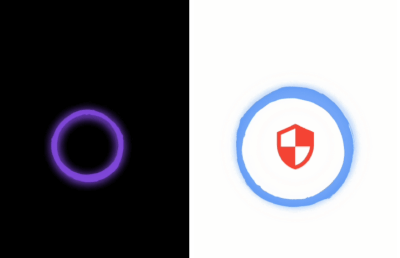
Erstaunlicher animierter farbiger kreisförmiger Widget, den Sie für Ihr Profil, Ladebildschirm oder jedes andere Widget verwenden können.
26Likes 530-Tage-Downloads130Pub-Punkte
AndroidiOSWebmacOSWindowsLinux
Ein erstaunliches animiertes farbiges Kreis-Widget wurde von der Flutter-Framework erstellt.

Englischer Projektschnappschuss. Aktuelle Inhalte auf GitHub.
Amazing animated colored circular widget, you can use it in your profile , loading screen or with any widget you want.
Add Super Circle => Better UI/UX


Animation
This widget animate any widget with pro UI, you can use it to profile screen , loading screen or any widget you want.
Configurable Widget
You can control any part of this widget speed , rotation direction , background color
Add this to your package's pubspec.yaml file:
dependencies:
  super_circle: latest_version
Then import the package in dart code:
import 'package:super_circle/super_circle.dart';
More details see pub.dev.
The super_circle package it is so easy to use:
:warning:: The
sizevalue must besize <= MediaQuery.of(context).size.widthto give you good experience.
Without any child widget
Center(child: SuperCircle());
Add Image widget
      SuperCircle(
          size: 400,
          rotateBegin: 1.0,
          rotateEnd: 0.0,
          backgroundCircleColor: Colors.black,
          speedRotateCircle: 6000,
          speedChangeShadowColorInner: 2000,
          speedChangeShadowColorOuter: 2000,
          child: Container(
            width: 400,
            height: 400,
            color: Colors.red,
            child: Image.network(
              'http://placekitten.com/g/200/300',
              width: 400,
              height: 400,
              fit: BoxFit.cover,
            ),
          ),
        )
Add Icon widget
      SuperCircle(
        size: 250,
        rotateBegin: 0.0,
        rotateEnd: 1.0,
        backgroundCircleColor: Colors.white,
        speedRotateCircle: 4000,
        speedChangeShadowColorInner: 3000,
        speedChangeShadowColorOuter: 3000,
        child: Container(
          width: 300,
          height: 300,
          child: Icon(Icons.security , color: Colors.red, size: 100,),
        ),
      )
child
Widget
A widget which it is inside the circle.
size
double
size of the circle (width and height are equal).
backgroundCircleColor
Color
background color of the circle.
rotateBegin
double
The initial value of the rotation , the value between 0.0 and 1.0 .
rotateEnd
double
The final value of the rotation , the value between 0.0 and 1.0 .
spreadShadowBegin
double
The initial value of spread shadow.
spreadShadowEnd
double
The final value of spread shadow.
speedChangeColor
int
The speed value of changing color of the circle.
speedRotateCircle
int
The speed value of rotation of the circle.
speedChangeShadowColorInner
int
The speed value of changing color of the inner shadow.
speedChangeShadowColorOuter
int
The speed value of changing color of the outer shadow.
Abhängigkeiten 3 Einträge
{"sdk":"flutter"}^0.1.1{"sdk":"flutter"}Nach Anwendungsfall filtern, Aktivität vergleichen und vor der Nutzung das Originalprojekt prüfen.
“A repository is the most basic element of GitHub.”
GitHub Docs — About repositories ↗