Pakete, Repositories und App-Kategorien suchen

GitHub-RepositoryCodeAppRun/sliding_switch

Schiebeschalter

CodeAppRun/sliding_switch open-source repository details.

Projektcover von Schiebeschalter
Sterne
5
Forks
16
Letzter Push (UTC)
19.12.2022
Projektstatus
Aktiv

Original-README

Englischer Projektschnappschuss. Aktuelle Inhalte auf GitHub.

sliding_switch

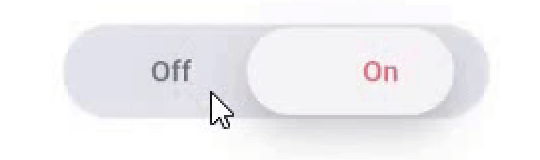
Sliding Switch - A simple switch widget. It can be fully customized with desired width, colors, text etc. It also maintains selection state.

Live Demo (Codeapprun)

codeapprun.io

Getting Started

In the pubspec.yaml of your flutter project, add the following dependency:

dependencies:
  ...
  sliding_switch: "latest"

Import it:

import 'package:sliding_switch/sliding_switch.dart';

Usage Examples

Minimum sliding switch configuration
SlidingSwitch(
 value: false,
 width: 250,
 onChanged: (bool value) {
   print(value);
 },
)

sliding switch

sliding switch other configurations
SlidingSwitch(
 value: false,
 width: 250,
 onChanged: (bool value) {
   print(value);
 },
 height : 55,
 animationDuration : const Duration(milliseconds: 400),
 onTap:(){},
 onDoubleTap:(){},
 onSwipe:(){},
 textOff : "Female",
 textOn : "Male",
 iconOff: Icons.human-female,
 iconOn: Icons.human-male,
 contentSize: 17,
 colorOn : const Color(0xffdc6c73),
 colorOff : const Color(0xff6682c0),
 background : const Color(0xffe4e5eb),
 buttonColor : const Color(0xfff7f5f7),
 inactiveColor : const Color(0xff636f7b),
),

If iconOn or iconOff are not null, they will be displayed in lieu of the respective textOn and textOff. The values for textOn and textOff are used as semantic labels for the icons for accessibility. The icons in the example are not in the default material icon set, but are from [Material Design Icons] (https://materialdesignicons.com/), available on pub.dev here.

contentSize drives the height of the text or icons.

Licensed Under the MIT License.

Inspiration

Jitu Raut

CodeAppRun GitHub avatar
GitHub-Autor

CodeAppRun ↗

SprachenDartHTMLSwiftKotlinObjective-C

Von diesem Repository veröffentlichte Pakete

Verwendete Abhängigkeiten

Abhängigkeiten 2 Einträge

  • flutter{"sdk":"flutter"}
  • flutter_testEntwicklung{"sdk":"flutter"}

Wie wähle ich ein passendes Repository?

Nach Anwendungsfall filtern, Aktivität vergleichen und vor der Nutzung das Originalprojekt prüfen.

  1. Nach Name, Autor oder Beschreibung suchen und nach Thema eingrenzen.
  2. Sterne, Forks und letzte Pushes vergleichen. Sterne zeigen Interesse, garantieren aber keine Qualität.
  3. Vor der Nutzung README, Lizenz und Issues auf GitHub prüfen.

Quellen und Pflege

“A repository is the most basic element of GitHub.”

GitHub Docs — About repositories ↗