
 v1.0.2
aura_box
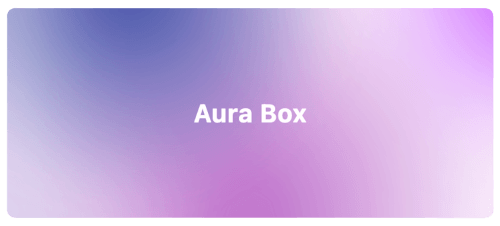
Flutter-Widget, das mehrere Radialgradienten und einen Weichzeichnungseffekt kombiniert.
74Likes 42230-Tage-Downloads160Pub-Punkte
AndroidiOSWebmacOSWindowsLinux
Flutter-Widget, das mehrere Radialgradienten und einen Blur-Effekt kombiniert
Englischer Projektschnappschuss. Aktuelle Inhalte auf GitHub.



Flutter widget that combines multiple radial gradients and blur effect.
Add this line into the project pubspec.yaml file.
dependencies:
    aura_box: ^1.0.4
Then in your files you can import it:
import 'package:aura_box/aura_box.dart';
The package exposes two widgets.
AuraBox acts as a container which can receive a child, a decoration and a list of AuraSpot.AuraSpot represent the point where the radiant gradients are generated.AuraBox(
spots: [
// Places one blue spot in the center
AuraSpot(
color: Colors.blue,
radius: 100.0,
alignment: Alignment.center,
blurRadius: 5.0,
stops: const [0.0, 0.5],
),
// Places one red spot in the bottom right
AuraSpot(
color: Colors.red,
radius: 150.0,
alignment: Alignment.bottomRight,
blurRadius: 10.0,
stops: const [0.0, 0.7],
),
],
decoration: BoxDecoration(
color: Colors.transparent,
shape: BoxShape.rectangle,
borderRadius: BorderRadius.circular(10.0),
),
child: const SizedBox(
height: 100,
width: 100,
),
)
The single spots are positioned inside a stack widget.
This gives control over their position using the alignment property.
For further details you can refer to the Alignment class documentation.
An example project is available within the project:

Abhängigkeiten 4 Einträge
{"sdk":"flutter"}{"sdk":"flutter"}>=1.0.0 <3.0.0>=5.1.0 <11.0.0Nach Anwendungsfall filtern, Aktivität vergleichen und vor der Nutzung das Originalprojekt prüfen.
“A repository is the most basic element of GitHub.”
GitHub Docs — About repositories ↗