
 v0.0.8
stickereditor
Ein Widget, mit dem Sie Ihren Text und Ihre Bilder gemäß Ihren Grenzen bearbeiten und verschieben können.
58Likes 2030-Tage-Downloads60Pub-Punkte
Keine Plattformdaten
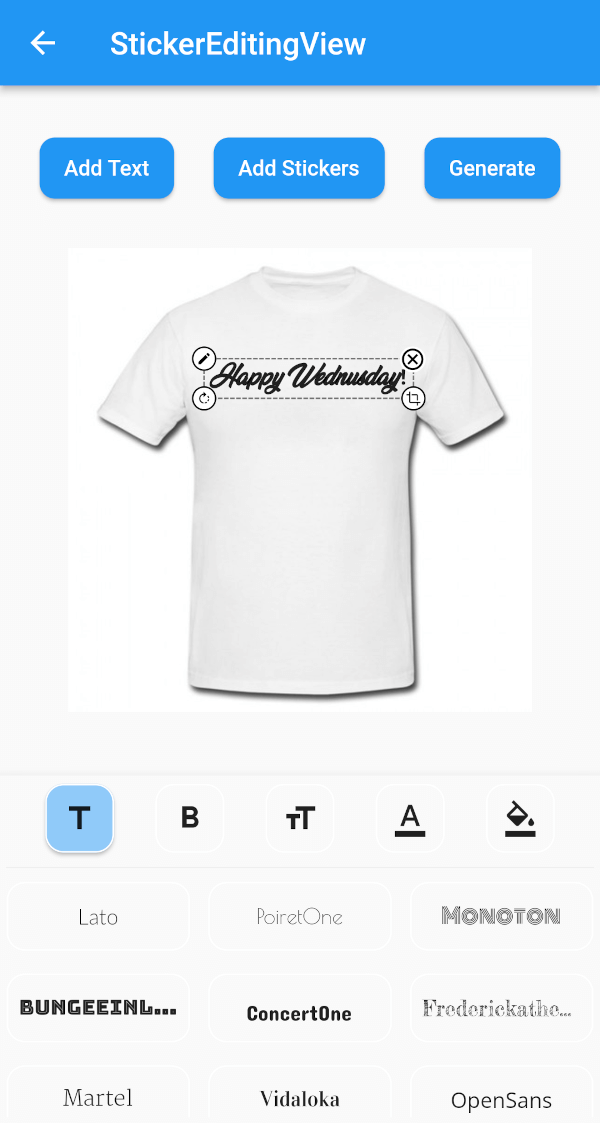
Ein Flutter-Paket, das Ihnen hilft, ein Aufkleber-Widget zu erstellen, das über den Bildschirm verschoben und skaliert werden kann.

{"sdk":"flutter"}{"sdk":"flutter"}^4.3.8^2.0.0+1^1.2.3^2.0.5{"sdk":"flutter"}^1.0.0Englischer Projektschnappschuss. Aktuelle Inhalte auf GitHub.
A flutter plugin for iOS, Android and Mac for Rotate, Scaling, Moving and Editing Text, Photo, Stickers
https://github.com/Harsh-Radadiya/sticker_editor/raw/master/assets/readme/demo.gif
| Sticker Editor | |
|---|---|
| https://github.com/Harsh-Radadiya/sticker_editor/raw/master/assets/readme/text_editor_box.png | https://github.com/Harsh-Radadiya/sticker_editor/raw/master/assets/readme/sticker_editor_box.png |
| Only Text | Only Photo |
|---|---|
| https://github.com/Harsh-Radadiya/sticker_editor/raw/master/assets/readme/only_text.png | https://github.com/Harsh-Radadiya/sticker_editor/raw/master/assets/readme/only_picture.png |
A flutter package Sticker Editor which will help you to create editable and scalable text or sticker widget that can be dragged around the area you given in screen.
First, add stickereditor as a dependency in your pubspec.yaml file.
Fore NetworkImage, macOS needs you to request a specific entitlement in order to access the network. To do that open macos/Runner/DebugProfile.entitlements and add the following key-value pair.
<key>com.apple.security.network.client</key>
<true/>
StickerEditingView(
  isnetwork: false,
  height: 300,
  width: 300,
  imgUrl: backgroundImageUrl,
  fonts: fonts,
  palletColor: colorPallet,
  assetList: stickerList,
),
Container(
  height: 300,
  width: 300,
  color: Colors.blue,
  child: Stack(
    children: [
      TextEditingBox(
        fonts: fonts,
        boundHeight: 200,
        boundWidth: 100,
        isSelected: true,
        palletColor: colorPallet,
        newText: TextModel(
            name: 'Text EditingBox',
            textStyle:
                GoogleFonts.pacifico(fontSize: 25, color: Colwhite),
            top: top,
            isSelected: true,
            textAlign: TextAlign.center,
            scale: 1,
            left: left),
      ),
    ],
  ),
),
Container(
  height: 300,
  width: 300,
  color: Colors.blue,
  child: Stack(
    children: [
      StickerEditingBox(
          boundHeight: 200,
          boundWidth: 200,
          pictureModel: PictureModel(
            isNetwork: true,
            isSelected: false,
            left: 50,
            top: 50,
            scale: 1,
            stringUrl:
                'https://raw.githubusercontent.com/Harsh-Radadiya/sticker_editor/master/assets/t-shirt.jpeg',
          )),
    ],
  ),
)
Run the example app in the exmaple folder to find out more about how to use it.