avoid_keyboard
pub version
pub points
likes
popularity
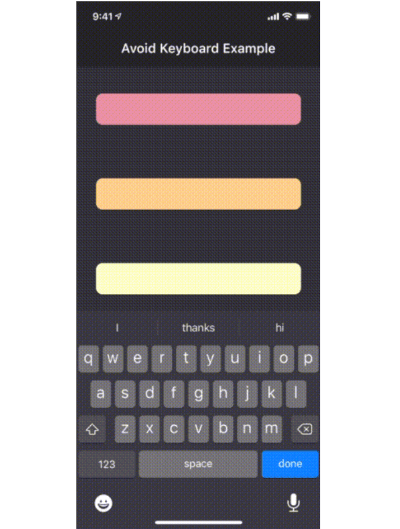
The avoid_keyboard package includes a widget (AvoidKeyboard) in which you can wrap your text fields and other input controls, such that they will scroll out of the way when the keyboard pops up. Using this widget has an advantage over using the default Scaffold behavior, in that you can specify exactly which areas of your app will scroll in response to the keyboard, rather than having your entire viewport compressed (which won't work anyway for fixed height columns).
Another advantage, is that AvoidKeyboard will only shift its contents in the case that the keyboard is actually overlapping the focused input control.
demonstration gif
Getting Started
To get started, simply wrap the input controls (along with any surrounding portion of the widget tree which should move out of the way):
class AvoidKeyboardExample extends StatelessWidget {
  @override
  Widget build(BuildContext context) {
    return AvoidKeyboard(
      child: Column(
        children: [
          TextField(),
          TextField(),
        ],
      ),
    );
  }
}
Having done this, the view will now scroll out of the way when the keyboard overlaps an active control.


 v0.3.0