

 v0.5.0
pencil_field
Bleistift/Stift-Interaktion (Schreiben und Löschen) auf verschiedenen Geräten und Plattformen. Mit versionierter Persistenz der Eingabe.
17Likes 20030-Tage-Downloads150Pub-Punkte
AndroidiOSmacOSWindowsLinux
ManfredM/pencil_field open-source repository details.

Englischer Projektschnappschuss. Aktuelle Inhalte auf GitHub.
Widget for pencil / stylus input on different devices and platforms. This widget is intended for any freehand input like signatures or drawings.
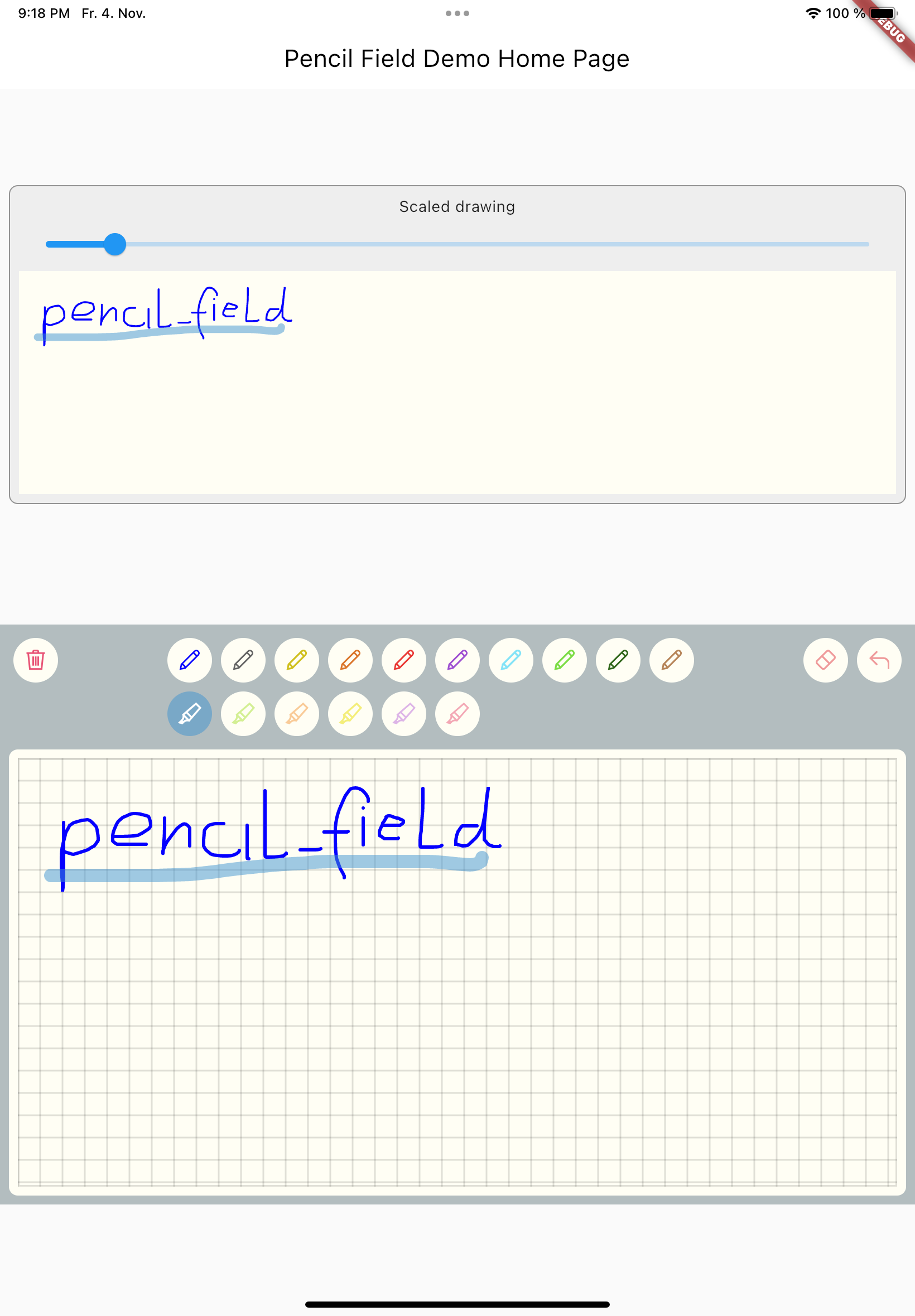
Just create PencilField widget and embedd it into your page:
PencilField(
  controller: widget.controller,
  pencilPaint: pencilPaint,
  onPencilDrawingChanged: widget.onPencilDrawingChanged,
  decoration: PencilDecoration(
    type: PencilDecorationType.chequered,
    backgroundColor: Colors.white,
    patternColor: Colors.grey[300]!,
    numberOfLines: 10,
    strokeWidth: 2,
    padding: const EdgeInsets.all(10),
  ),
  pencilOnly: true,
)
And resulting input can be displayed like so. As everything is stored in vector format scaling (e.g. for creating previews) is easy:
PencilDisplay(
  pencilDrawing: widget.controller.drawing.scale(
    scale: scale,
  ),
  decoration: PencilDecoration(backgroundColor: Colors.white),
)
The actual widget that provides the capability to capture and store freehand / pencil input. Each PencilField requires a controller that builds the bridge between the widget and PencilDrawing that stores the input.
PencilDrawing stores the actual content captured by PencilField. You can store and retrieve this data in a versioned format, so that future version of PencilField can load old data.
A full example is provided. This example shows how to use PencilField and its litte sibling PencilDisplay. It also shows how to define pens for input and interactions like erase, undo and clear.
Abhängigkeiten 3 Einträge
{"sdk":"flutter"}{"sdk":"flutter"}^5.0.0Nach Anwendungsfall filtern, Aktivität vergleichen und vor der Nutzung das Originalprojekt prüfen.
“A repository is the most basic element of GitHub.”
GitHub Docs — About repositories ↗