FLUTTER ECOSYSTEM

MohamedAbd0/time_slot

Ein neues Flutter-Paket, das bei der Erstellung von Zeitblöcken mit gegebenem Zeitintervall oder Liste von Datums- und Uhrzeiten hilft und den Tageszeitbezeichner des Zeitpunkts abruft. Dieses Paket unterstützt die Lokalisierung für ar und en.

Projektcover von Zeitraum
Stars
8
Forks
7
Letzter Push (UTC)
12.01.2025
Projektstatus
Aktiv
 Mohamed Abdo Elnashar GitHub avatar
GITHUB User

Mohamed Abdo Elnashar ↗

Senior Flutter Developer I am a software engineer with 7+ years of experience, interested in mobile applications for more than 6 years, studying for a master's

Dscale.ioDubai, UAE
SprachenDartC++CMakeSwiftCHTMLKotlinObjective-C

Von diesem Repository veröffentlichte Pakete

Verwendete Abhängigkeiten

Abhängigkeiten 4 Einträge
  • flutter{"sdk":"flutter"}
  • intl^0.19.0
  • flutter_testEntwicklung{"sdk":"flutter"}
  • flutter_lintsEntwicklung

Original-README

Englischer Projektschnappschuss. Aktuelle Inhalte auf GitHub.

Projekt-README ein-/ausklappen

time_slot

A new Flutter package which helps in creating time slots with given time interval or list of date times and get day part name of time, and this package allow localization ar and en.

Pub Version

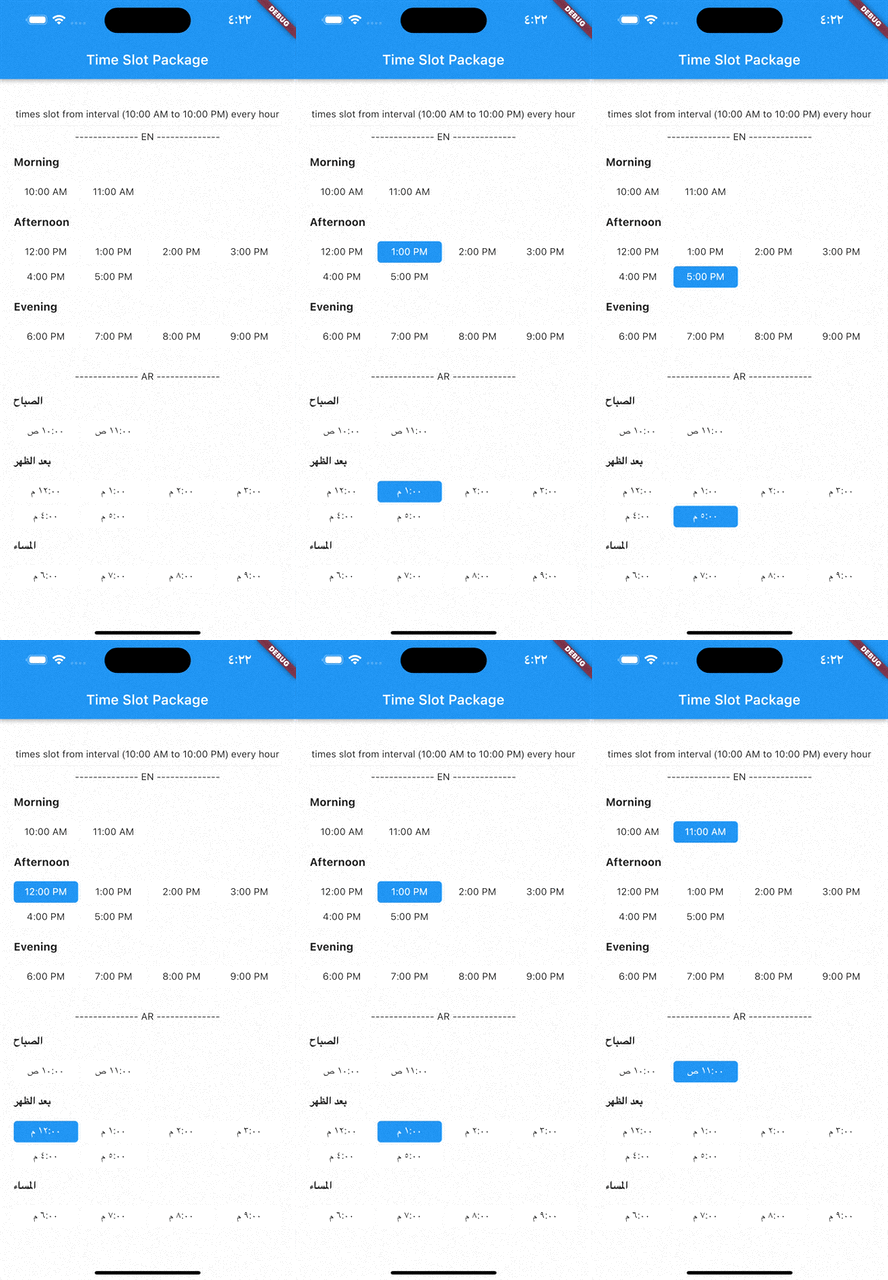
Demo gif

image

Installation

  1. Add this to your package's pubspec.yaml file:
dependencies:
  time_slot: any
  1. Get the package using your IDE's GUI or via command line with
$ pub get
  1. Import the time_slot.dart file in your app
import 'package:time_slot/time_slot.dart';

Features

  • Creating time slots with given time interval
  • Creating time slots with given list date times
  • Get day part name of time
  • Support for multiple selection
  • Support different display options

Usage

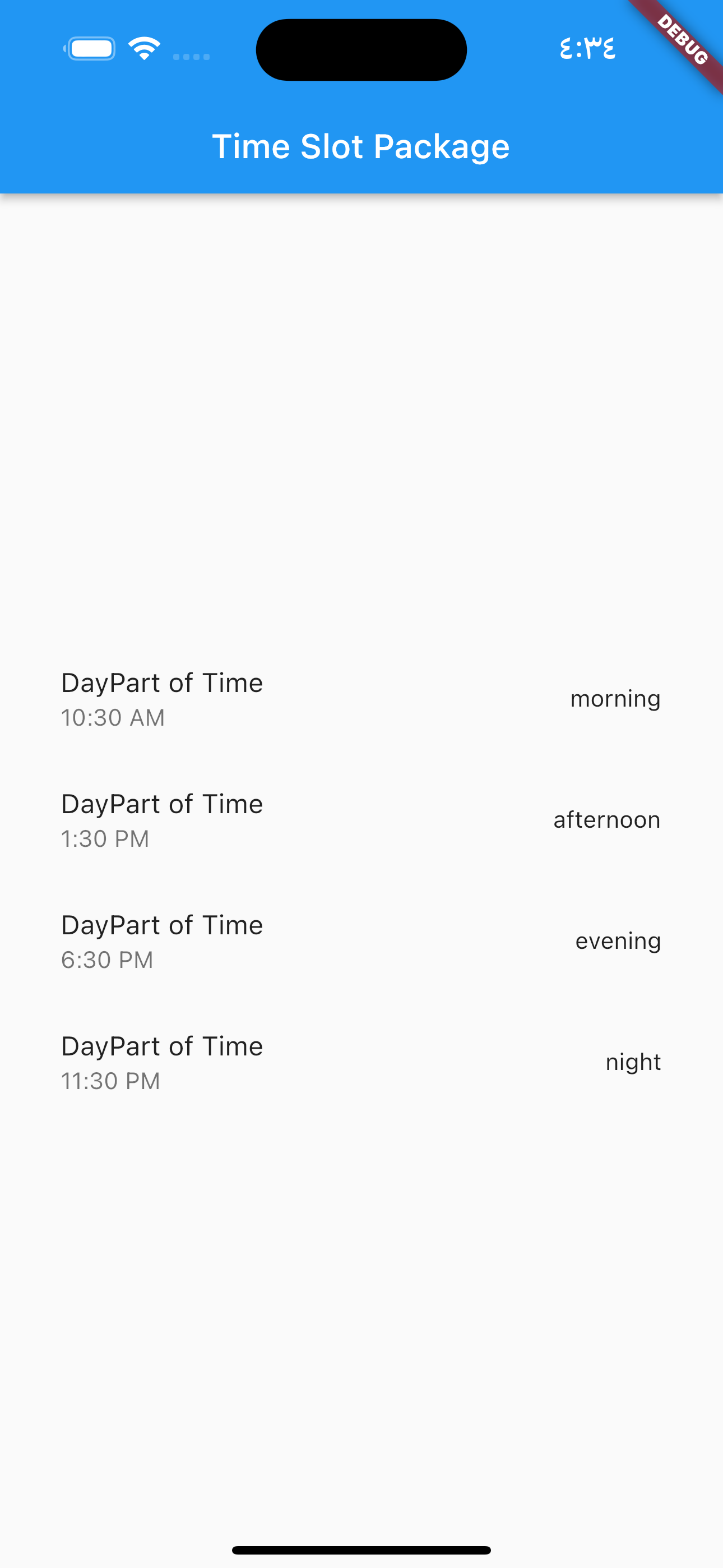
DayPartController image

  DayPartController dayPartController = DayPartController();

to get day part of time

  DayParts dayPart = dayPartController.getDayPartOfTime(
    time: DateTime(2023, 1, 1, 10, 30),
  ); ///  DayParts.morning

to get day part name from DayParts

  DayParts dayPart = dayPartController.getDayPartName(dayPart: dayPart),);
  /// morning

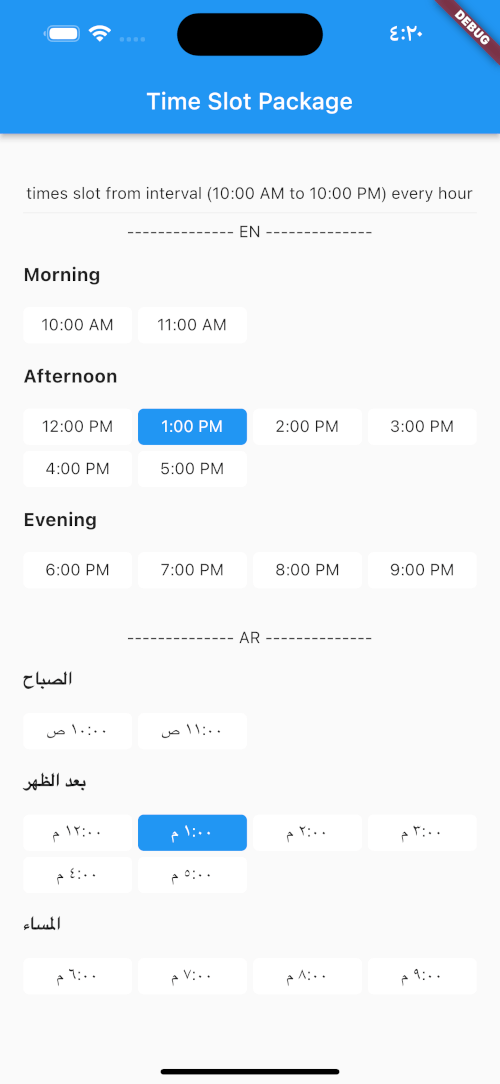
TimesSlotGridViewFromInterval

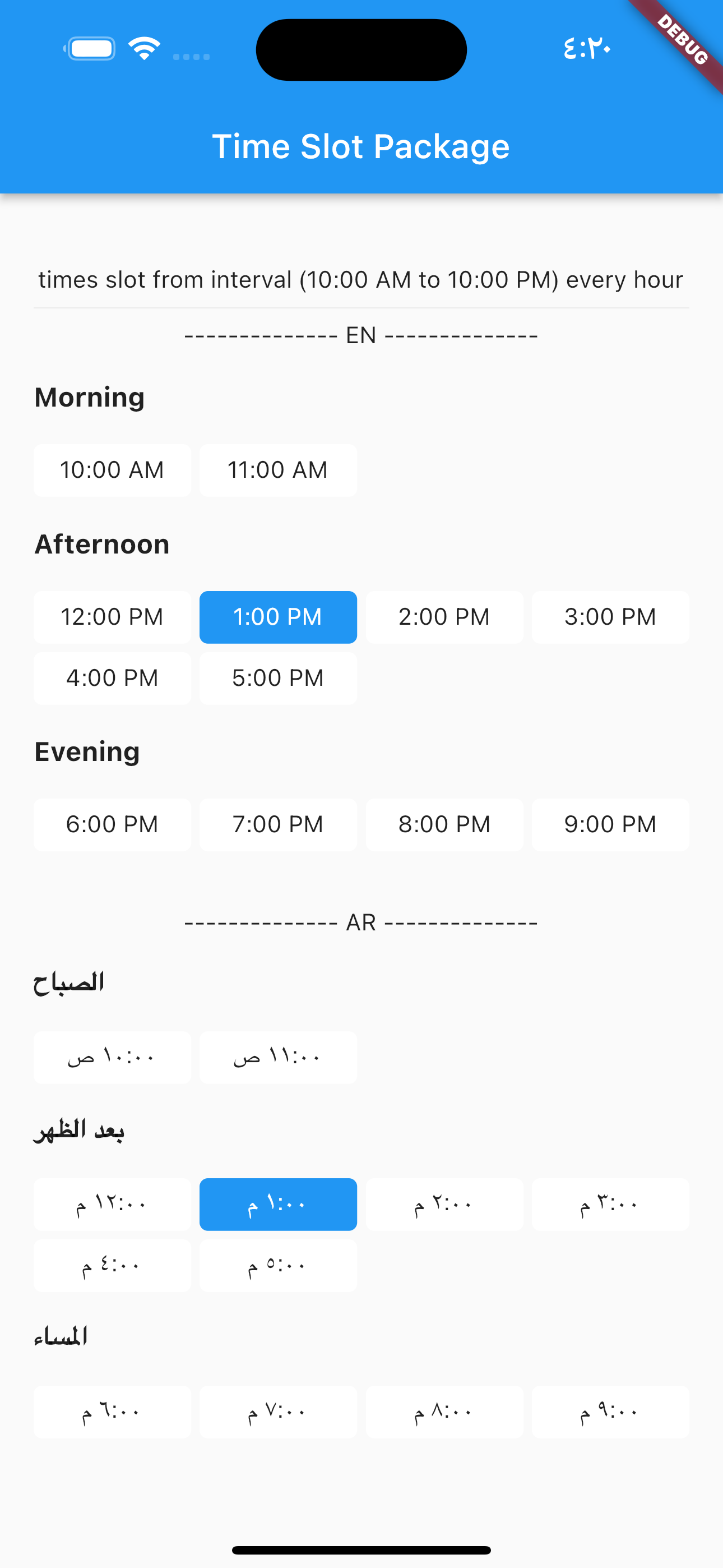
to build time slot grid view from interval (10:00 AM to 10:00 PM) every hour

image

            TimesSlotGridViewFromInterval(
                locale: "en",
                initTime: selectTime,
                crossAxisCount: 4,
                timeSlotInterval: const TimeSlotInterval(
                  start: TimeOfDay(hour: 10, minute: 00),
                  end: TimeOfDay(hour: 22, minute: 0),
                  interval: Duration(hours: 1, minutes: 0),
                ),
                onChange: (value) {
                  setState(() {
                    selectTime = value;
                  });
                },
              ),

locale = "ar",

                TimesSlotGridViewFromInterval(
                locale: "ar",
                initTime: selectTime,
                crossAxisCount: 4,
                timeSlotInterval: const TimeSlotInterval(
                  start: TimeOfDay(hour: 10, minute: 00),
                  end: TimeOfDay(hour: 22, minute: 0),
                  interval: Duration(hours: 1, minutes: 0),
                ),
                onChange: (value) {
                  setState(() {
                    selectTime = value;
                  });
                },
              ),

TimesSlotGridViewFromList

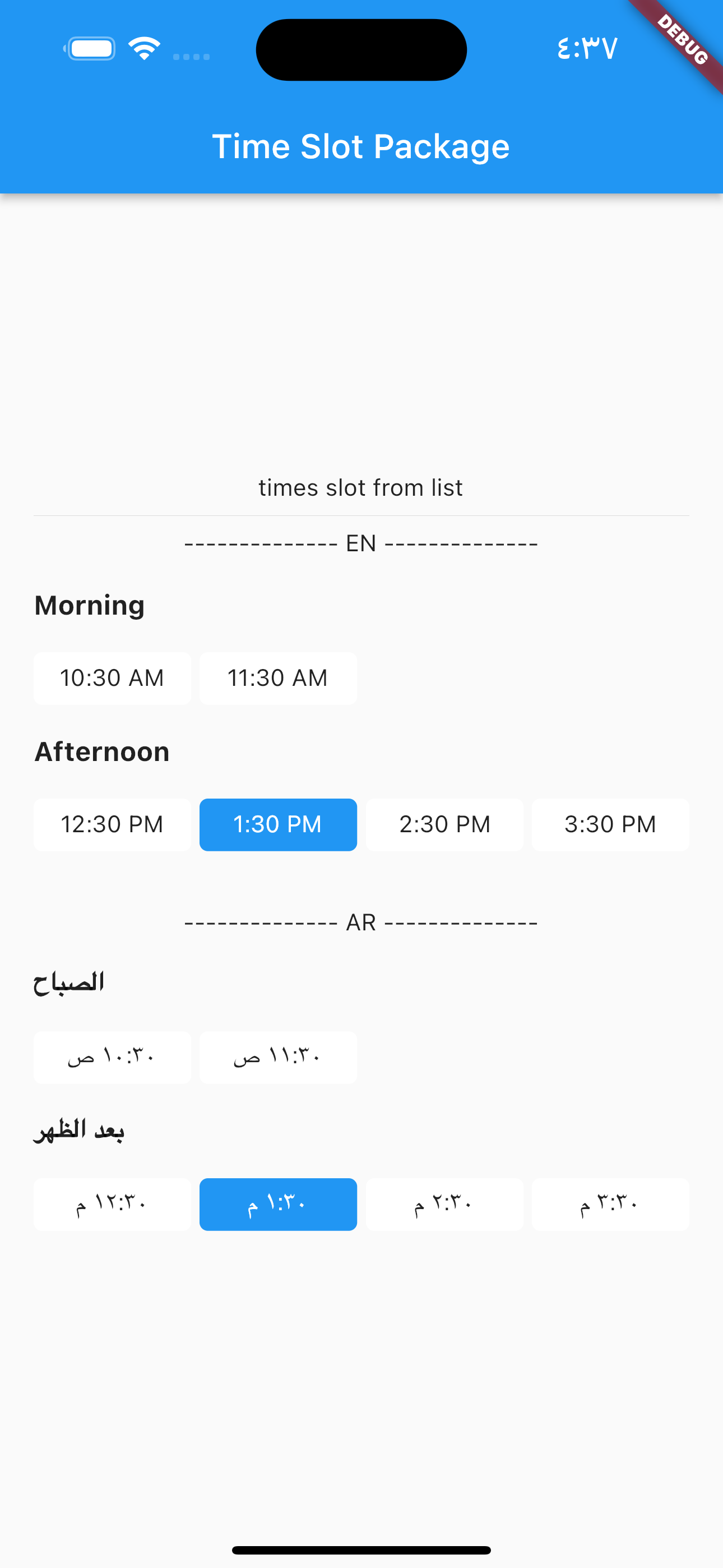
to build time slot grid view from list date.

image

            TimesSlotGridViewFromList(
                locale: "en",
                initTime: selectTime,
                crossAxisCount: 4,
                listDates: [
                  DateTime(2023, 1, 1, 10, 30),
                  DateTime(2023, 1, 1, 11, 30),
                  DateTime(2023, 1, 1, 12, 30),
                  DateTime(2023, 1, 1, 13, 30),
                  DateTime(2023, 1, 1, 14, 30),
                  DateTime(2023, 1, 1, 15, 30)
                ],
                onChange: (value) {
                  setState(() {
                    selectTime = value;
                  });
                },
              ),

locale = "ar",

                TimesSlotGridViewFromList(
                locale: "ar",
                initTime: selectTime,
                crossAxisCount: 4,
                listDates: [
                  DateTime(2023, 1, 1, 10, 30),
                  DateTime(2023, 1, 1, 11, 30),
                  DateTime(2023, 1, 1, 12, 30),
                  DateTime(2023, 1, 1, 13, 30),
                  DateTime(2023, 1, 1, 14, 30),
                  DateTime(2023, 1, 1, 15, 30)
                ],
                onChange: (value) {
                  setState(() {
                    selectTime = value;
                  });
                },
              ),