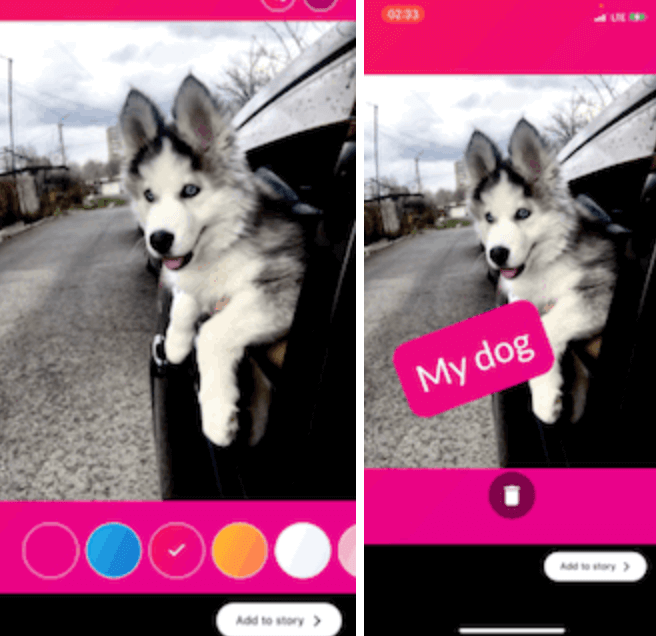
A package for creating instagram like story, you can use this package to edit images and make it story ready by adding other contents over it like text, stickers, gradients, and color filters.
GIF 1
GIF 2
Getting Started
Add this to your package's pubspec.yaml file:
dependencies:
  story_maker: ^1.2.0
Example
import 'package:story_maker/story_maker.dart';

class _MyAppState extends State<MyApp> {
  File? image;

  @override
  Widget build(BuildContext context) {
    return Scaffold(
      appBar: AppBar(
        title: const Text('Story Designer Example'),
      ),
      body: Center(
        child: Column(
          mainAxisAlignment: MainAxisAlignment.center,
          children: [
            ElevatedButton(
              onPressed: () async {
                await [
                  Permission.photos,
                  Permission.storage,
                ].request();
                final picker = ImagePicker();
                await picker
                    .pickImage(source: ImageSource.gallery)
                    .then((file) async {
                  final File editedFile = await Navigator.of(context).push(
                    MaterialPageRoute(
                      builder: (context) => StoryMaker(
                        filePath: file!.path,
                      ),
                    ),
                  );
                  setState(() {
                    image = editedFile;
                  });
                  print('editedFile: ${image!.path}');
                });
              },
              child: const Text('Pick Image'),
            ),
            if (image != null)
              Expanded(
                child: Image.file(image!),
              ),
          ],
        ),
      ),
    );
  }
}
Advanced Usage with Customization
import 'package:story_maker/story_maker.dart';

// Example with custom theme, stickers, and done button
StoryMaker(
  filePath: imagePath,
  theme: StoryMakerTheme.dark(), // or StoryMakerTheme.light()
  customStickers: [
    StickerItem.emoji('🎉'),
    StickerItem.emoji('🔥'),
    StickerItem.image('/path/to/sticker.png'),
  ],
  customFontList: ['Roboto', 'Open Sans', 'Lato'],
  customTextColors: [
    Colors.red,
    Colors.blue,
    Colors.green,
  ],
  customGradients: [
    [Colors.purple, Colors.pink],
    [Colors.blue, Colors.cyan],
  ],
  doneButtonBuilder: (theme, onDone, isLoading) {
    return ElevatedButton(
      onPressed: isLoading ? null : onDone,
      style: ButtonStyle(
        backgroundColor: WidgetStateProperty.all(theme.buttonColor),
      ),
      child: isLoading
          ? CircularProgressIndicator()
          : Text('Save Story', style: TextStyle(color: theme.buttonTextColor)),
    );
  },
)
Available Features
Core Features
-
[x] Image Editing:
- Image scaling and rotation
- Pinch-to-zoom and pan gestures
- Photo view with rotation support
-
[x] Text Editing:
- Adding text to images with customizable:
- Font family (with 50+ Google Fonts via
google_fonts package)
- Font size (adjustable slider from 14-74px)
- Text color (extensive color palette with 20+ default colors)
- Text background gradients (60+ gradient options)
- Real-time text preview
- Drag, rotate, and scale text items
- Multiple text items support
-
[x] Background Gradients:
- 60+ pre-built gradient options
- Custom gradient support via
customGradients parameter
- Gradient selector with visual preview
-
[x] Stickers Support:
- Emoji stickers (50+ default emojis)
- Custom image/GIF stickers via
StickerItem.image()
- Customizable sticker list via
customStickers parameter
- Sticker selector with horizontal scrolling interface
- Drag, rotate, and scale sticker items
-
[x] Color Filters:
- 8 color filter options: None, Sepia, Grayscale, Vintage, Cool, Warm, Bright, Dark
- Swipe left/right gestures for quick filter navigation
- Filter name overlay display when selecting filters
- Color filter picker with visual preview
- Real-time filter application
-
[x] Theme Customization:
- Complete UI theming system via
StoryMakerTheme
- Pre-built dark and light theme variants
- Customizable colors (background, buttons, icons, text, borders)
- Customizable border radius and shadows
- Theme provider system for easy access throughout widget tree
- Support for custom button styles and decorations
-
[x] Customization Options:
- Custom done button builder with theme, callback, and loading state access
- Customizable font lists via
customFontList parameter
- Customizable text color lists via
customTextColors parameter
- Customizable gradient color lists via
customGradients parameter
- Customizable animation duration via
animationsDuration parameter
-
[x] User Experience:
- Haptic feedback on interactions
- Style name overlay when changing font families
- Filter name overlay when changing color filters
- Delete item by dragging to bottom area
- Smooth animations and transitions
- Loading state during image export
-
[x] Developer Experience:
- Barrel files for organized imports
- Comprehensive documentation
- Type-safe APIs
- Backward compatible updates
"Buy Me A Coffee"


 v1.2.0