
v4.5.2
go_router_builder
Ein Builder, der generierte stark typisierte Routenhelfer für das Paket: go_router unterstützt
302Likes 371.00030-Tage-Downloads160Pub-Punkte
AndroidiOSmacOSWindowsLinux
Offizieller Repository des mobilen Apps Nepanikař (Don't Panic) für psychologische Erste Hilfe. Er wurde mit Fachleuten entwickelt und beraten, um bei psychischen Gesundheitsproblemen zu helfen.

Ein Builder, der generierte stark typisierte Routenhelfer für das Paket: go_router unterstützt
NoSQL-dauerhafte eingebettete Dateisystem-Dokumentenbank für Dart VM und Flutter mit Verschlüsselungssupport.
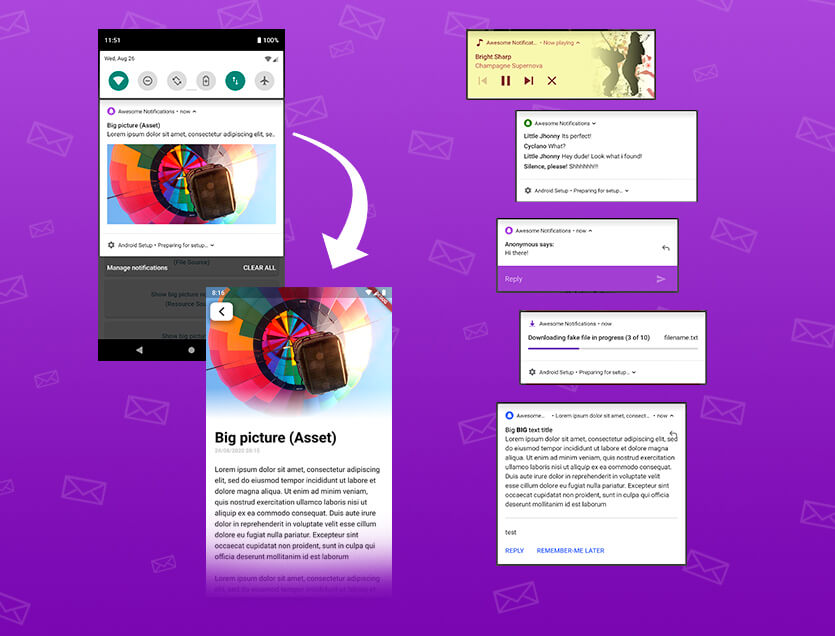 v0.12.1
Eine vollständige Lösung zum Erstellen lokaler und Push-Benachrichtigungen mit Anpassung von Schaltflächen, Bildern, Sounds, Emoticons und Anwendung verschiedener Layouts für Flutter-Apps.
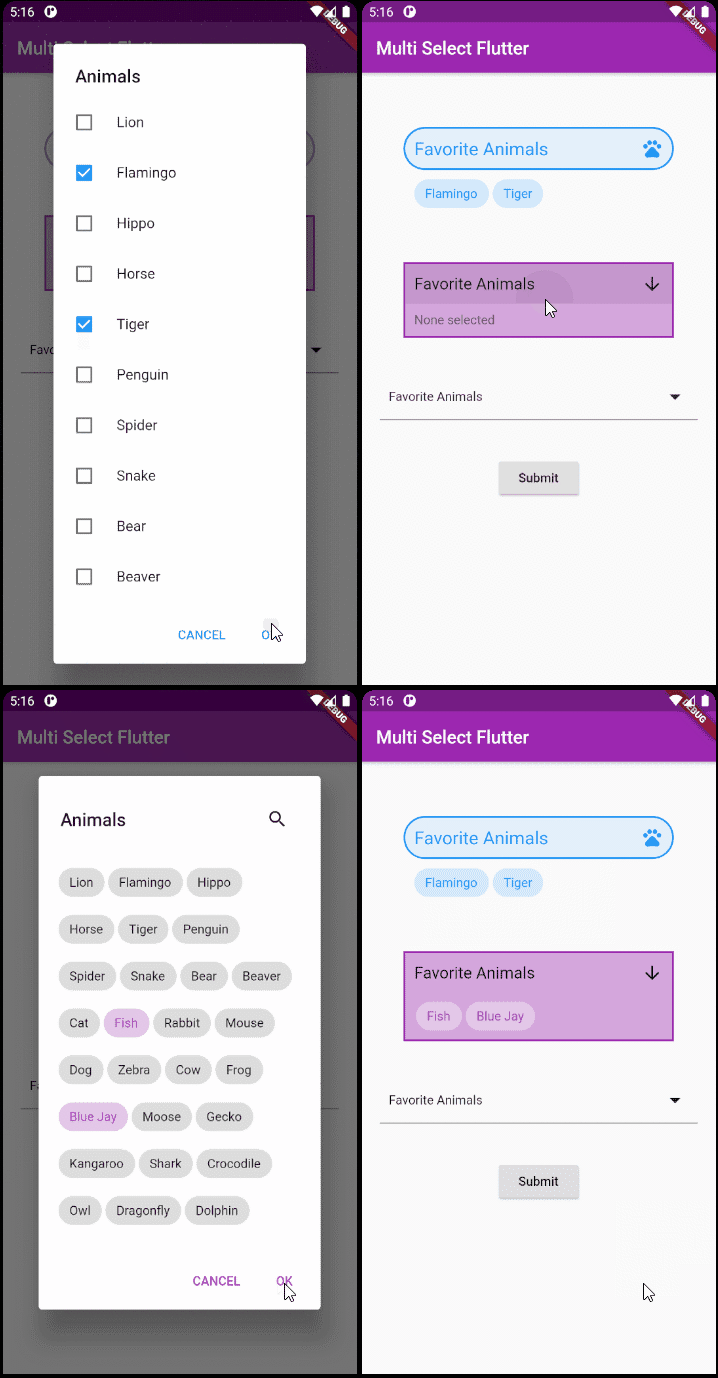 v4.1.3
Ein flexibles Multi-Select-Paket für Flutter. Erstellen Sie Multi-Select-Widgets genau so, wie Sie möchten.
Eine einfache (aber korrekte) Dart-Klasse zur Überprüfung von E-Mail-Adressen
Datums- und Zeitbibliothek für Flutter, Web und Server mit Unterstützung für Zeitzonen, Kalender, Kulturen, Formatierung und Analyse.
Niedrigstufige Linkanalysebibliothek (Text, URLs, E-Mails, Telefonnummern, Benutzertags) in Dart.
 v0.1.0
Ein einfacher Weg, Polygonformen zu zeichnen und sie zu beschneiden.
Testhilfsmittel, um sicherzustellen, dass generierter Dart-Code innerhalb eines Pakets aktuell ist, wenn package:build verwendet wird.
Dialoge zum Auswählen und Speichern von Dateien unter Android und iOS.
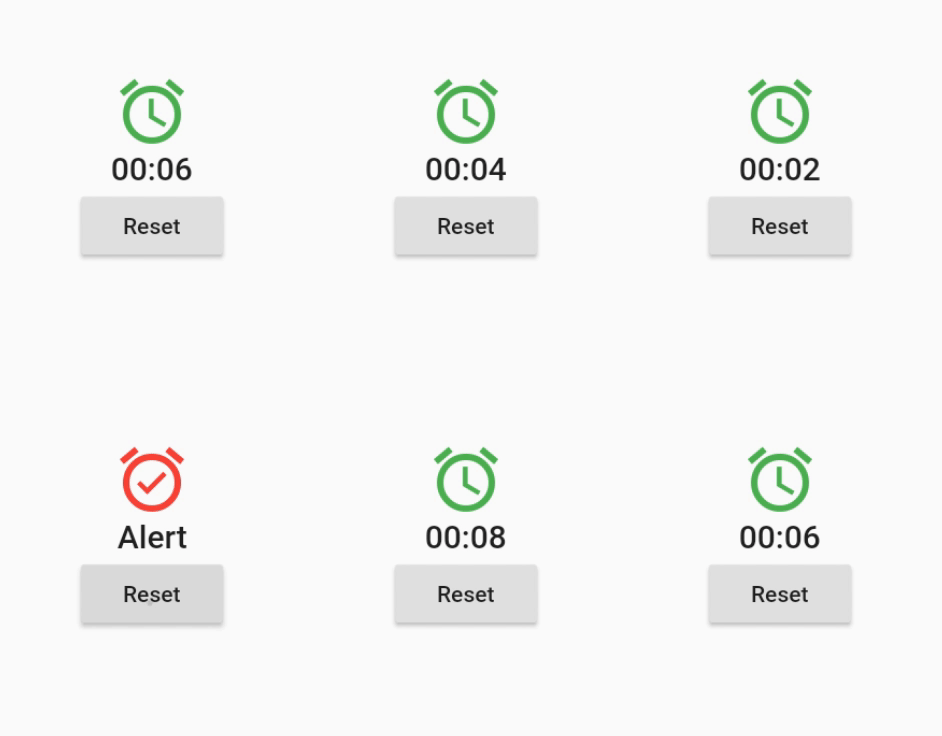 v2.0.0
Ein Widget, das sich bei geplanten, periodischen oder dynamisch generierten Zeitereignissen neu aufbaut.
Dieses Paket ist eine Kopie des shared_preferences-Pakets, jedoch ohne Präfix in den Schlüsseln. Es wird verwendet, um Daten aus einer früheren Native-App zu migrieren.
Abhängigkeiten 50 Einträge
^3.0.0^0.12.0^1.19.0^1.0.5any^3.0.0^2.0.5^12.0.0^4.0.0^5.0.0^1.1.1{"sdk":"flutter"}^4.5.2^3.0.0{"sdk":"flutter"}^2.2.17^2.2.0^3.1.0^9.0.5^17.0.0any^0.20.2^4.9.0^0.10.5^5.0.0^3.3.0any^3.2.2{"path":"./packages/nepanikar_contacts_gen"}^10.1.0^1.8.2^2.0.12^0.1.0^6.0.5^0.28.0^3.4.0+6^2.0.6^0.9.17^2.0.0^2.0.1^6.3.2^1.4.0^2.16.0^3.1.1^5.1.0+1{"sdk":"flutter"}^4.0.0-dev.3^4.0.1^6.11.2^2.0.1Englischer Projektschnappschuss. Aktuelle Inhalte auf GitHub.
First aid for psychological issues - Official mobile app for nepanikar.eu
Run command flutter run from root folder of application.
flutter_gen package lets us quickly generate paths for images/icons.
To add a new asset, add it to ./assets/ and then run flutter packages pub run build_runner build -d.
If you are creating a new assets folder, do not forget to reference it in pubspec.yaml.
We are using Localazy for managing app localizations.
The prerequisites for running the localization update script are:
stringcase: pip install stringcasenpm install -g @localazy/cli or see Installation
page for other options)After that, you can simply run the script located in ./bin/localazy/localazy_gen.sh.
When adding a new language:
Contacts & help data are generated from Dart objects for easier maintainability. These data are then converted and
shipped within the app as JSON which is located in the ./assets/contacts/ folder. The whole contacts & help UI in
the app is controlled by the content of this JSON file.
The prerequisites for updating and regenerating these data is:
The source of these data is managed by nepanikar_contacts_gen Dart package.
Source data are located in ./packages/nepanikar_contacts_gen/bin/translation_extra_files/{language_tag}.dart.
Make the necessary changes, then simply run the script located in ./bin/nepanikar_contacts_gen/
to regenerate the JSON file.
flutter run - run applicationflutter packages pub run build_runner build -d - regenerate go_route/freezed/assets filesflutter pub run build_runner watch -d - watch and generate automatically changes when files are changedflutter gen-l10n - recompile .arb language filesflutter pub run flutter_native_splash:create - regenerate splash screendart format --line-length 100 ./ - automatic formatting of the project