
k_chart_plus
TrangLeQuynh/k_chart_plus open-source repository details.

- Sterne
- 15
- Forks
- 6
- Letzter Push (UTC)
- 11.09.2026
- Projektstatus
- Aktiv
Original-README
Englischer Projektschnappschuss. Aktuelle Inhalte auf GitHub.
K Chart Plus Package
Feature
Maybe this is the best k chart in Flutter.Support drag,scale,long press,fling.And easy to use.
| Example1 | Example2 |
|---|---|
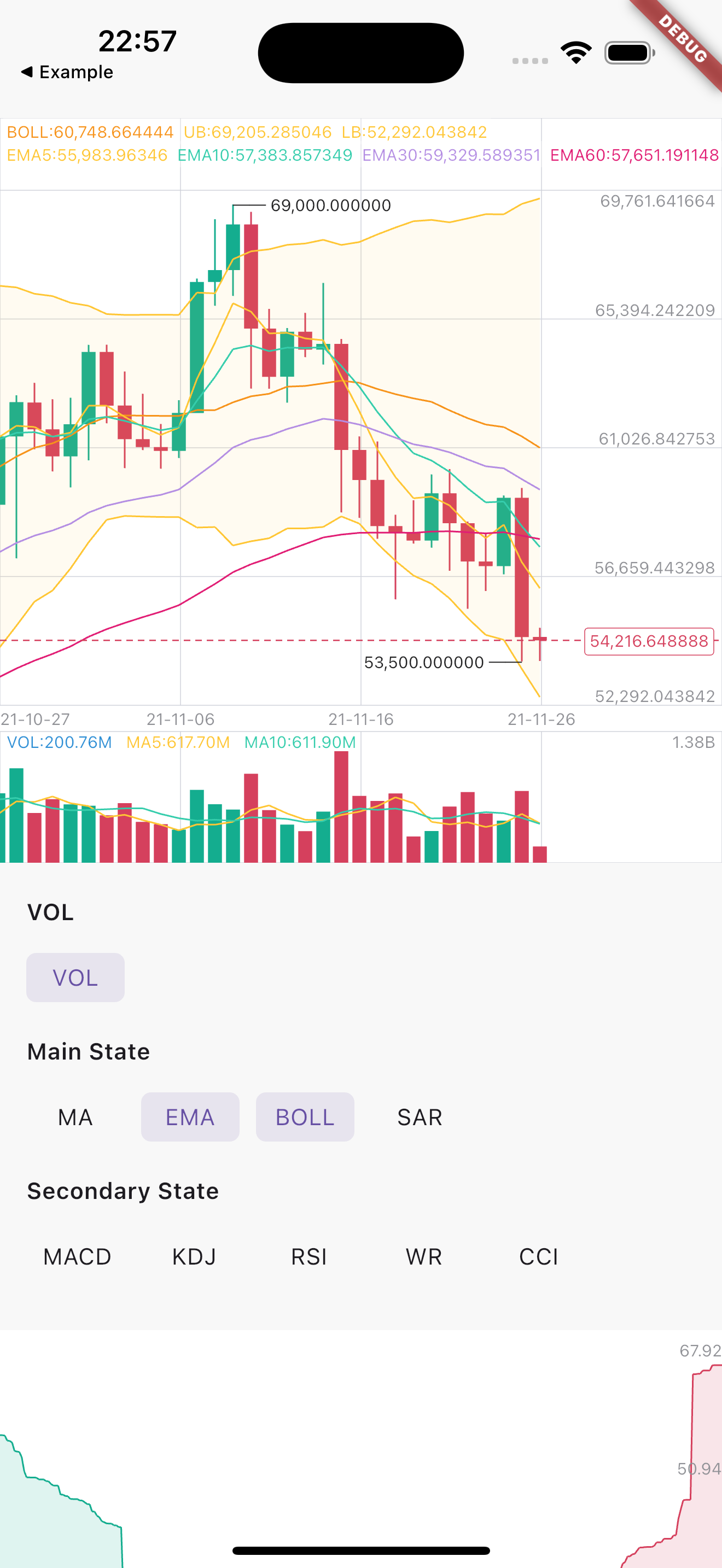 |
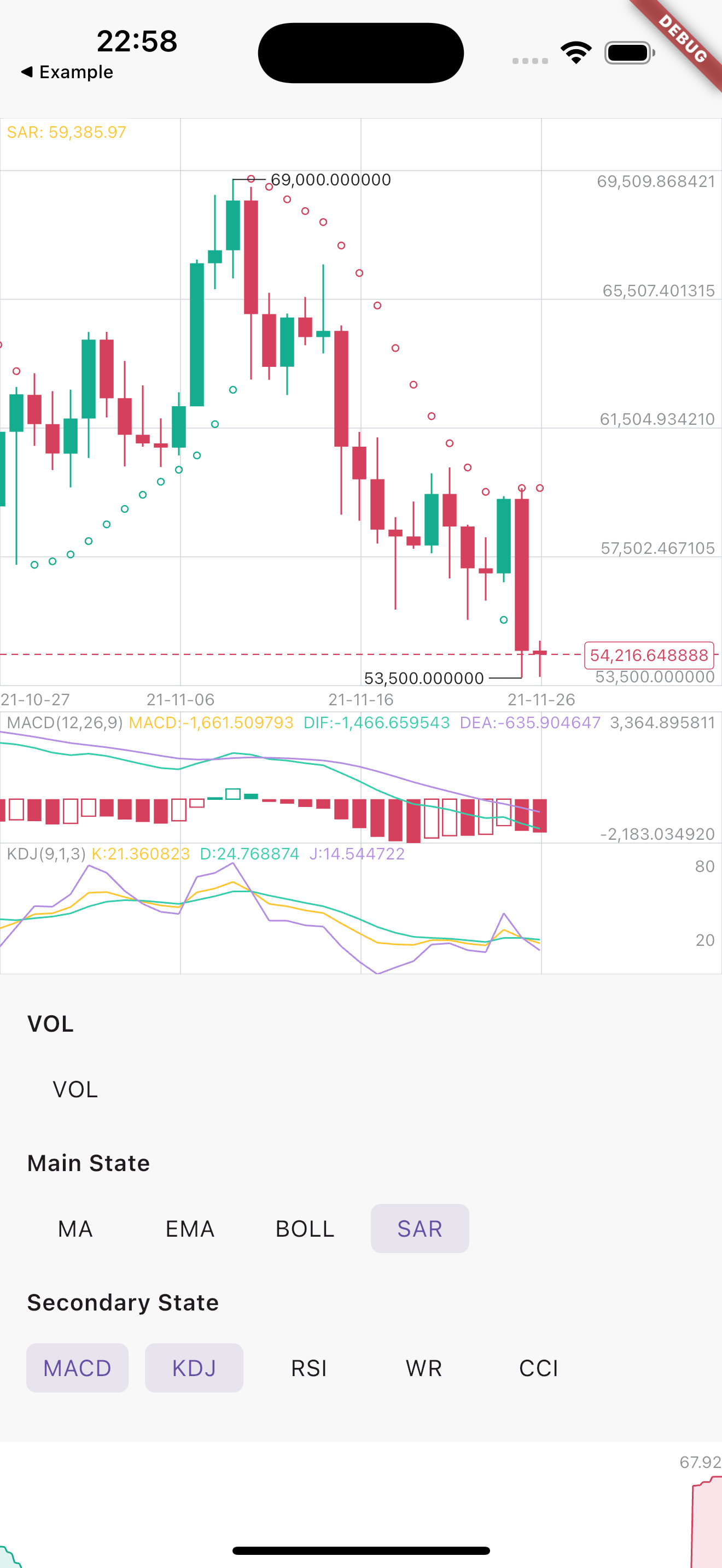 |
Installation
First, add k_chart_plus as a dependency in your pubspec.yaml file.
k_chart_plus: ^1.0.4
If you don't want to support selecting multiple secondary states, you need to use:
k_chart_plus:
   git:
     url: https://github.com/TrangLeQuynh/k_chart_plus
     ref: single #branch name
Usage
Use K line chart
Indicator definitions (main & secondary). indicatorStyle and calcParams can be customized, subject to indicator support.
final List<MainIndicator> _mainIndicators = [
  MAIndicator(
    calcParams: [5, 10, 30, 60], // [Optional] Display of MA. Default is [5, 10, 30, 60]
  ),
  EMAIndicator(
    calcParams: [5, 10, 30, 60], // [Optional] Display of EMA. Default is [5, 10, 30, 60]
  ),
  BOLLIndicator(),
  SARIndicator(),
];

final List<SecondaryIndicator> _secondaryIndicators = [
  MACDIndicator(),
  KDJIndicator(),
  RSIIndicator(),
  WRIndicator(),
  CCIIndicator(),
];
Compute K chart data based on the selected indicators
DataUtil.calculateAll(
  datas,
  _mainIndicators,
  _secondaryIndicators,
);
Paint K Chart
KChartWidget(
  datas, // Required,Data must be an ordered list,(history=>now)
  kchartStyle,  // Required for styling purposes
  kchartColors, // Required for styling purposes
  mBaseHeight: 350, // height of chart (not contain Vol and Secondary)
  mSecondaryHeight: 80, // height of secondary chart
  volHidden: _volHidden, // hide volume
  mainIndicators: _mainIndicators, // [mainIndicators] Decide what the main view shows
  secondaryIndicators: _secondaryIndicators, // [secondaryIndicators] Decide what the sub view shows
  fixedLength: 6,
  showNowPrice: true,// show now price
  timeFormat: TimeFormat.YEAR_MONTH_DAY,
  xFrontPadding: 100 // padding in front
  detailBuilder: (entity) { // show detail popup
    return PopupInfoView(
      entity: entity,
      chartColors: chartColors,
      fixedLength: 2,
    );
  },
),
Use Depth chart
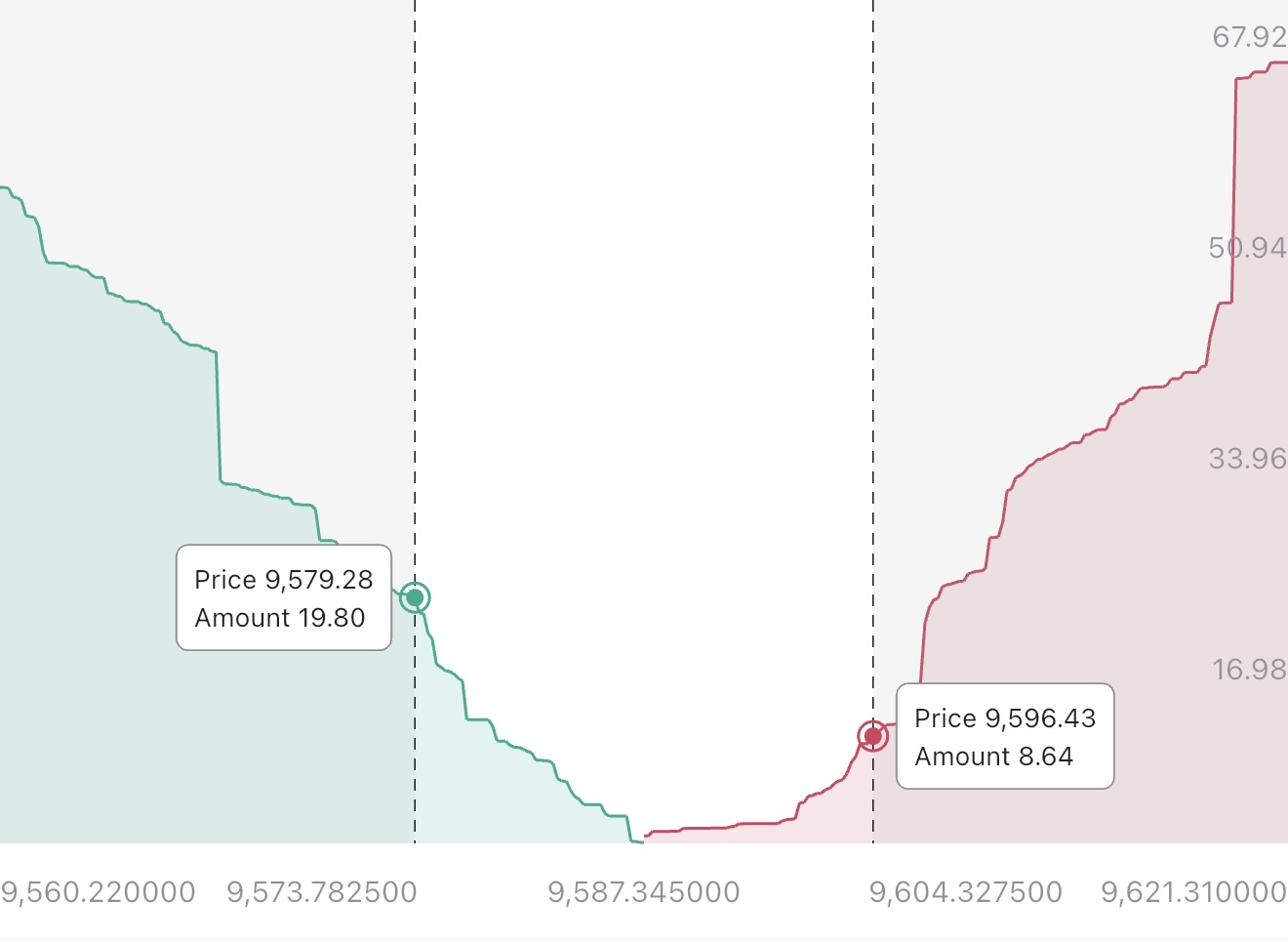
DepthChart(
  _bids,
  _asks,
  depthColors, // config the depth chart colors
  chartStyle: depthStyle, // config the depth chart style
  chartTranslations: const DepthChartTranslations(
    price: 'Price',
    amount: 'Amount',
  ),
) //Note: Datas must be an ordered list,
Dark | Light Theme
ChartColor helped to set the color for the chart. You need to flexibly change according to your theme configuration to ensure UI.
If you need to apply multi theme, you need to change at least the colors related to the text, border, grid and background color
final themeData = Theme.of(context);
final textColor = themeData.textTheme.bodyMedium?.color ?? Colors.grey;
final hintTextColor = themeData.disabledColor;

/// Configure the depth chart style
DepthChartStyle depthStyle = DepthChartStyle();
DepthChartColors depthColors = DepthChartColors(
  upColor: const Color(0xFF1EBB43),
  upFillPathColor: const Color(0x1F2AC07F),
  dnColor: const Color(0xFFFF476B),
  dnFillPathColor: const Color(0x1FE22127),
  selectBorderColor: themeData.dividerColor,
  selectFillColor: themeData.cardColor,
  defaultTextColor: hintTextColor,
  annotationColor: textColor,
  crossColor: textColor.withAlpha(220),
  barrierColor: const Color(0x12202020)
);

/// Configure the k chart style
KChartStyle kchartStyle = KChartStyle();
KChartColors kchartColors = KChartColors(
  bgColor: themeData.scaffoldBackgroundColor,
  kLineColor: const Color(0xff217AFF),
  kLineFillColors : const [
    Color(0x80217aff),
    Color(0x00217AFF),
  ],

  ma5Color: const Color(0xFFFFC634),
  ma10Color: const Color(0xff35cdac),
  upColor: const Color(0xFF1EBB43),
  dnColor: const Color(0xFFFF476B),
  volColor: const Color(0xff2f8fd5),
  volUpColor: const Color(0xFF1EBB43), //0x4D31BD65
  volDnColor: const Color(0xFFFF476B), //0x4DE93057
  nowPriceUpColor: const Color(0xFF1EBB43),
  nowPriceDnColor: const Color(0xFFFF476B),
  selectBorderColor: themeData.dividerColor,
  selectFillColor: themeData.inputDecorationTheme.fillColor ?? Colors.white,
  gridColor: themeData.dividerColor,
  crossColor: textColor.withAlpha(220),
  crossTextColor: textColor,
  defaultTextColor: hintTextColor,
  maxColor: textColor,
  minColor: textColor,
);
Thanks

TrangLeQuynh ↗
Verwendete Abhängigkeiten
Wie wähle ich ein passendes Repository?
Nach Anwendungsfall filtern, Aktivität vergleichen und vor der Nutzung das Originalprojekt prüfen.
- Nach Name, Autor oder Beschreibung suchen und nach Thema eingrenzen.
- Sterne, Forks und letzte Pushes vergleichen. Sterne zeigen Interesse, garantieren aber keine Qualität.
- Vor der Nutzung README, Lizenz und Issues auf GitHub prüfen.
Quellen und Pflege
“A repository is the most basic element of GitHub.”
GitHub Docs — About repositories ↗
- TrangLeQuynh/k_chart_plus · GitHub ↗
- GitHub Docs — Saving repositories with stars ↗
- Verzeichnis gepflegt von Ducafecat ↗