


v0.0.6
flutter_paginator
Ein anpassbarer Pagination-Paket für Flutter. Dieses Paket kann verwendet werden, um Daten von einer API seitenweise abzurufen und anzuzeigen.
27Likes 5230-Tage-Downloads40Pub-Punkte
Keine Plattformdaten
Ein anpassbares Paginierungspaket für Flutter

Englischer Projektschnappschuss. Aktuelle Inhalte auf GitHub.
A customizable pagination package for Flutter. This package can be used to fetch and display data from an API page by page.
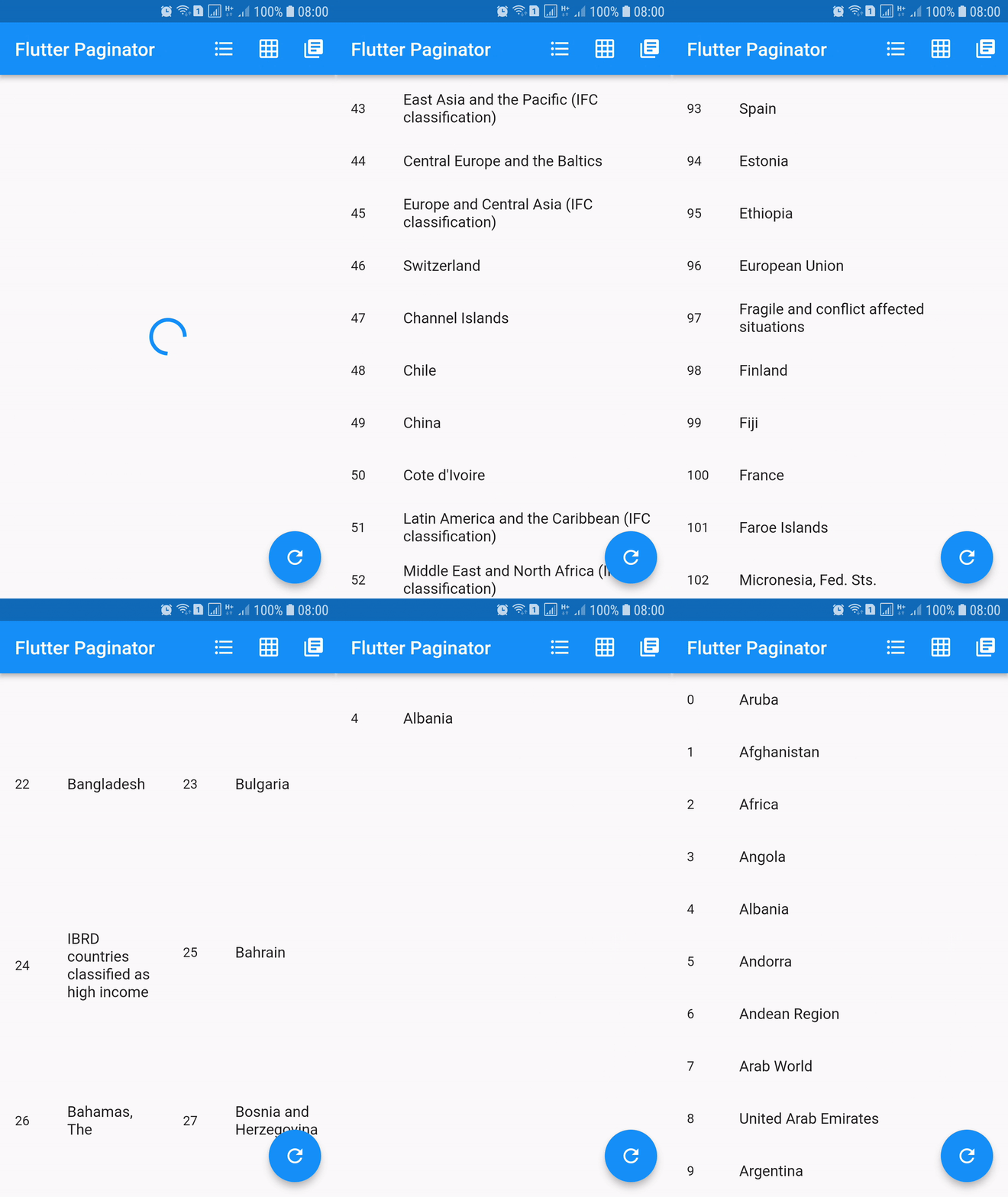
dependencies:
  flutter_paginator: ^0.0.6
Paginator extends StatefulWidget has 3 constructors namely Paginator.listView, Paginator.gridView and Paginator.pageView. Paginator.listView, Paginator.gridView and Paginator.pageView are descendants of ListView, GridView and PageView. Paginator.listView, Paginator.gridView and Paginator.pageView got all the features of their ancestors and they are need to provide additional functions that are essential in doing their task.
PageLoadFutureFuture.PageItemsGetterPageLoadFuture.ListItemBuilderWidget.LoadingWidgetBuilderWidget.ErrorWidgetBuilderWidget.EmptyListWidgetBuilderWidget.TotalItemsGetterPageErrorCheckerimport 'dart:async';
import 'dart:convert';
import 'dart:io';
import 'package:flutter/material.dart';
import 'package:http/http.dart' as http;
import 'package:flutter_paginator/flutter_paginator.dart';
import 'package:flutter_paginator/enums.dart';
void main() => runApp(MyApp());
class MyApp extends StatelessWidget {
@override
Widget build(BuildContext context) {
return MaterialApp(
title: 'Flutter Paginator',
home: HomePage(),
);
}
}
class HomePage extends StatefulWidget {
@override
State<StatefulWidget> createState() {
return HomeState();
}
}
class HomeState extends State<HomePage> {
GlobalKey<PaginatorState> paginatorGlobalKey = GlobalKey();
@override
Widget build(BuildContext context) {
return Scaffold(
appBar: AppBar(
title: Text('Flutter Paginator'),
actions: <Widget>[
IconButton(
icon: Icon(Icons.format_list_bulleted),
onPressed: () {
paginatorGlobalKey.currentState
.changeState(listType: ListType.LIST_VIEW);
},
),
IconButton(
icon: Icon(Icons.grid_on),
onPressed: () {
paginatorGlobalKey.currentState.changeState(
listType: ListType.GRID_VIEW,
gridDelegate: SliverGridDelegateWithFixedCrossAxisCount(
crossAxisCount: 2),
);
},
),
IconButton(
icon: Icon(Icons.library_books),
onPressed: () {
paginatorGlobalKey.currentState
.changeState(listType: ListType.PAGE_VIEW);
},
),
],
),
body: Paginator.listView(
key: paginatorGlobalKey,
pageLoadFuture: sendCountriesDataRequest,
pageItemsGetter: listItemsGetter,
listItemBuilder: listItemBuilder,
loadingWidgetBuilder: loadingWidgetMaker,
errorWidgetBuilder: errorWidgetMaker,
emptyListWidgetBuilder: emptyListWidgetMaker,
totalItemsGetter: totalPagesGetter,
pageErrorChecker: pageErrorChecker,
scrollPhysics: BouncingScrollPhysics(),
),
floatingActionButton: FloatingActionButton(
onPressed: () {
paginatorGlobalKey.currentState.changeState(
pageLoadFuture: sendCountriesDataRequest, resetState: true);
},
child: Icon(Icons.refresh),
),
);
}
Future<CountriesData> sendCountriesDataRequest(int page) async {
try {
String url = Uri.encodeFull(
'http://api.worldbank.org/v2/country?page=$page&format=json');
http.Response response = await http.get(url);
return CountriesData.fromResponse(response);
} catch (e) {
if (e is IOException) {
return CountriesData.withError(
'Please check your internet connection.');
} else {
print(e.toString());
return CountriesData.withError('Something went wrong.');
}
}
}
List<dynamic> listItemsGetter(CountriesData countriesData) {
List<String> list = [];
countriesData.countries.forEach((value) {
list.add(value['name']);
});
return list;
}
Widget listItemBuilder(value, int index) {
return ListTile(
leading: Text(index.toString()),
title: Text(value),
);
}
Widget loadingWidgetMaker() {
return Container(
alignment: Alignment.center,
height: 160.0,
child: CircularProgressIndicator(),
);
}
Widget errorWidgetMaker(CountriesData countriesData, retryListener) {
return Column(
mainAxisAlignment: MainAxisAlignment.center,
children: <Widget>[
Padding(
padding: const EdgeInsets.all(16.0),
child: Text(countriesData.errorMessage),
),
FlatButton(
onPressed: retryListener,
child: Text('Retry'),
)
],
);
}
Widget emptyListWidgetMaker(CountriesData countriesData) {
return Center(
child: Text('No countries in the list'),
);
}
int totalPagesGetter(CountriesData countriesData) {
return countriesData.total;
}
bool pageErrorChecker(CountriesData countriesData) {
return countriesData.statusCode != 200;
}
}
class CountriesData {
List<dynamic> countries;
int statusCode;
String errorMessage;
int total;
int nItems;
CountriesData.fromResponse(http.Response response) {
this.statusCode = response.statusCode;
List jsonData = json.decode(response.body);
countries = jsonData[1];
total = jsonData[0]['total'];
nItems = countries.length;
}
CountriesData.withError(String errorMessage) {
this.errorMessage = errorMessage;
}
}
Abhängigkeiten 2 Einträge
{"sdk":"flutter"}{"sdk":"flutter"}Nach Anwendungsfall filtern, Aktivität vergleichen und vor der Nutzung das Originalprojekt prüfen.
“A repository is the most basic element of GitHub.”
GitHub Docs — About repositories ↗