Englischer Projektschnappschuss. Aktuelle Inhalte auf GitHub.
status_view
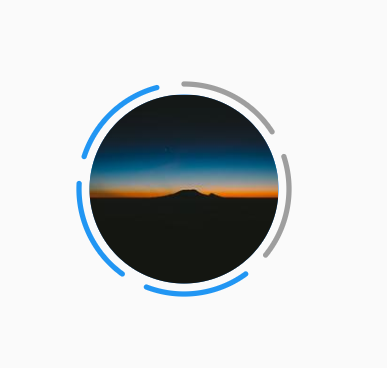
Display status just like WhatsApp & Instagram. This package help to display users status like WhatsApp status. in this we can specify the number of status ,seen and unseen status as well, apart from that same package use to display status like Instagram.
Installation
You just need to add status_view as a dependency in your pubspec.yaml file.
dependencies:
  status_view: ^0.0.1
Usage
StatusView(
            radius: 40,
            spacing: 15,
            strokeWidth: 2,
            indexOfSeenStatus: 2,
            numberOfStatus: 5,
            padding: 4,
            centerImageUrl: "https://picsum.photos/200/300",
            seenColor: Colors.grey,
            unSeenColor: Colors.red,
          ),
| Attributes |
Description |
| radius |
radius of status view circul |
| spacing |
spacing between two status indicator |
| strokeWidth |
strokeWidth of status indicator |
| indexOfSeenStatus |
index of which status is already seen |
| numberOfStatus |
total number of status |
| padding |
padding between status indicator and center image |
| centerImageUrl |
center image required |
| seenColor |
color of already seen status |
| unSeenColor |
color of unSeen status |
Contributing
Pull requests are welcome. For major changes, please open an issue first to discuss what you would like to change.


 v0.0.2