Pakete, Repositories und App-Kategorien suchen

GitHub-Repositoryalnitak/yoda

yoda

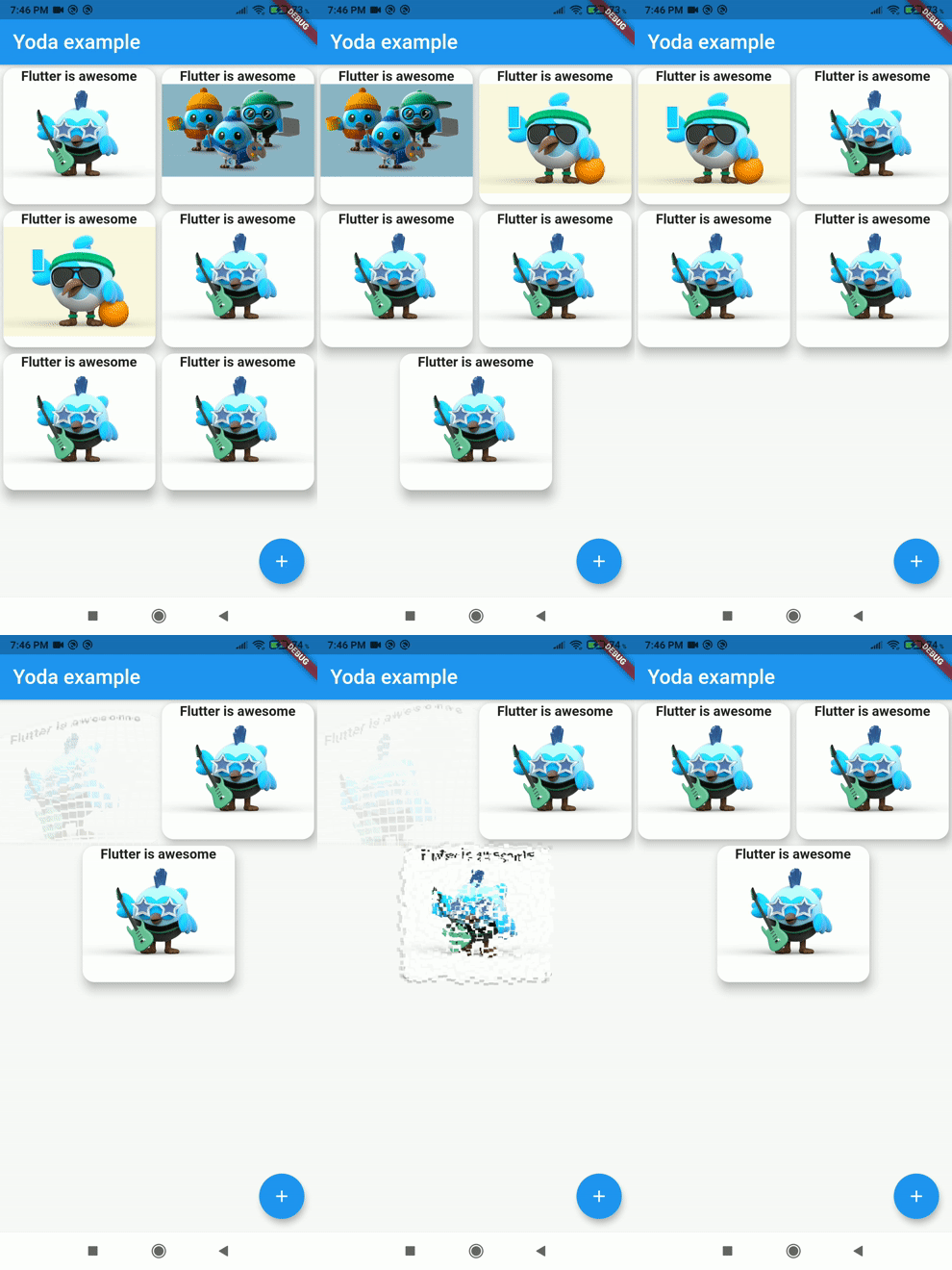
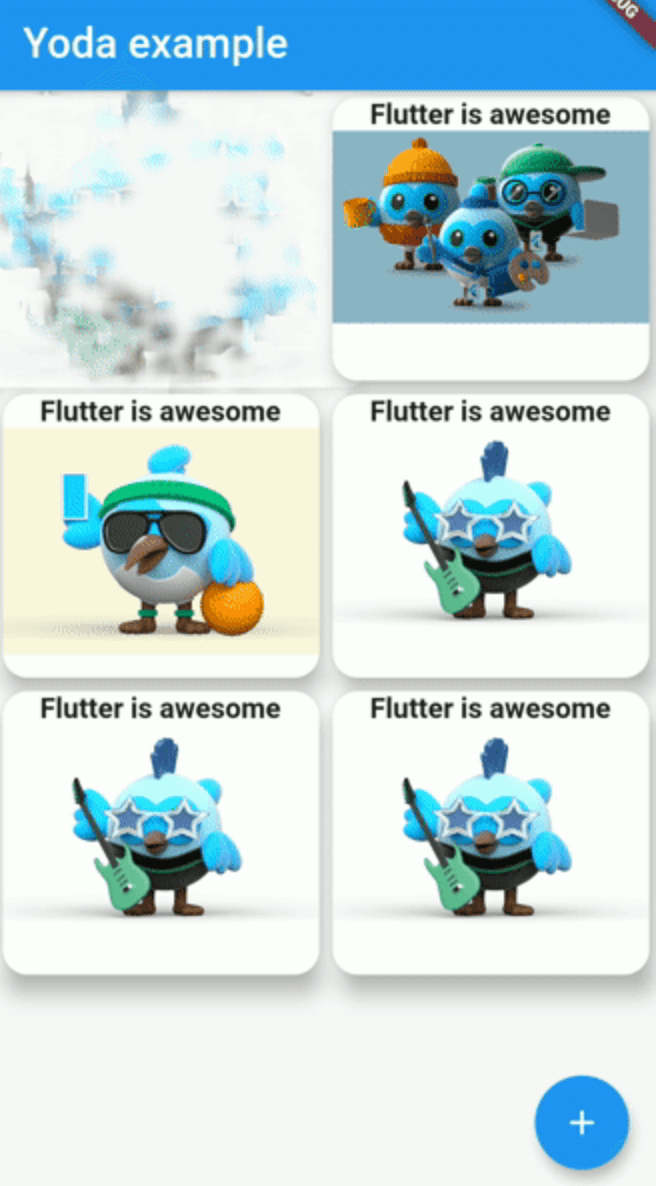
Flutter-Widget, mit dem Sie jedes beliebige Kind-Widget in ein Gitter aus Kacheln aufteilen und sie auf verschiedene Arten animieren können. Derzeit unterstützt: Explode, Vortex und Flakes. Funktioniert auf allen Plattformen.

Projektcover von yoda
Sterne
10
Forks
1
Letzter Push (UTC)
05.09.2024
Projektstatus
Aktiv

Original-README

Englischer Projektschnappschuss. Aktuelle Inhalte auf GitHub.

Yoda Flutter plugin

Flutter widget that let's you slice any kind of child widget in a matrix of tiles and animate them with different kind of ways. Currently with Explode, Vortex and Flakes. Works on all platforms.

Screenshot

Yoda Widget Properties

Yoda widget
  • [yodaEffect] Animation effect to use (see below).
  • [controller] Animation controller.
  • [duration] Animation duration.
  • [startWhenTapped] Enable tap gesture to start animation.
  • [animParameters] Parameters used to animate tiles (see below).
  • [child] Whatever widget to slice.
YodaEffect enum
  • [Explosion]
  • [Vortex]
  • [Flakes]
AnimParameters properties
  • [yodaBarrier] Define which edges are barraged (see below).
  • [hTiles] Number of horizontal tiles to divide the child widget.
  • [vTiles] Number of vertical tiles to divide the child widget.
  • [fractionalCenter] Default center where force is given when not tapping on it.
  • [gravity] Vertical force.
  • [effectPower] Effect strength.
  • [blurPower] Blur strength.
  • [randomness] Random strength.
YodaBarrier properties
  • [left] Block tiles moving over the left edge.
  • [right] Block tiles moving over the right edge.
  • [top] Block tiles moving over the top edge.
  • [bottom] Block tiles moving over the bottom edge.

How to use

If you need to control the animation status:

late YodaController _yodaControllerExplode;
  
@override
  void initState() {
    super.initState();
    _yodaControllerExplode = YodaController()
    ..addStatusListener((status) {
      if (status == AnimationStatus.completed) {
        _yodaControllerExplode.reset();
      }
    });
  }

YodaController accepts start() and reset() methods. Note: calling those methods will not work when a setState() is called at the same time.

Yoda(
  yodaEffect: YodaEffect.Explosion,
  controller: _yodaControllerExplode,
  duration: Duration(milliseconds: 2500),
  animParameters: AnimParameters(
    yodaBarrier: YodaBarrier(bottom: true, left: true, right: true),
    fractionalCenter: Offset(0.5, 1.0),
    hTiles: 20,
    vTiles: 20,
    effectPower: 0.2,
    blurPower: 5,
    gravity: 0.1,
    randomness: 30,
  ),
  startWhenTapped: true,
  child: SizedBox(
    width: 250,
    height: 180,
    child: Image.asset('assets/dash.png', fit: BoxFit.fill)
  )
)

TODO
  • Find a better way to capture the widget
  • When changing Yoda widget parameters, 2 hot reloads are needed to make it to work!
Marco Bavagnoli GitHub avatar
GitHub-Autor

Marco Bavagnoli ↗

Flutter :blue_heart: dev

https://github.com/Flutter-Italia-DevelopersEarth @45.317506NOffizielle Website ↗
SprachenDartCMakeC++HTMLCSwiftJavaObjective-C

Kategorien

Von diesem Repository veröffentlichte Pakete

Verwendete Abhängigkeiten

Abhängigkeiten 2 Einträge

  • flutter{"sdk":"flutter"}
  • flutter_testEntwicklung{"sdk":"flutter"}

Wie wähle ich ein passendes Repository?

Nach Anwendungsfall filtern, Aktivität vergleichen und vor der Nutzung das Originalprojekt prüfen.

  1. Nach Name, Autor oder Beschreibung suchen und nach Thema eingrenzen.
  2. Sterne, Forks und letzte Pushes vergleichen. Sterne zeigen Interesse, garantieren aber keine Qualität.
  3. Vor der Nutzung README, Lizenz und Issues auf GitHub prüfen.

Quellen und Pflege

“A repository is the most basic element of GitHub.”

GitHub Docs — About repositories ↗