Pakete, Repositories und App-Kategorien suchen

GitHub-Repositorycgustav/lite_rolling_switch

lite_rolling_switch

Vollständig anpassbarer Rolling-Switch-Widget für Flutter-Anwendungen basierend auf dem 'crazy-switch'-Widget von Pedro Massango https://github.com/pedromassango/crazy-switch

Projektcover von lite_rolling_switch
Sterne
55
Forks
56
Letzter Push (UTC)
25.06.2024
Projektstatus
Aktiv

Original-README

Englischer Projektschnappschuss. Aktuelle Inhalte auf GitHub.

lite_rolling_switch

Full customable rolling switch widget for flutter apps based on Pedro Massango's 'crazy-switch' widget https://github.com/pedromassango/crazy-switch

About

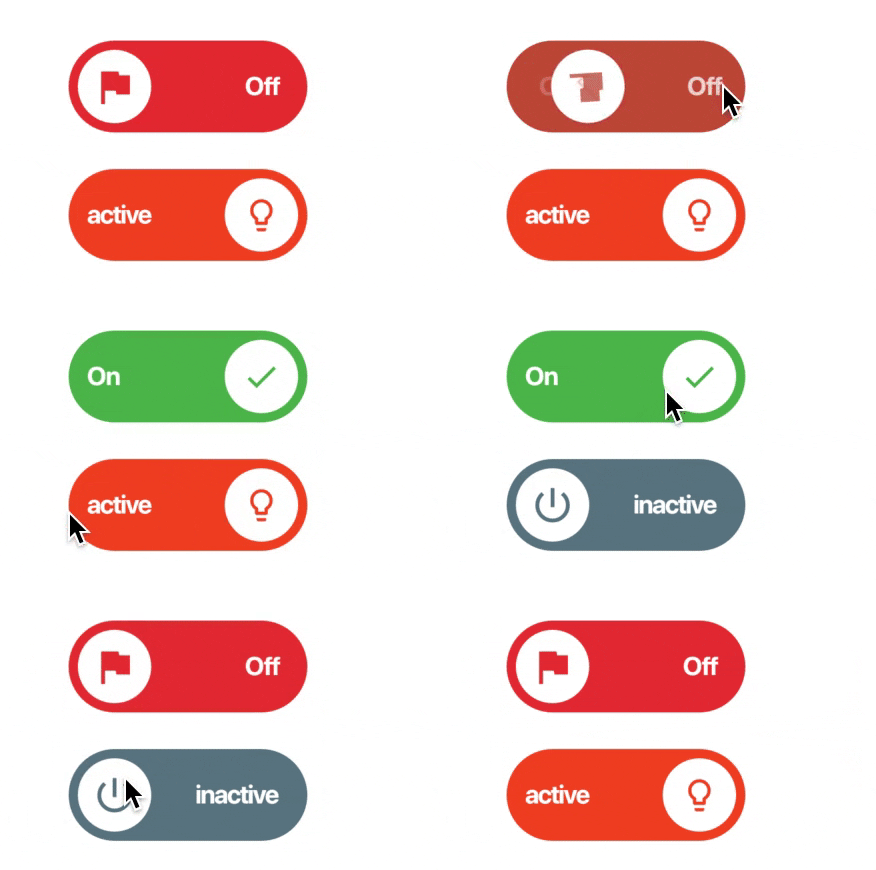
Custom Switch button with attractive animation, made to allow you to customize colors, icons and other cosmetic content. Manage the widget states in the same way you do with the classical material's switch widget.

NOTE: Currently, you cannot directly change the widget height properties. This feature will be available soon.

Previews

Image preview

Image preview 2

Basic Implementation

import 'package:lite_rolling_switch/lite_rolling_switch.dart';

LiteRollingSwitch(
    //initial value
    value: true,
    textOn: 'disponible',
    textOff: 'ocupado',
    colorOn: Colors.greenAccent[700],
    colorOff: Colors.redAccent[700],
    iconOn: Icons.done,
    iconOff: Icons.remove_circle_outline,
    textSize: 16.0,
    onChanged: (bool state) {
      //Use it to manage the different states
      print('Current State of SWITCH IS: $state');
    },
),

Tests

To executed included unit tests run flutter test. Feel free to Pull Request your own Unit Test to improve this package!

Changelog

Visit the complete changelog here.

Contributors

Other collaborators

License

This project has been published under an MIT license, you can consult the license terms in detail here.

Other

Eduardo Muñoz GitHub avatar
GitHub-Autor

Eduardo Muñoz ↗

Software developer 🥷

Chile
SprachenDart

Von diesem Repository veröffentlichte Pakete

Verwendete Abhängigkeiten

Abhängigkeiten 3 Einträge

  • flutter{"sdk":"flutter"}
  • intl^0.18.0
  • flutter_testEntwicklung{"sdk":"flutter"}

Wie wähle ich ein passendes Repository?

Nach Anwendungsfall filtern, Aktivität vergleichen und vor der Nutzung das Originalprojekt prüfen.

  1. Nach Name, Autor oder Beschreibung suchen und nach Thema eingrenzen.
  2. Sterne, Forks und letzte Pushes vergleichen. Sterne zeigen Interesse, garantieren aber keine Qualität.
  3. Vor der Nutzung README, Lizenz und Issues auf GitHub prüfen.

Quellen und Pflege

“A repository is the most basic element of GitHub.”

GitHub Docs — About repositories ↗