
cometchat-uikit-flutter
Sprach- und Videoanruf- und Text-Chats-App für Flutter

- Sterne
- 544
- Forks
- 43
- Letzter Push (UTC)
- 10.09.2026
- Projektstatus
- Aktiv
Original-README
Englischer Projektschnappschuss. Aktuelle Inhalte auf GitHub.

CometChat UIKit for Flutter
CometChat UIKit for Flutter provides pre-built UI components to quickly add chat, voice, and video calling features to your Flutter application.
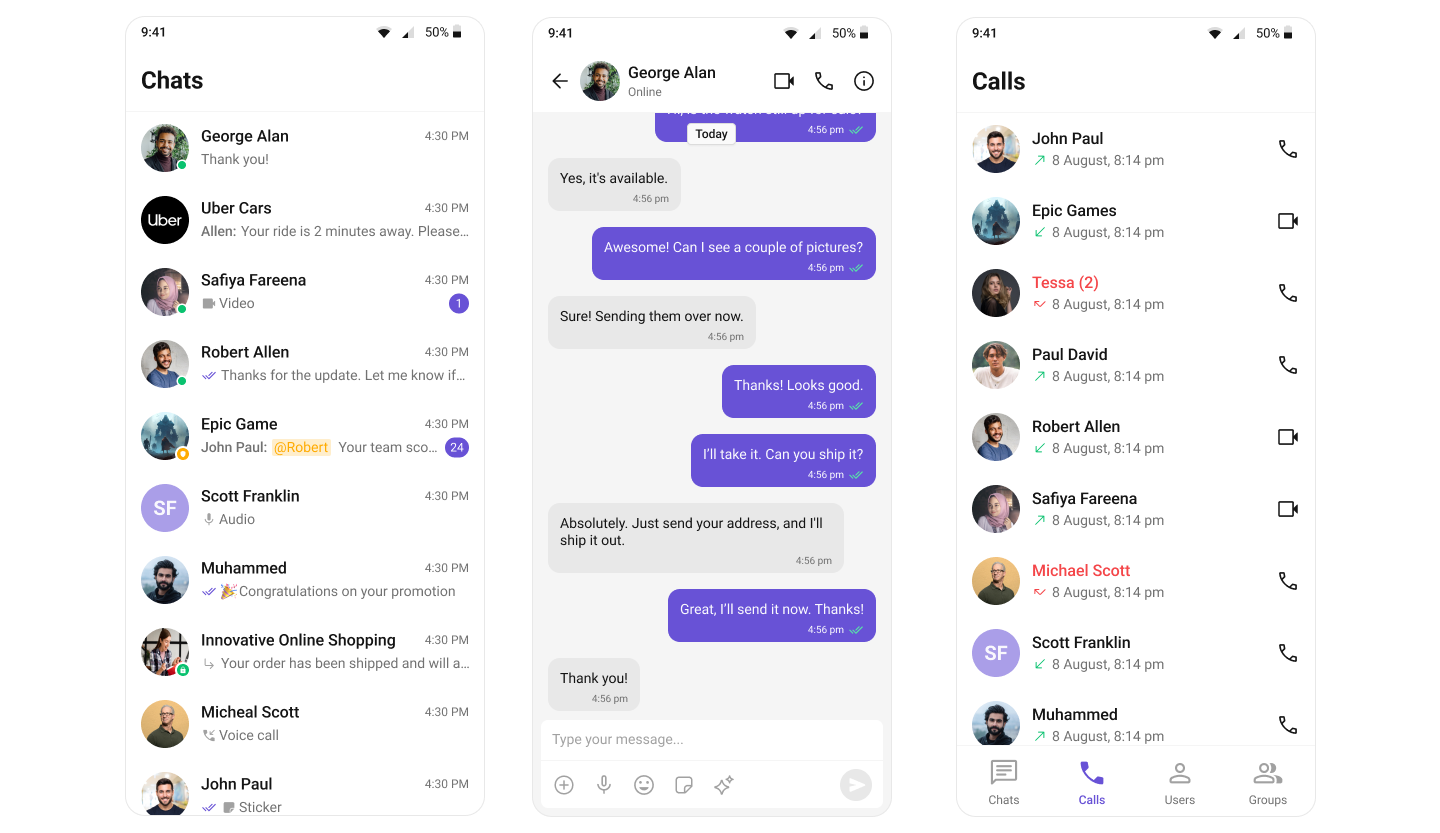
Repository Structure
| Directory | Description |
|---|---|
| packages/cometchat_uikit | The open source UIKit package (local setup, structure, tests) |
| packages/cometchat_uikit/skills | Kiro AI skills for consumers and contributors |
| examples/sample_app | Sample app demonstrating UIKit usage |
| examples/ai_sample_app | AI-powered sample app with CometChat AI agents |
Prerequisites
- Flutter SDK >= 3.27.0
- Dart SDK >= 3.6.0
- iOS 16.0+ / Android 5.0+
- A CometChat account with App ID and Auth Key
Getting Started
- Sign up at the CometChat Dashboard and create a new app.
- Note your App ID, Region, and Auth Key from the dashboard.
- Clone this repository and navigate to the sample app:
git clone https://github.com/cometchat/cometchat-uikit-flutter.git
cd cometchat-uikit-flutter/examples/sample_app
flutter pub get
flutter run
- On first launch, enter your App ID, Region, and Auth Key in the credentials screen.
Installation
Add the UIKit to your project's pubspec.yaml:
dependencies:
  cometchat_chat_uikit: ^6.1.0
Then run:
flutter pub get
Documentation
Refer to our official documentation for detailed setup and usage guides.
Help and Support
For issues running the project or integrating with our UI Kit, consult our documentation or create a support ticket or seek real-time support via the CometChat Dashboard.
License
This project is licensed under the terms of the LICENSE file.

CometChat ↗
Kategorien
Ranglisten
Wie wähle ich ein passendes Repository?
Nach Anwendungsfall filtern, Aktivität vergleichen und vor der Nutzung das Originalprojekt prüfen.
- Nach Name, Autor oder Beschreibung suchen und nach Thema eingrenzen.
- Sterne, Forks und letzte Pushes vergleichen. Sterne zeigen Interesse, garantieren aber keine Qualität.
- Vor der Nutzung README, Lizenz und Issues auf GitHub prüfen.
Quellen und Pflege
“A repository is the most basic element of GitHub.”
GitHub Docs — About repositories ↗