
stripe-sdk
Eine einfache und flexible Stripe-Bibliothek für Flutter mit vollständiger Unterstützung für SCA und PSD2.

- Sterne
- 139
- Forks
- 132
- Letzter Push (UTC)
- 31.07.2023
- Projektstatus
- Aktiv
Original-README
Englischer Projektschnappschuss. Aktuelle Inhalte auf GitHub.

Flutter Stripe SDK
A native dart package for Stripe. There are various other flutter plugins that wrap existing Stripe libraries, but this package uses a different approach. It does not wrap existing Stripe libraries, but instead accesses the Stripe API directly.
Flutter support:
- [x] iOS
- [x] Android
- [x] Web
See example/main.dart for additional short examples.
See https://github.com/ezet/stripe-sdk/tree/master/example for a complete demo application, with a working example backend.
Demo backend: https://github.com/ezet/stripe-sdk-demo-api
Features
- Supports all types of SCA, including 3DS, 3DS2, BankID and others.
- Handle payments with complete SCA support.
- Add, remove and update payment methods, sources and cards, optionally with SCA.
- Manage customer information.
- Create all types of Stripe tokens.
Supported APIs
- PaymentIntent, with SCA
- SetupIntent, with SCA
- PaymentMethod
- Customer
- Cards
- Sources
- Tokens
Demo application
There is a complete demo application available at https://github.com/ezet/stripe-sdk/tree/master/example/app.
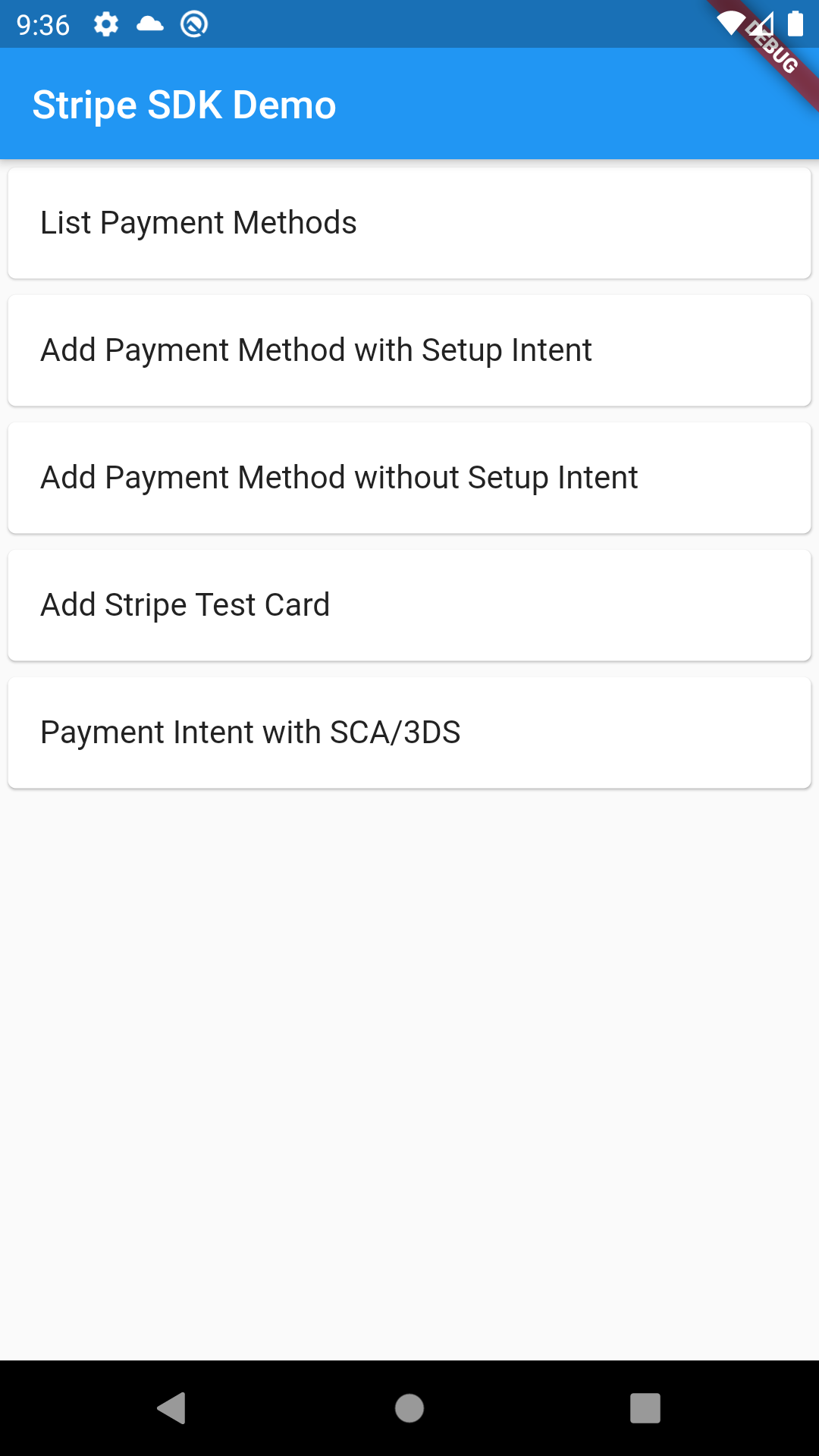
Overview
- The return type for each function is
Future<Map<String, dynamic>>, where the value depends on the stripe API version.
The library has three classes to access the Stripe API:
Stripefor generic, non-customer specific APIs, using publishable keys.CustomerSessionfor customer-specific APIs, using stripe ephemeral keys.StripeApienables raw REST calls against the Stripe API.
Stripe
Aims to provide high-level functionality similar to the official mobile Stripe SDKs.
CustomerSession
Requires a Stripe ephemeral key.
- https://stripe.com/docs/mobile/android/customer-information#customer-session-no-ui
- https://stripe.com/docs/mobile/android/standard#creating-ephemeral-keys
Provides functionality similar to CustomerSession in the Stripe Android SDK.
StripeApi
Provides basic low-level methods to access the Stripe REST API.
- Limited to the APIs that can be used with a public key or ephemeral key.
- Library methods map to a Stripe API call with the same name.
- Additional parameters can be provided as an optional argument.
Stripe and CustomerSession use this internally.
Initialization
All classes offer a singleton instance that can be initiated by calling the init(...) methods and then accessed through .instance.
Regular instances can also be created using the constructor, which allows them to be managed by e.g. dependency injection instead.
Stripe
Stripe.init('pk_xxx');
// or, to manage your own instance, or multiple instances
final stripe = Stripe('pk_xxx');
CustomerSession
The function that retrieves the ephemeral key must return the JSON response as a plain string.
CustomerSession.init((apiVersion) => server.getEphemeralKeyFromServer(apiVersion));
// or, to manage your own instances
final session = CustomerSession((apiVersion) => server.getEphemeralKeyFromServer(apiVersion));
StripeApi
StripeApi.init('pk_xxx');
// or, to manage your own instances
final stripeApi = StripeApi('pk_xxx');
SCA/PSD2
The library offers complete support for SCA on iOS and Android.
It handles all types of SCA, including 3DS, 3DS2, BankID and others.
It handles SCA by launching the authentication flow in a web browser, and returns the result to the app.
The returnUrlForSca parameter must match the configuration of your AndroidManifest.xml and Info.plist as shown in the next steps.
Stripe.init('pk_xxx', returnUrlForSca: 'stripesdk://3ds.stripesdk.io');
final clientSecret = await server.createPaymentIntent(Stripe.instance.getReturnUrlForSca());
final paymentIntent = await Stripe.instance.confirmPayment(clientSecret, paymentMethodId: 'pm_card_visa');
Android
You need to declare the following intent filter in android/app/src/main/AndroidManifest.xml.
This example is for the url stripesdk://3ds.stripesdk.io:
<manifest ...>
  <!-- ... other tags -->
  <application ...>
    <activity ...>

      <!-- The launchMode should be singleTop or singleTask,
        to avoid launching a new instance of the app when SCA has been completed. -->
      android:launchMode="singleTop"


      <!-- ... other tags -->

      <!-- Deep Links -->
      <intent-filter>
        <action android:name="android.intent.action.VIEW" />
        <category android:name="android.intent.category.DEFAULT" />
        <category android:name="android.intent.category.BROWSABLE" />
        <data
          android:scheme="stripesdk"
          android:host="3ds.stripesdk.io" />
      </intent-filter>
    </activity>
  </application>
</manifest>
IOS
For iOS you need to declare the scheme in ios/Runner/Info.plist (or through Xcode's Target Info editor,
under URL Types). This example is for the url stripesdk://3ds.stripesdk.io:
<!-- ... other tags -->
<plist>
    <dict>
    <!-- ... other tags -->
    <key>CFBundleURLTypes</key>
    <array>
        <dict>
        <key>CFBundleTypeRole</key>
        <string>Editor</string>
        <key>CFBundleURLName</key>
        <string>3ds.stripesdk.io</string>
        <key>CFBundleURLSchemes</key>
        <array>
            <string>stripesdk</string>
        </array>
        </dict>
    </array>
    <!-- ... other tags -->
    </dict>
</plist>
Experimental
Experimental features are marked as deprecated and the API is subject to change until it is deemed stable.
Feel free to use these features but be aware that breaking changes might be introduced in minor updates.

Lars-Kristian Dahl ↗
Kategorien
Verwendete Abhängigkeiten
Abhängigkeiten 7 Einträge
- flutter
{"sdk":"flutter"} - http
^1.1.0 - url_launcher
^6.1.12 - webview_flutter
^4.2.2 - universal_html
^2.2.3 - flutter_lintsEntwicklung
^2.0.2 - flutter_testEntwicklung
{"sdk":"flutter"}
Wie wähle ich ein passendes Repository?
Nach Anwendungsfall filtern, Aktivität vergleichen und vor der Nutzung das Originalprojekt prüfen.
- Nach Name, Autor oder Beschreibung suchen und nach Thema eingrenzen.
- Sterne, Forks und letzte Pushes vergleichen. Sterne zeigen Interesse, garantieren aber keine Qualität.
- Vor der Nutzung README, Lizenz und Issues auf GitHub prüfen.
Quellen und Pflege
“A repository is the most basic element of GitHub.”
GitHub Docs — About repositories ↗
- ezet/stripe-sdk · GitHub ↗
- GitHub Docs — Saving repositories with stars ↗
- Verzeichnis gepflegt von Ducafecat ↗