

 v1.0.2
folding_cell
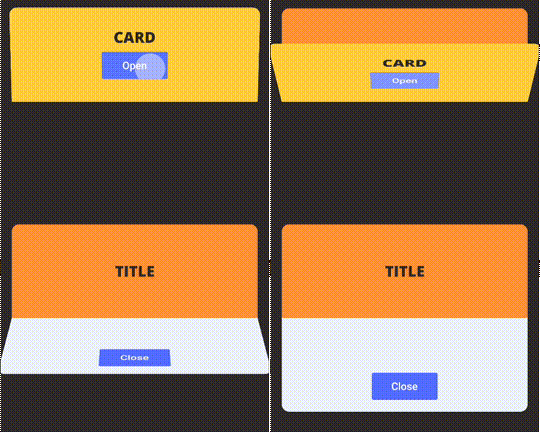
Einfaches Faltzellen-Widget, übergeben Sie frontWidget und innerWidget, um zu falten und aufzufalten.
132Likes 77730-Tage-Downloads150Pub-Punkte
AndroidiOSWebmacOSWindowsLinux
Flutter-FoldingCell-Widget

Englischer Projektschnappschuss. Aktuelle Inhalte auf GitHub.
Simple folding cell widget, pass frontWidget and innerWidget to fold and unfold.

Add dependency in pubspec.yaml:
dependencies:
  folding_cell: "^1.0.2"
Import in your project:
import 'package:folding_cell/folding_cell.dart';
class FoldingCellSimpleDemo extends StatelessWidget {
  final _foldingCellKey = GlobalKey<SimpleFoldingCellState>();

  @override
  Widget build(BuildContext context) {
    return Container(
      color: Color(0xFF2e282a),
      alignment: Alignment.topCenter,
      child: SimpleFoldingCell.create(
        key: _foldingCellKey,
        frontWidget: _buildFrontWidget(),
        innerWidget: _buildInnerWidget(),
        cellSize: Size(MediaQuery.of(context).size.width, 140),
        padding: EdgeInsets.all(15),
        animationDuration: Duration(milliseconds: 300),
        borderRadius: 10,
        onOpen: () => print('cell opened'),
        onClose: () => print('cell closed'),
      ),
    );
  }

  Widget _buildFrontWidget() {
    return Container(
      color: Color(0xFFffcd3c),
      alignment: Alignment.center,
      child: Stack(
        children: <Widget>[
          Align(
            alignment: Alignment.center,
            child: Text(
              "CARD TITLE",
              style: GoogleFonts.aldrich(
                color: Color(0xFF2e282a),
                fontSize: 20.0,
                fontWeight: FontWeight.bold,
              ),
            ),
          ),
          Positioned(
            right: 10,
            bottom: 10,
            child: TextButton(
              onPressed: () => _foldingCellKey?.currentState?.toggleFold(),
              child: Text(
                "OPEN",
              ),
              style: TextButton.styleFrom(
                backgroundColor: Colors.white,
                minimumSize: Size(80, 40),
              ),
            ),
          )
        ],
      ),
    );
  }

  Widget _buildInnerWidget() {
    return Container(
      color: Color(0xFFecf2f9),
      padding: EdgeInsets.only(top: 10),
      child: Stack(
        children: [
          Align(
            alignment: Alignment.topCenter,
            child: Text(
              "CARD TITLE",
              style: GoogleFonts.aldrich(
                color: Color(0xFF2e282a),
                fontSize: 22.0,
                fontWeight: FontWeight.bold,
              ),
            ),
          ),
          Align(
            alignment: Alignment.center,
            child: Text(
              "CARD DETAIL",
              style: GoogleFonts.aldrich(
                color: Color(0xFF2e282a),
                fontSize: 40.0,
              ),
            ),
          ),
          Positioned(
            right: 10,
            bottom: 10,
            child: TextButton(
              onPressed: () => _foldingCellKey?.currentState?.toggleFold(),
              child: Text(
                "Close",
              ),
              style: TextButton.styleFrom(
                backgroundColor: Colors.white,
                minimumSize: Size(80, 40),
              ),
            ),
          ),
        ],
      ),
    );
  }
}
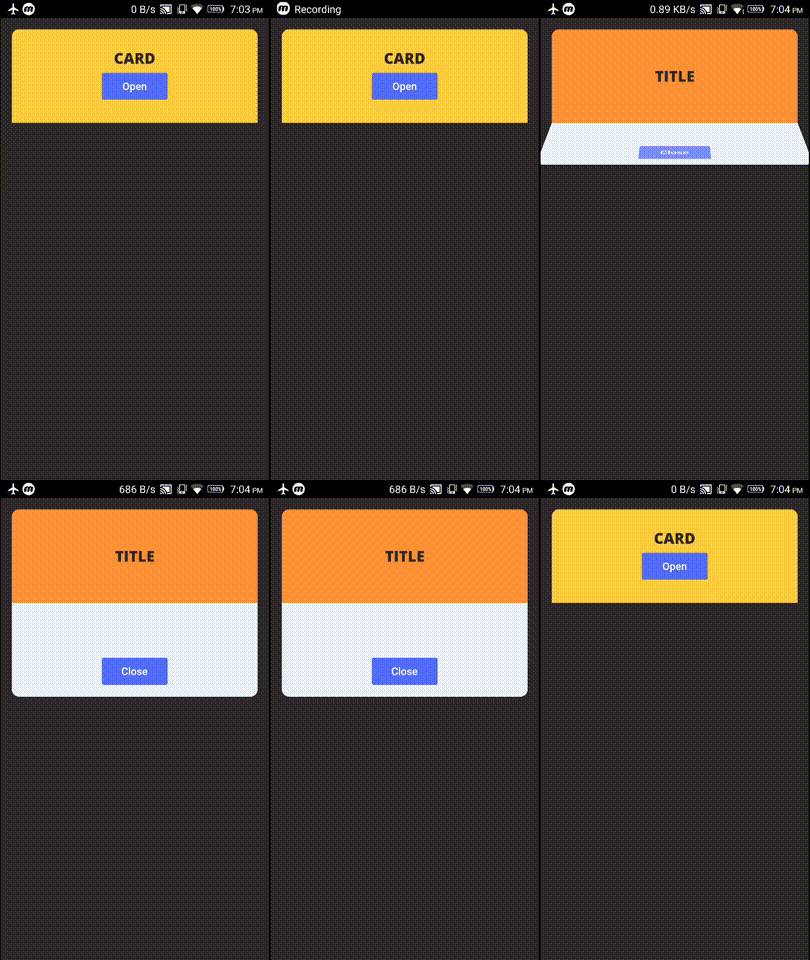
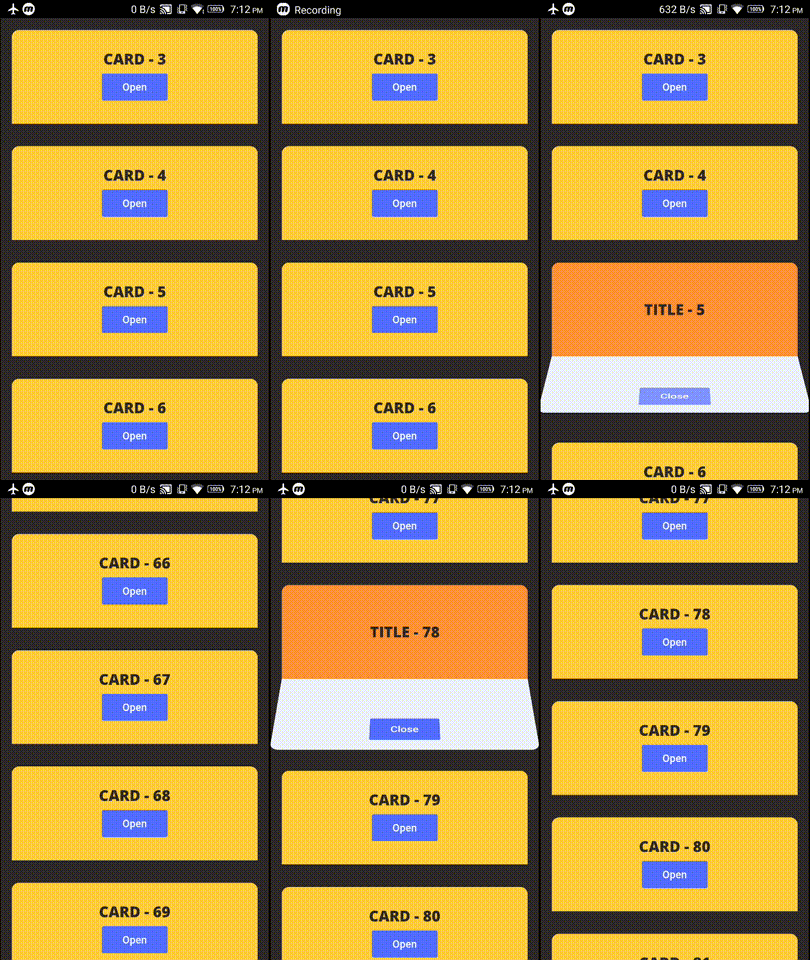
example project contains these two demos
Check Changelog for updates
Reporting issues and requests for new features are always welcome.
Abhängigkeiten 2 Einträge
{"sdk":"flutter"}{"sdk":"flutter"}Nach Anwendungsfall filtern, Aktivität vergleichen und vor der Nutzung das Originalprojekt prüfen.
“A repository is the most basic element of GitHub.”
GitHub Docs — About repositories ↗