
animated_splash
Ein leichtgewichtiger Paket für Flutter-Apps, der einfach einen Splash Screen mit einer schönen Fade-Animation anzeigt.

- Sterne
- 112
- Forks
- 25
- Letzter Push (UTC)
- 03.07.2021
- Projektstatus
- Archiviert
Original-README
Englischer Projektschnappschuss. Aktuelle Inhalte auf GitHub.
Animated Splash Screen
Using the package
environment:
  sdk: ">=2.1.0 <3.0.0"
Add dependency in pubspec.yaml
dependencies:
  animated_splash: ^1.0.0
Things to do
- Get a logo for your app
- Prepare what to execute while the splash screen is shown (initializing your db, shared preferences, firebase...etc)
- Screen to be shown after splash screen and background process
- Duration of Splash Screen
Import the package
import 'package:animated_splash/animated_splash.dart';
Show splash screen for some duration
type: AnimatedSplashType.StaticDuration
Inside your main function, use home as SplashScreen(_), the parameters are as follows:
imagePath: Path to your app-logo/image home: Screen to be shown after splash duration: duration of splash screen in milliseconds type
runApp(MaterialApp(
  home: AnimatedSplash(
              imagePath: 'assets/flutter_icon.png',
              home: Home(),
              duration: 2500,
              type: AnimatedSplashType.StaticDuration,
            ),
));
Execute a function in background and based on the value from that function navigate to different screen
type: AnimatedSplashType.BackgroundProcess
Create an object of Function that gets executed while splash screen is shown
Function duringSplash = () {
  //Write your code here
  ...
  return value;
};
Create routes according to your function return value
  //setup the return value correctly for proper navigation
  Map<dynamic, Widget> returnValueAndHomeScreen = {1: Home(), 2: HomeSt()};
Inside your main function, use home as SplashScreen(_), the parameters are as follows:
imagePath: Path to your app-logo/image home: Screen to be shown after splash customFunction: the function you have written above duration: duration of splash screen in milliseconds type output value of customFunction and home screen to navigate(Map function)
runApp(MaterialApp(
  home: AnimatedSplash(
              imagePath: 'assets/flutter_icon.png',
              home: Home(),
              customFunction: duringSplash,
              duration: 2500,
              type: AnimatedSplashType.BackgroundProcess,
              outputAndHome: op,
            ),
));
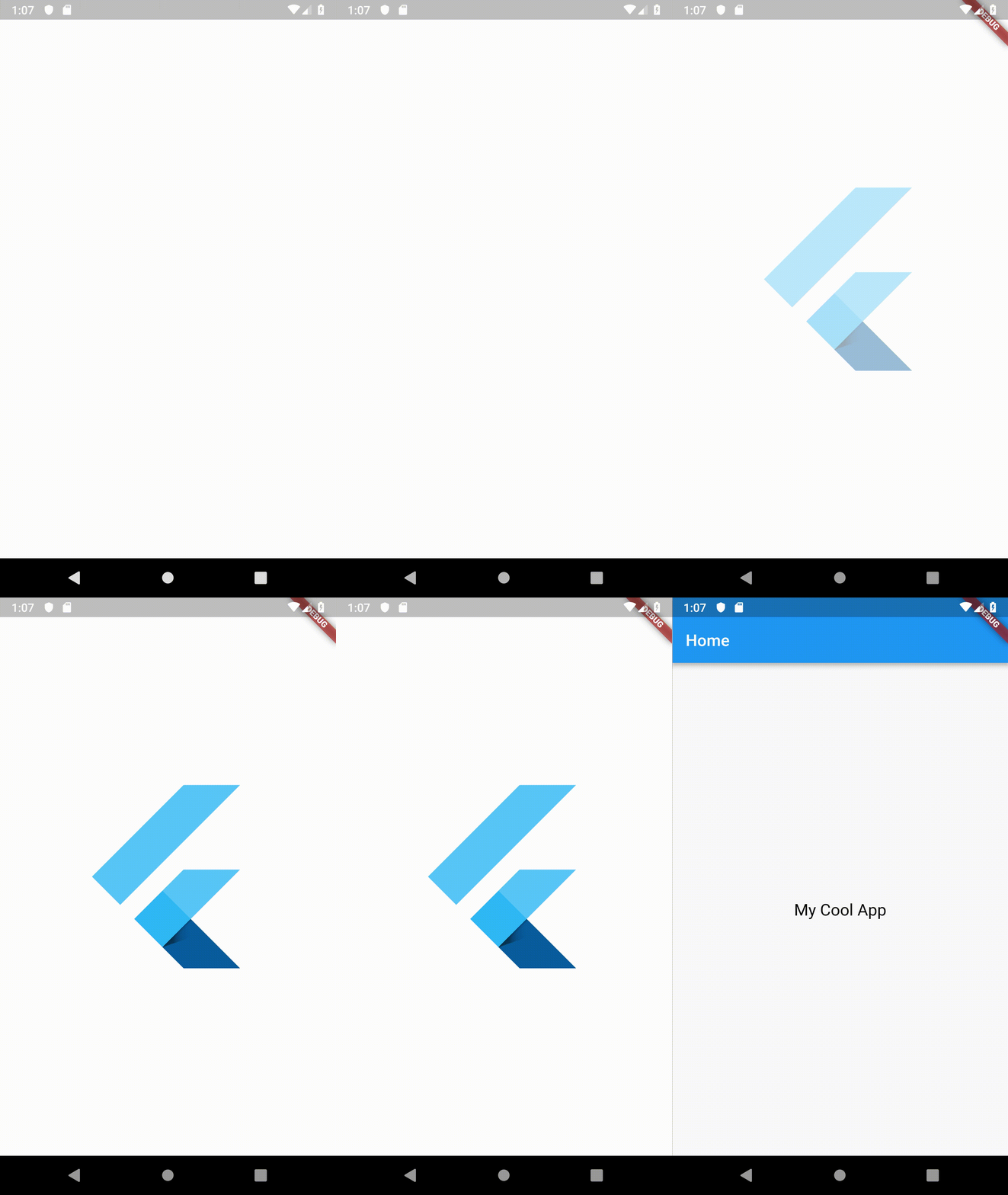
Demo

Mohammad Fayaz ↗
Kategorien
Verwendete Abhängigkeiten
Abhängigkeiten 2 Einträge
- flutter
{"sdk":"flutter"} - flutter_testEntwicklung
{"sdk":"flutter"}
Wie wähle ich ein passendes Repository?
Nach Anwendungsfall filtern, Aktivität vergleichen und vor der Nutzung das Originalprojekt prüfen.
- Nach Name, Autor oder Beschreibung suchen und nach Thema eingrenzen.
- Sterne, Forks und letzte Pushes vergleichen. Sterne zeigen Interesse, garantieren aber keine Qualität.
- Vor der Nutzung README, Lizenz und Issues auf GitHub prüfen.
Quellen und Pflege
“A repository is the most basic element of GitHub.”
GitHub Docs — About repositories ↗
- fayaz07/animated_splash · GitHub ↗
- GitHub Docs — Saving repositories with stars ↗
- Verzeichnis gepflegt von Ducafecat ↗