Pakete, Repositories und App-Kategorien suchen

GitHub-Repositoryfluttercandies/extended_list

extended_list

Erweiterte Liste (ListView/GridView) unterstützt das Nachverfolgen und Sammeln von Abfall von Kindern/Viewport-Indizes, erstellt das letzte Kind als Sonderkind, falls es Lade mehr/Nichts mehr gibt, und ermöglicht eine Anordnung nahe dem Ende.

Projektcover von extended_list
Sterne
56
Forks
7
Letzter Push (UTC)
20.04.2025
Projektstatus
Aktiv

Original-README

Englischer Projektschnappschuss. Aktuelle Inhalte auf GitHub.

extended_list

pub package GitHub stars GitHub forks GitHub license GitHub issues FlutterCandies QQ 群

Language: English | 中文简体

extended list(ListView/GridView) support track collect garbage of children/viewport indexes, build lastChild as special child in the case that it is loadmore/no more item and enable to layout close to trailing.

Web demo for ExtendedList

Use

  • add library to your pubspec.yaml

dependencies:
  extended_list: any

  • import library in dart file

  import 'package:extended_list/extended_list.dart';

CollectGarbage

track the indexes are collect, you can collect garbage at that monment(for example Image cache)

more detail

        ExtendedListView.builder(
            extendedListDelegate: ExtendedListDelegate(
                collectGarbage: (List<int> garbages) {
                print("collect garbage : $garbages");
                },),

ViewportBuilder

track the indexes go into the viewport, it's not include cache extent.

        ExtendedListView.builder(
            extendedListDelegate: ExtendedListDelegate(
                viewportBuilder: (int firstIndex, int lastIndex) {
                print("viewport : [$firstIndex,$lastIndex]");
                }),

LastChildLayoutTypeBuilder

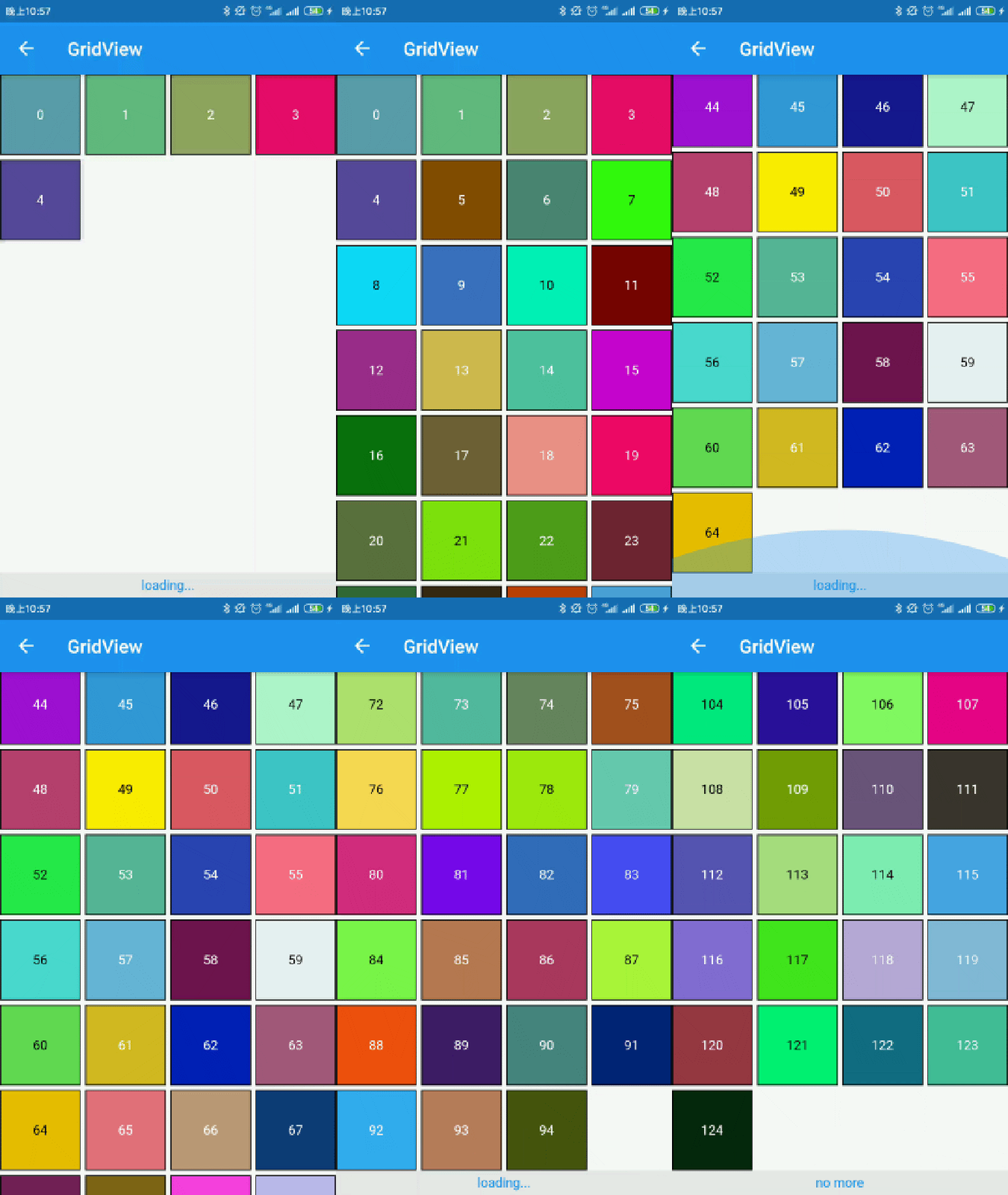
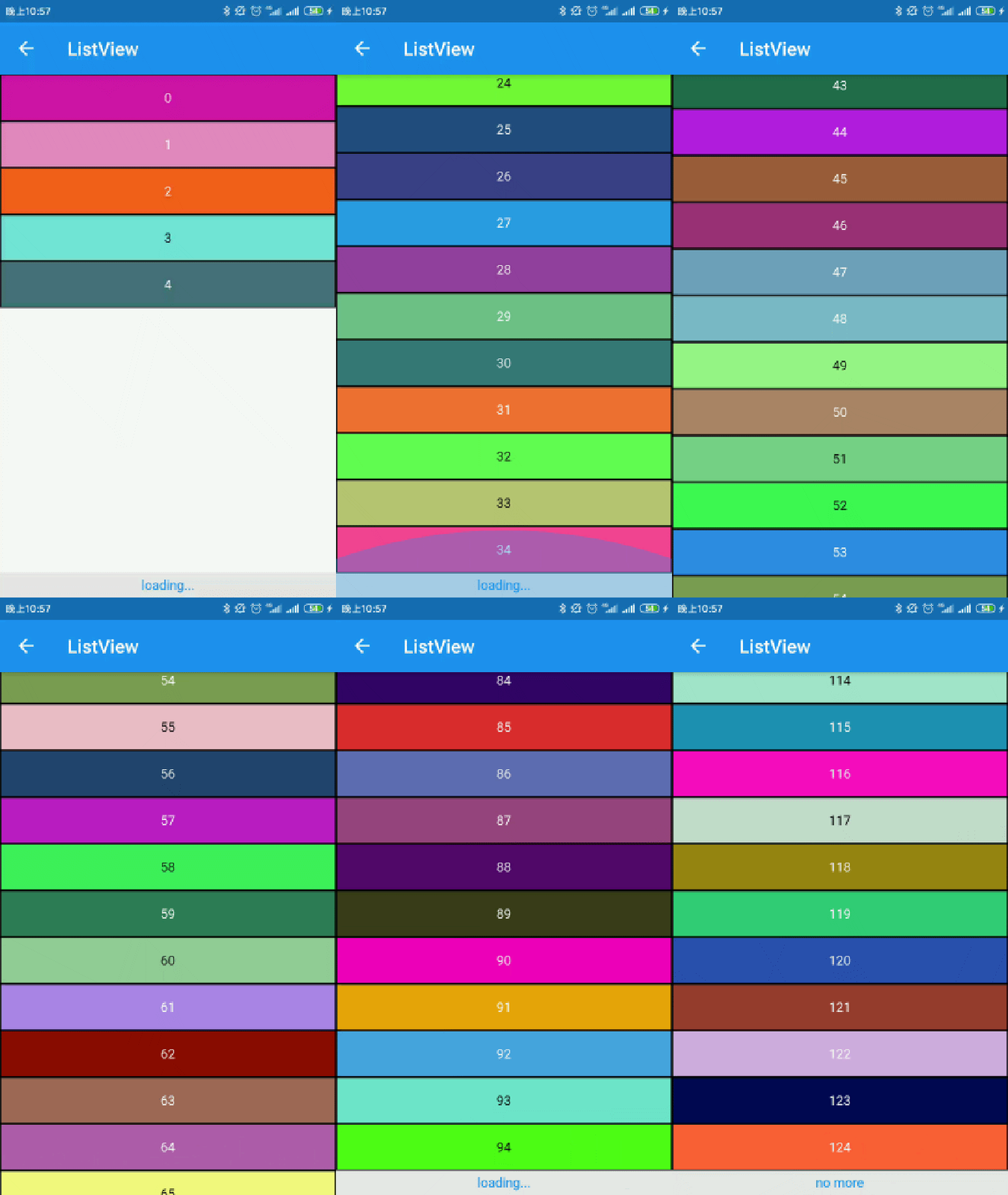
build lastChild as special child in the case that it is loadmore/no more item.

img

img

        enum LastChildLayoutType {
        /// as default child
        none,

        /// follow max child trailing layout offset and layout with full cross axis extent
        /// last child as loadmore item/no more item in [ExtendedGridView] and [WaterfallFlow]
        /// with full cross axis extend
        fullCrossAxisExtent,

        /// as foot at trailing and layout with full cross axis extend
        /// show no more item at trailing when children are not full of viewport
        /// if children is full of viewport, it's the same as fullCrossAxisExtent
        foot,
        }

      ExtendedListView.builder(
        extendedListDelegate: ExtendedListDelegate(
            lastChildLayoutTypeBuilder: (index) => index == length
                ? LastChildLayoutType.foot
                : LastChildLayoutType.none,
            ),

CloseToTrailing

when reverse property of List is true, layout is as following. it likes chat list, and new session will insert to zero index. but it's not right when items are not full of viewport.

     trailing
-----------------
|               |
|               |
|     item2     |
|     item1     |
|     item0     |
-----------------
     leading

to solve it, you could set closeToTrailing to true, layout is as following. support [ExtendedGridView],[ExtendedList],[WaterfallFlow]. and it also works when reverse is flase, layout will close to trailing.

     trailing
-----------------
|     item2     |
|     item1     |
|     item0     |
|               |
|               |
-----------------
     leading
      ExtendedListView.builder(
        reverse: true,
        extendedListDelegate: ExtendedListDelegate(closeToTrailing: true),
FlutterCandies GitHub avatar
GitHub-Autor

FlutterCandies ↗

Custom Flutter candies (packages) for you to build your Flutter app easily. Enjoy it!

SprachenDartRubySwiftHTMLKotlinObjective-C

Kategorien

Von diesem Repository veröffentlichte Pakete

Verwendete Abhängigkeiten

Abhängigkeiten 3 Einträge

  • extended_list_library^3.0.0
  • flutter{"sdk":"flutter"}
  • flutter_testEntwicklung{"sdk":"flutter"}

Wie wähle ich ein passendes Repository?

Nach Anwendungsfall filtern, Aktivität vergleichen und vor der Nutzung das Originalprojekt prüfen.

  1. Nach Name, Autor oder Beschreibung suchen und nach Thema eingrenzen.
  2. Sterne, Forks und letzte Pushes vergleichen. Sterne zeigen Interesse, garantieren aber keine Qualität.
  3. Vor der Nutzung README, Lizenz und Issues auf GitHub prüfen.

Quellen und Pflege

“A repository is the most basic element of GitHub.”

GitHub Docs — About repositories ↗