

 v0.0.7
flutter_switch_clipper
Ein Flutter-Paket, das zwei Widgets mit Standard-Cutter oder benutzerdefiniertem Cutter wechselt.
60Likes 5030-Tage-Downloads160Pub-Punkte
AndroidiOSWebmacOSWindowsLinux
Ein Flutter-Paket, das zwei Widgets mit einem Clipper wechselt.

Englischer Projektschnappschuss. Aktuelle Inhalte auf GitHub.
A Flutter package that two widgets switch with clipper.


体验网址:Demo
使用FillClipper并自定义相关参数
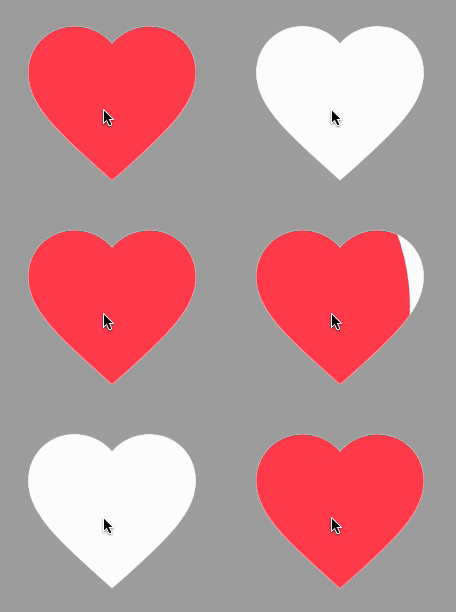
SwitchClipper(
    initSelect: true,
    child: const Icon(Icons.favorite, size: 200, color: Colors.redAccent),
    background: const Icon(Icons.favorite, size: 200, color: Colors.white),
    duration: const Duration(milliseconds: 800),
    animationClip: FillClipper(fillAlignment: _alignment,fillOffset: 50),
),
使用默认FillClipper

const SwitchClipper(
    enableWhenAnimating: false,
    child: Text(
        'FlutterCandies',
        style: TextStyle(
            fontWeight: FontWeight.bold,
            fontSize: 50,
            color: Colors.amber,
            height: 2,
        ),
    ),
    background: Text(
        'FlutterCandies',
        style: TextStyle(
            fontWeight: FontWeight.bold,
            fontSize: 50,
            color: Colors.white,
            height: 2,
        ),
    ),
    curve: Curves.slowMiddle,
    reverseCurve: Curves.linear,
),
使用CircleClipper切换图标颜色

SwitchClipper(
    child: const Icon(Icons.accessibility_new_rounded, size: 200, color: Colors.blueAccent),
    background: const Icon(Icons.accessibility_new_rounded, size: 200, color: Colors.white),
    curve: Curves.ease,
    duration: const Duration(milliseconds: 800),
    animationClip: CircleClipper(),
),
使用CircleClipper切换两个图标

SwitchClipper(
    child: ColoredBox(
    color: Colors.blueGrey[200] ?? Colors.blueGrey,
    child: const Icon(Icons.accessibility_new_rounded, size: 200, color: Colors.white)),
    background: const Icon(Icons.accessible_forward_outlined, size: 200, color: Colors.white),
    curve: Curves.ease,
    duration: const Duration(milliseconds: 800),
    animationClip: CircleClipper(),
),
使用ShutterClipper

SwitchClipper(
    child: ColoredBox(
        color: Colors.blueGrey[200] ?? Colors.blueGrey,
        child: const Icon(Icons.accessibility_new_rounded, size: 200, color: Colors.white)),
    background: const Icon(Icons.accessible_forward_outlined, size: 200, color: Colors.white),
    curve: Curves.ease,
    duration: const Duration(milliseconds: 800),
    animationClip: ShutterClipper(activeAlignment: _alignment),
),
使用WaveClipper

SwitchClipper(
    child: const Icon(Icons.access_time_filled_rounded, size: 200, color: Colors.blue),
    background: const Icon(Icons.access_time_filled_rounded, size: 200, color: Colors.white),
    curve: Curves.ease,
    duration: const Duration(milliseconds: 2000),
    animationClip: WaveClipper(
        waveAlignment: _alignment == FillAlignment.left ? WaveAlignment.left : WaveAlignment.right,
    ),
),
使用CameraClipper
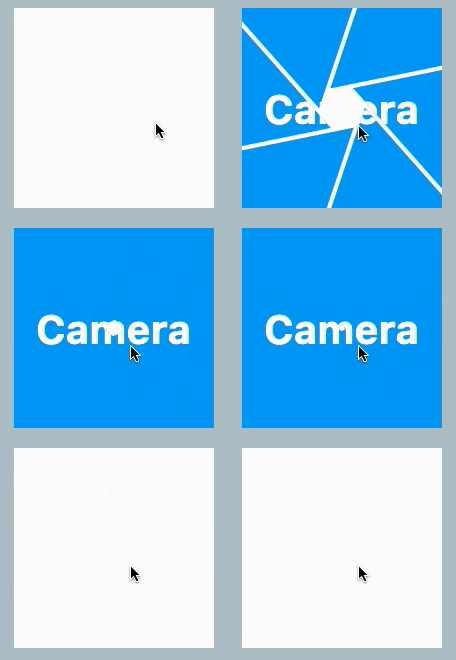
SwitchClipper(
    child: Container(
        width: 200,
        height: 200,
        alignment: Alignment.center,
        decoration: const BoxDecoration(
            shape: BoxShape.circle,
            color: Colors.blue,
        ),
        child: const Text(
            'Camera',
            style: TextStyle(color: Colors.white, fontSize: 40, fontWeight: FontWeight.bold),
        ),
    ),
    background: Container(
        width: 200,
        height: 200,
        decoration: const BoxDecoration(
            shape: BoxShape.circle,
            color: Colors.white,
        ),
    ),
    duration: const Duration(milliseconds: 2000),
    animationClip: CameraClipper(),
),
Abhängigkeiten 3 Einträge
{"sdk":"flutter"}{"sdk":"flutter"}^1.0.0Nach Anwendungsfall filtern, Aktivität vergleichen und vor der Nutzung das Originalprojekt prüfen.
“A repository is the most basic element of GitHub.”
GitHub Docs — About repositories ↗