Pakete, Repositories und App-Kategorien suchen

GitHub-Repositoryfluttercommunity/flutter-draggable-scrollbar

flutter-draggable-scrollbar

Draggable Scrollbar - Ein Scrollbalken, der zum schnellen Navigieren durch eine vertikale Liste gezogen werden kann. Zusätzliche Option ist die Anzeige eines Labels neben dem Scrollthumb mit Informationen über das aktuelle Element. Maintainer: @marica27

Projektcover von flutter-draggable-scrollbar
Sterne
442
Forks
72
Letzter Push (UTC)
21.05.2022
Projektstatus
Aktiv

Original-README

Englischer Projektschnappschuss. Aktuelle Inhalte auf GitHub.

Flutter Community: draggable_scrollbar

Draggable Scrollbar

Pub

A scrollbar that can be dragged for quickly navigation through a vertical list. Additionaly it can show label next to scrollthumb with information about current item, for example date of picture created

Usage

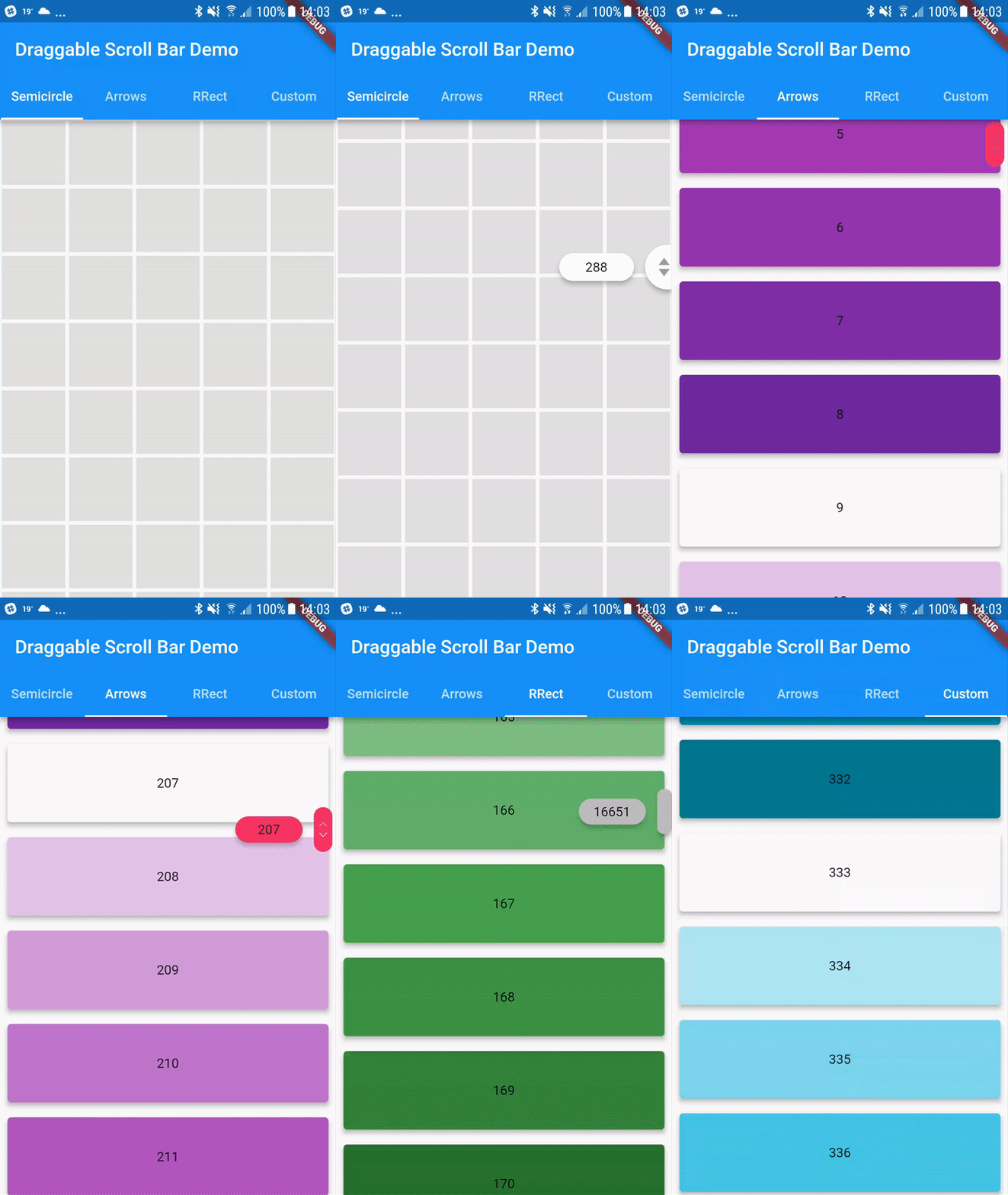
You can use one of the three built-in scroll thumbs, or you can create a custom thumb for your own app!

You can play with all of these examples by running the app found in the example folder.

Example

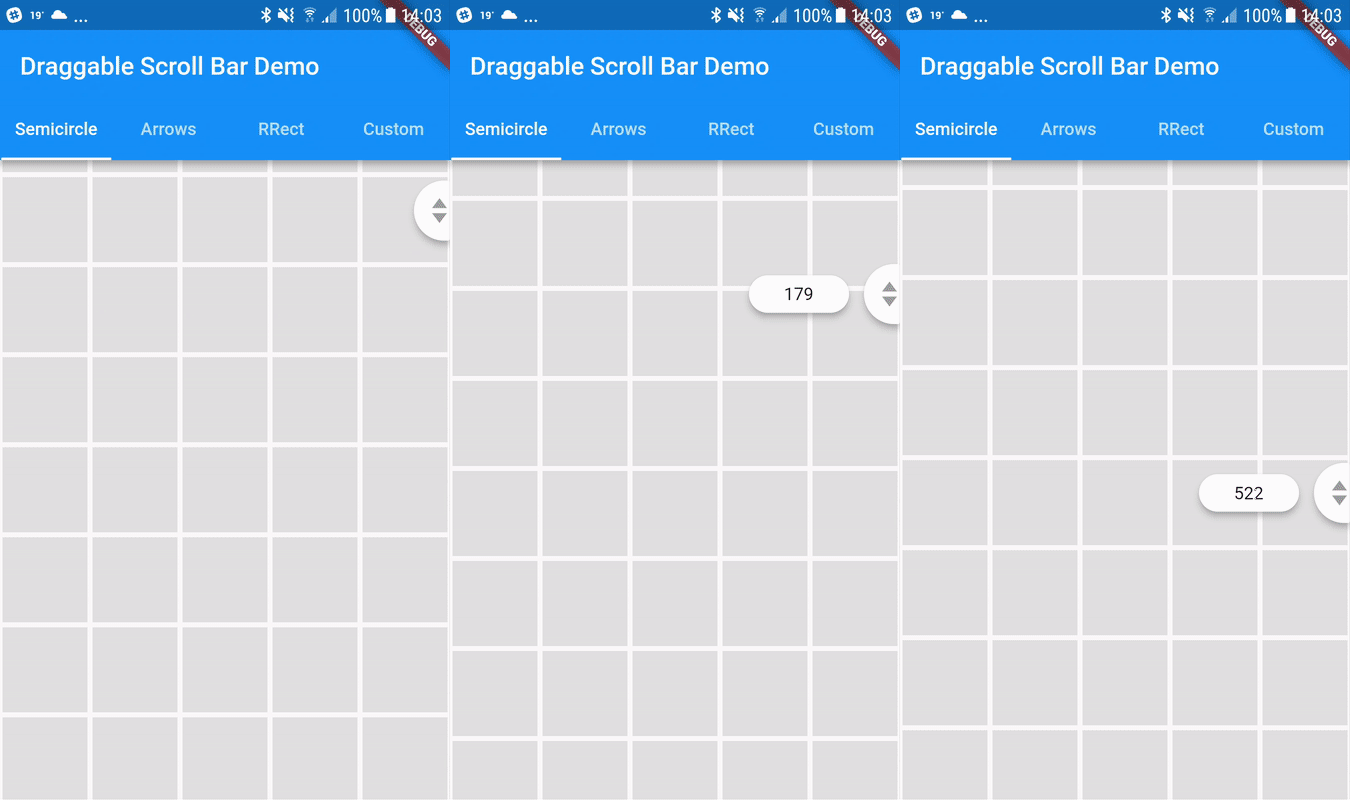
Semicircle Thumb
DraggableScrollbar.semicircle(
  controller: myScrollController,
  child: GridView.builder(
    gridDelegate: SliverGridDelegateWithFixedCrossAxisCount(
      crossAxisCount: 5,
    ),
    controller: myScrollController,
    padding: EdgeInsets.zero,
    itemCount: 1000,
    itemBuilder: (context, index) {
      return Container(
        alignment: Alignment.center,
        margin: EdgeInsets.all(2.0),
        color: Colors.grey[300],
      );
    },
  ),
);
Arrows thumb + label
DraggableScrollbar.arrows(
  labelTextBuilder: (double offset) => Text("${offset ~/ 100}"),
  controller: myScrollController,
  child: ListView.builder(
    controller: myScrollController,
    itemCount: 1000,
    itemExtent: 100.0,
    itemBuilder: (context, index) {
      return Container(
        padding: EdgeInsets.all(8.0),
        child: Material(
          elevation: 4.0,
          borderRadius: BorderRadius.circular(4.0),
          color: Colors.purple[index % 9 * 100],
          child: Center(
            child: Text(index.toString()),
          ),
        ),
      );
    },
  ),
);
Rounded Rectangle Thumb
DraggableScrollbar.rrect(
  controller: myScrollController,
  child: ListView.builder(
    controller: myScrollController,
    itemCount: 1000,
    itemExtent: 100.0,
    itemBuilder: (context, index) {
      return Container(
        padding: EdgeInsets.all(8.0),
        child: Material(
          elevation: 4.0,
          borderRadius: BorderRadius.circular(4.0),
          color: Colors.green[index % 9 * 100],
          child: Center(
            child: Text(index.toString()),
          ),
        ),
      );
    },
  ),
);
Custom
DraggableScrollbar(
  controller: myScrollController,
  child: ListView.builder(
    controller: myScrollController,
    itemCount: 1000,
    itemExtent: 100.0,
    itemBuilder: (context, index) {
      return Container(
        padding: EdgeInsets.all(8.0),
        child: Material(
          elevation: 4.0,
          borderRadius: BorderRadius.circular(4.0),
          color: Colors.cyan[index % 9 * 100],
          child: Center(
            child: Text(index.toString()),
          ),
        ),
      );
    },
  ),
  heightScrollThumb: 48.0,
  backgroundColor: Colors.blue,
  scrollThumbBuilder: (
    Color backgroundColor,
    Animation<double> thumbAnimation,
    Animation<double> labelAnimation,
    double height, {
    Text labelText,
  }) {
    return FadeTransition(
      opacity: thumbAnimation,
      child: Container(
        height: height,
        width: 20.0,
        color: backgroundColor,
      ),
    );
  },
);
Flutter Community GitHub avatar
GitHub-Autor

Flutter Community ↗

A central place for all community made Flutter packages. To get started, see the README of the 'community' repository.

SprachenDartObjective-CKotlin

Von diesem Repository veröffentlichte Pakete

Verwendete Abhängigkeiten

Abhängigkeiten 2 Einträge

  • flutter{"sdk":"flutter"}
  • flutter_testEntwicklung{"sdk":"flutter"}

Wie wähle ich ein passendes Repository?

Nach Anwendungsfall filtern, Aktivität vergleichen und vor der Nutzung das Originalprojekt prüfen.

  1. Nach Name, Autor oder Beschreibung suchen und nach Thema eingrenzen.
  2. Sterne, Forks und letzte Pushes vergleichen. Sterne zeigen Interesse, garantieren aber keine Qualität.
  3. Vor der Nutzung README, Lizenz und Issues auf GitHub prüfen.

Quellen und Pflege

“A repository is the most basic element of GitHub.”

GitHub Docs — About repositories ↗