
v3.4.3
riverpod
Ein reaktives Caching- und Datenbindungsfреймwerk. Riverpod macht die Arbeit mit asynchronem Code leicht.
4040Likes 4,3 Mio.30-Tage-Downloads160Pub-Punkte
AndroidiOSWebmacOSWindowsLinux
Bietet den Boilerplate, der zum Erstellen einer großen App benötigt wird, und bietet Utilities, um die Codegenerierung in separate Pakete zu trennen.

Ein reaktives Caching- und Datenbindungsfреймwerk. Riverpod macht die Arbeit mit asynchronem Code leicht.
Ein Werkzeug zum Verwalten von Dart- und Flutter-Repositories mit mehreren Paketen (Monorepo). Unterstützt automatisierte Versionierung über konventionelle Commit-Nachrichten. Inspiriert durch das JavaScript-Paket Lerna.
Ein leistungsstarker, mehrplattformfähiger E2E-UI-Testframework für Flutter-Anwendungen, der die Einschränkungen von integration_test überwindet, indem er Native-Interaktionen handhabt.
Ein Dart-Vorlagen-Generator, der Teams hilft, Dateien schnell und konsistent zu generieren.
 v0.12.0
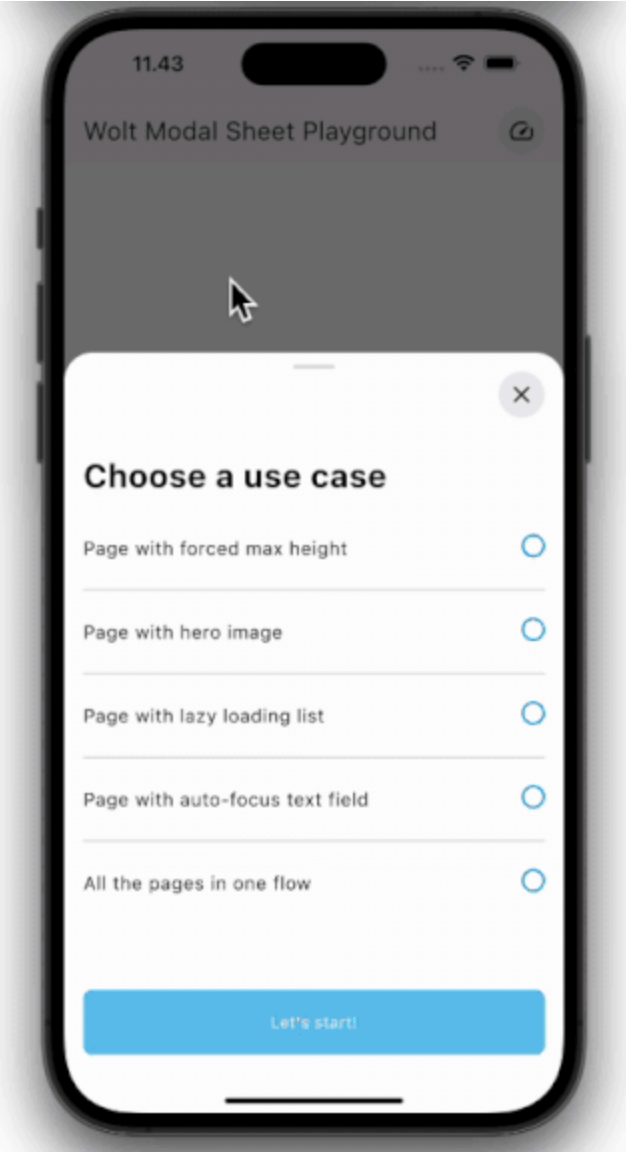
Dieses Paket bietet ein responsives Modal mit mehreren Seiten, Bewegungsanimationen für Seitenumbrüche und scrollbare Inhalte innerhalb jeder Seite.
Funktionale Programmierung in Dart und Flutter. Alle wichtigen funktionellen Programmierkonzepte und -muster sind vollständig dokumentiert, getestet und mit Beispielen versehen.
 v0.9.1
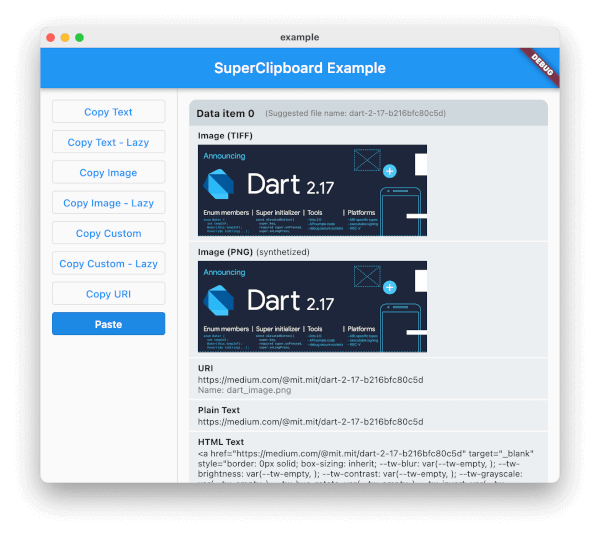
Umfangreicher Clipboard-Zugriffspaket für Flutter. Unterstützt das Lesen und Schreiben von Rich Text, Bildern und anderen Formaten.
Konvertiert bereits gebaute Widgets in Skeleton-Lader ohne zusätzlichen Aufwand.
 v0.17.2
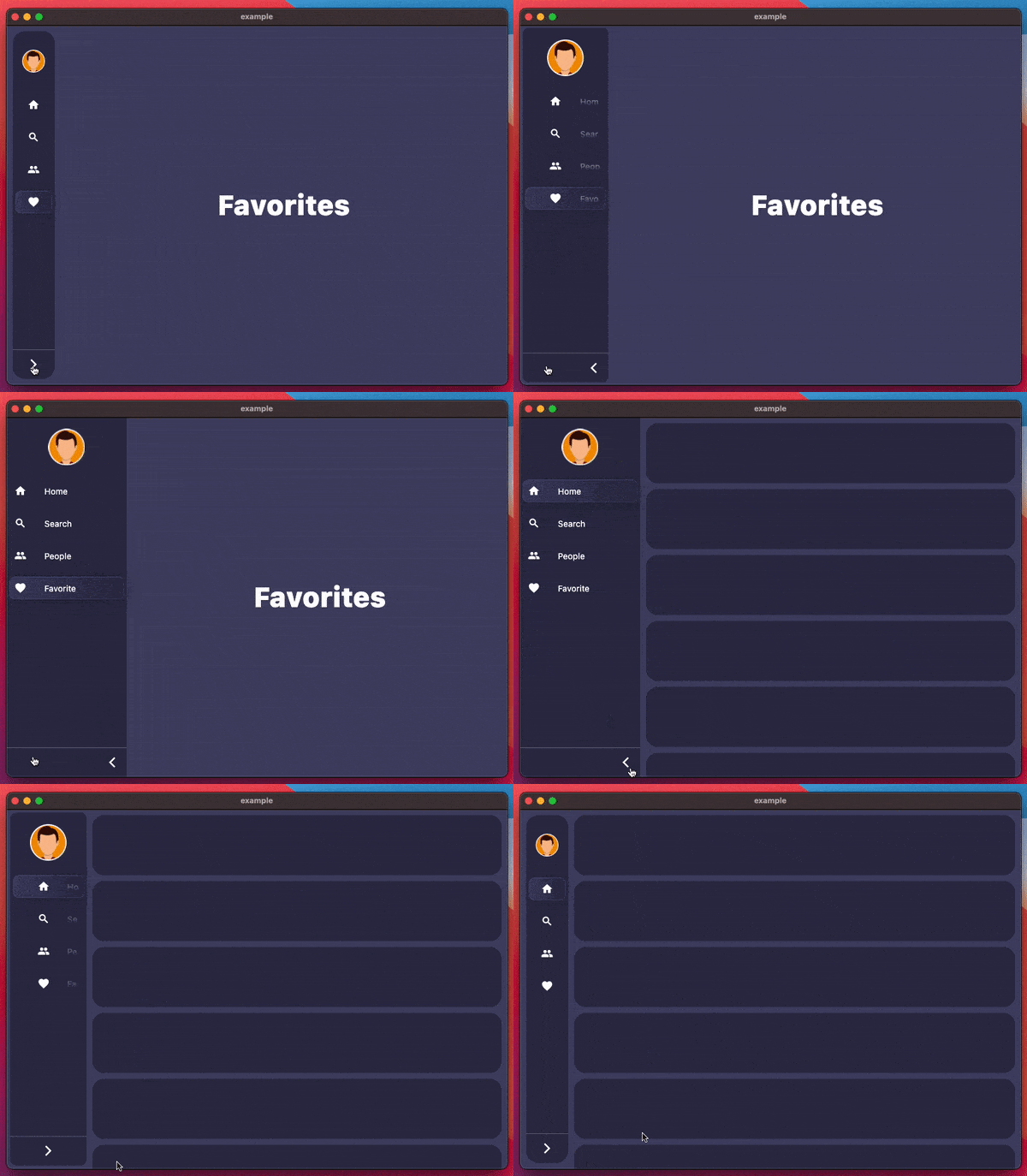
Flutter-Multiplattform-Navigation-Sidebar / Seitenleisten-Navigationsleiste / Drawer-Widget
Verbesserte JSON-Serialisierung und Datenklassen mit vollständiger Unterstützung für Generika, Vererbung, Anpassung und mehr.
Ein 'dart:html', das auf allen Plattformen funktioniert, einschließlich Flutter und Server-Seite. Vereinfacht die Entwicklung für mehrere Plattformen und die Verarbeitung von HTML/XML.
Ändern Sie den App-Paketnamen mit einem einzigen Befehl. Aktualisieren Sie die Dateien AndroidManifest, build.gradle, MainActivity und verschieben Sie die MainActivity-Datei automatisch in die neue Verzeichnisstruktur.
Abhängigkeiten 65 Einträge
^1.0.1{"path":"packages/assets"}^1.2.0^1.18.0^6.0.2{"path":"packages/constants"}^1.0.6^4.1.0{"path":"packages/env"}^3.4.1^7.3.1{"sdk":"flutter"}^0.1.10+1^3.1.1^0.20.5^2.4.0^3.0.1{"sdk":"flutter"}^1.1.0^2.2.0^13.1.0^6.2.1^2.2.3^1.1.0^2.4.9^1.2.0{"path":"packages/localization"}{"path":"packages/log"}^0.2.0^7.0.0{"path":"packages/pub/pagination"}^1.9.0^2.1.3^2.3.6^2.3.5{"path":"packages/pub/sidebarx"}^1.1.1^1.0.1^0.8.11^2.2.4^6.2.6^0.3.8^0.5.0{"path":"packages/app_lints"}^2.4.9^3.1.0^1.1.0^0.6.4^4.2.3^0.13.1^3.0.2{"sdk":"flutter"}^2.5.2^2.0.1{"sdk":"flutter"}^0.1.0-dev.52^5.3.0^1.0.3^0.2.0^3.16.7^3.6.1^2.4.0^2.3.10^0.1.5anyEnglischer Projektschnappschuss. Aktuelle Inhalte auf GitHub.
latest release coverage Codemagic build status
An opinionated starting point for a Flutter app intended to provide the boilerplate needed to create a large app and provides utilities to separate code generation into separate packages.
This is an opinionated template I use for my personal projects. It uses melos monorepo
to separate the code generation into separate packages for assets/, env/,
and localization/
This repository also follows Riverpod App Architecture,
I highly recommend reading the article. Each layer has its own folder per feature in the lib/src/features/ folder.
Flutter Web is deployed to GitHub Pages in a separate subfolder for each branch. The main branch is deployed to
getboolean.github.io/flutter_boolean_template.
# from HashUrlStrategy, so ensure it is not disabled for your Flutter Web CI builds deployed to GitHub Pages. If it is disabled, the Navigator 2.0 subroutes will prevent GitHub Pages from resolving the correct app when refreshed.For example, in the CI workflow using the argument --dart-define ENABLE_HASH_URL_STRATEGY=true
void main() {
  const useHashUrlStrategy = bool.fromEnvironment('ENABLE_HASH_URL_STRATEGY', defaultValue: false);
  if (!useHashUrlStrategy) {
    setUrlStrategy();
  }
  runApp(MyApp());
}
melos bootstrap to install dependencies for all packages and generate env files.Template: Getting Started section from the README.[ ] Run the following command to change the package name, where com.author.app_name is the new name for the app.
dart run change_app_package_name:main com.author.app_name
[ ] Search for getBoolean/flutter_boolean_template and update it with your GitHub username and repository name
[ ] Search for com.example.flutter_boolean_template and replace it with your new Android bundle identifier
[ ] Search for com.example.flutterBooleanTemplate and replace it with your new iOS bundle identifier
[ ] Search for flutter_boolean_template and replace it with your new package identifier
[ ] Search for Flutter Boolean Template and replace it with your new app name
PAT<AppName> Web Deploy, and give it the repo and workflow scopesmelos bootstrap to install dependencies for all packages and generate env files.test root directory and each package. To run all tests, run the following command:melos run test
patrol provides visual feedback to the tester andtakes screenshots automatically.
These integration tests are located in the integration_test directory.
To run the tests, see the instructions in the Patrol documentation
This project automatically builds for all platforms without code signing using GitHub Actions. To build the project locally, follow the instructions in the Flutter docs.
Flavors are used to provide different environment variables based on the current flavor. By default,
the app uses the "local" flavor. Run/build the app with --dart-define FLAVOR=<flavorname>
to change the flavor. The following flavors are supported:
local - Local development. The text banner changes to "Debug" when in debug mode, "Local" in profile mode, and hidden in release mode.dev - Development build not intended for release.beta - Beta build intended for release to testers.staging - Staging build intended for device integration testing.prod - Production build intended for release to stores.msix_config in pubspec.yaml according to the documentation
for msix for your method of publication. The default
configuration is for CI/CD testing builds only, not releases.This project uses the Riverpod App Architecture in a feature-first manner where each feature is a separate package in the lib/src/features/ folder. Each feature has its own layers, which separate the business logic from the UI.
The repository pattern consists of Repositories, DTOs, and Data Sources. Their jobs are the following:
Repository pattern use cases:
Domain Models, which consist of entity and value objects. It should solve domain-related problems.
The domain models can contain logic for mutating them in an immutable manner, but they should not contain any serialization.
Implements application-specific logic by accessing the relevant repositories as needed. The service classes are not concerned about:
This project uses Melos to manage the monorepo.
flutter pub get
# Install melos globally
dart pub global activate melos
# Setup local dependency overrides for packages in the monorepo
melos bootstrap

# Or if dart executables are not on your path
dart pub global run melos bootstrap
Pub:
melos run pub - Run pub get in all packages.melos run dart:pkg - Run dart pub get in the selected dart package.melos run flutter:pkg - Run flutter pub get in the selected flutter package.melos run upgrade - Run pub upgrade in all packages.melos run upgrade:pkg - Run pub upgrade in the selected package.Code Generation:
dart run build_runner watch -d - Watch and generate code for the app, does not work with subpackagesmelos run generate - Run build_runner build in all packages that depend on build_runner.melos run generate:pkg - Run build_runner build for a specific package (except envied packages).melos run watch:pkg - Run build_runner watch for a specific package (except envied packages). It will not work if you choose "all" in the package selection prompt.melos run assets - Run assets_gen build in all packages that depend on assets_gen.melos run assets:pkg - Run assets_gen build for a specific package.melos run env - Run build_runner in all packages that depends on envied.melos run env:pkg - Run build_runner in a specific package that depends on envied.melos run loc - Run flutter gen-l10n in the localization package to generate
the localized strings from the arb files.Tests:
melos run lint - Run dart analyzer and custom lints in all packages.melos run analyze - Run dart analyze in all packages.melos run custom_lint - Run dart run custom_lint in all packages.melos run test - Run all Flutter tests.melos run format - Run dart format in all packages.melos run fix - Run dart fix --apply in all packages.melos run test - Run all tests in the project.melos run flutter_test - Run all Flutter tests in the project.melos run dart_test - Run all Dart tests in the project.melos run flutter_test:pkg - Run Flutter tests for a specific package.melos run dart_test:pkg - Run Dart tests for a specific (Dart only) package.This project uses GoRouter for navigation
and provides some starter boilerplate for adaptive multitab navigation using ResponsiveScaffold.
Environment variables are setup using ENVied in the env package. Environment variables need to be defined for debug, profile, and release modes.
*.env.example files and remove the .example extension from them..env* file.
.env* file, unless a non null default value is added
to the @EnviedField annotation.Env's getter to access the value.AppEnvFieldsGenerated and AppEnvFieldsNullable.*Env classes in the src/env directory.
.env file is planned to be usedobfuscate for API keys in the @EnviedField annotation. (Note: still assume it is not secure)@EnviedField defaultValue or enable optional on the annotation for keys which are
not required in all modes.Mason to generate code for features and tests using templates. To use the bricks, install the Mason VS Code extension. To create addition bricks, use Mason CLI.
This project is preconfigured to use Riverpod Generator. The normal riverpod syntax is still supported. See Andrea's article on Riverpod architecture for how to structure your code.
It is recommend to run build_runner in watch mode to generate the code for Riverpod.
dart run build_runner watch -d
The stock package is recommended for loading data from both remote and local sources. Its main goal is to prevent excessive calls to the network and disk cache. By utilizing it, you eliminate the possibility of flooding your network with the same request while, at the same time, adding layers of caching.
Although you can use it without a local source, the greatest benefit comes from combining Stock with a local database such as Floor, Drift, Sqflite, Realm, etc. (excerpt from the README)
Follow the instructions in the file flutter_native_splash.yaml
Use flutter_native_dialog to show native dialogs/alerts.
Use wolt_modal_sheet to show customizable and responsive bottom sheets.
Use wolt_responsive_layout_grid to show a responsive list/grid.