v6.1.5+1
provider
Ein Wrapper um InheritedWidget, um sie einfacher zu verwenden und wiederverwendbarer zu machen.
11.000Likes 1,2 Mio.30-Tage-Downloads150Pub-Punkte
AndroidiOSWebmacOSWindowsLinux
Eine Showcase-Anwendung für das Flutter SDK. Wonderous wird Sie unterrichten und unterhalten, während Sie Informationen über einige der berühmtesten Bauwerke der Welt entdecken.

Englischer Projektschnappschuss. Aktuelle Inhalte auf GitHub.


Navigate the intersection of history, art, and culture. Wonderous will educate and entertain as you uncover information about some of the most famous structures in the world.
Built by gskinner in partnership with the Flutter team, Wonderous deliberately pushes visual fidelity, effects and transitions to showcase what Flutter is truly capable of on modern mobile hardware.
In addition to forking and reviewing the MIT licensed code available here, you can check out more information on the Wonderous Showcase Website.
To try the app you can download it from your favorite app store:
Or you can try it on the web at https://wonderous.app/web/
If you're new to Flutter the first thing you'll need is to follow the setup instructions.
Once Flutter is setup, you can use the latest stable channel:
flutter channel stableflutter upgradeOnce on stable you're ready to run the app on your local device or simulator:
flutter run -d iosflutter run -d androidWonderous is deployed using the Web Assembly target for Flutter Web (WASM). To test WASM locally you can use the command flutter run -d chrome --wasm.
The web bootstrap in web/index.html supports a small set of URL query parameters:
wasm=1 or wasm=true: Opt in to WASM allowlisting for Safari (WebKit) and Firefox (Gecko).
mode=canvaskit: Force the CanvasKit renderer.mode=wimp: Enable WIMP mode.mode=skwasm-st: Force single-threaded SKWASM.Examples:
/?wasm=1/?wasm=1&mode=canvaskit/?wasm=true&mode=skwasm-stThis app uses the new Impeller Runtime by default on iOS.
We build innovative digital experiences for smart clients, and we love how Flutter unleashes our creativity when building multi-platform apps. Don't hesitate to stop by our site to learn more about what we do, or check out other innovative Flutter projects we've built. We'd love to hear from you!
This application is released under the MIT license. You can use the code for any purpose, including commercial projects.

Ein Wrapper um InheritedWidget, um sie einfacher zu verwenden und wiederverwendbarer zu machen.
Eine SVG-Rendern- und Widget-Bibliothek für Flutter, die das Zeichnen und Anzeigen von skalierbaren Vektorgrafiken 1.1-Dateien ermöglicht.
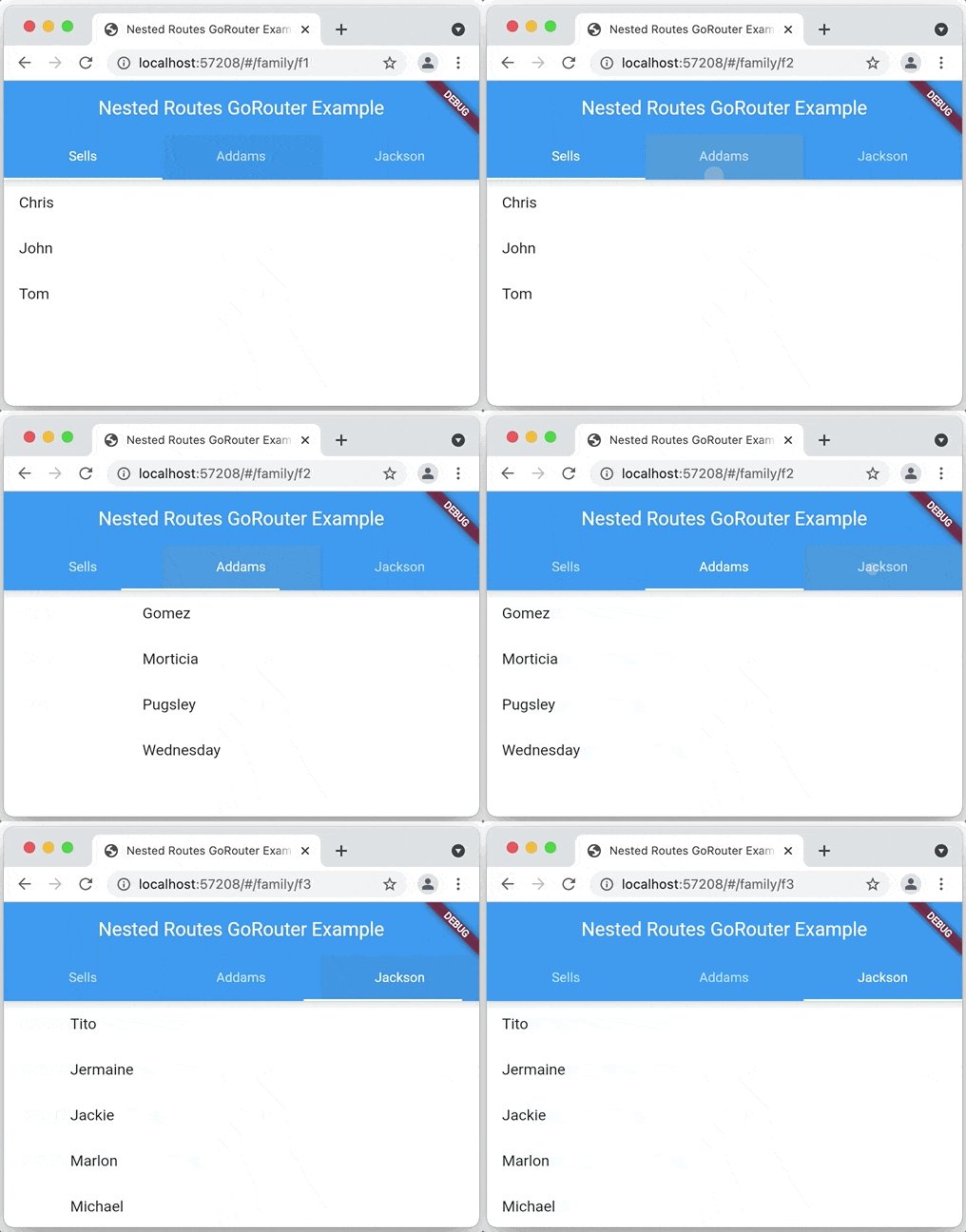
Ein deklarativer Router für Flutter basierend auf Navigation 2 mit Unterstützung für Deep Linking, datengesteuerte Routen und mehr
Ein Flutter-Plugin zur Integration von Google Maps in iOS- und Android-Anwendungen.
Web-Plattform-Implementierung von google_maps_flutter
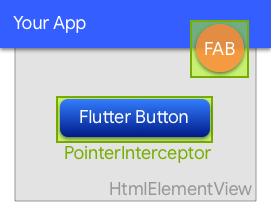
Ein Widget, das verhindert, dass Klicks von unterliegenden HtmlElementViews im Web verschluckt werden.
Flutter-Plugin zum Lesen und Schreiben einfacher Schlüssel-Wert-Paare. Umhüllt NSUserDefaults auf iOS und SharedPreferences auf Android.
Ein Flutter-Plugin, das ein WebView-Widget mit Unterstützung durch die System-WebView bereitstellt.
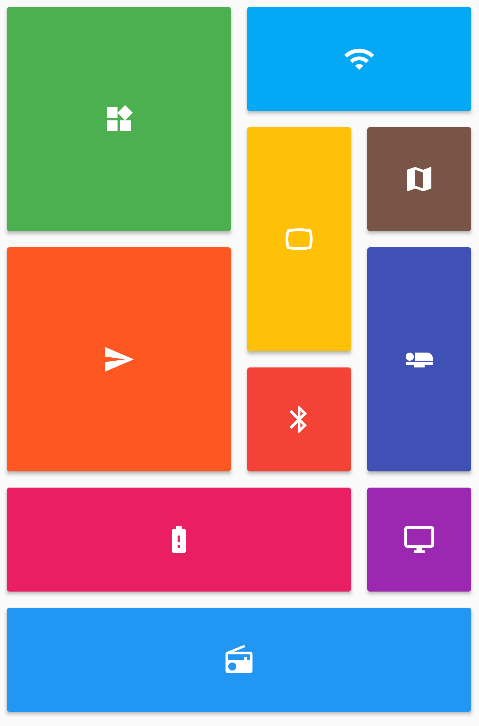
Bietet eine Sammlung von Flutter-Gitterlayouts (gestaffelt, Mauerwerk, Quilt, gewebt usw.).
Flutter-Plugin zum Abfragen von Informationen über das Anwendungs-Paket, beispielsweise CFBundleVersion unter iOS oder versionCode unter Android.
Passen Sie den standardmäßigen weißen nativen Startbildschirm von Flutter mit Hintergrundfarbe und Splash-Bild an. Unterstützt Dunkelmodus, Vollbild und vieles mehr.
Ein einfacher und direkter Service-Locator, der die Trennung zwischen Schnittstelle und konkreter Implementierung ermöglicht und den Zugriff auf die konkrete Implementierung von überall im App erlaubt.
Abhängigkeiten 41 Einträge
{"sdk":"flutter"}{"sdk":"flutter"}^1.17.0^0.4.0{"git":{"url":"https://github.com/parlough/drop_cap_text","ref":"feat/adapt-for-deprecations"}}^2.0.5^1.0.0+1^1.0.0^4.5.0^0.3.1^0.7.0^2.3.3^0.7.0^2.0.1^3.0.1^7.2.0^4.2.2^2.17.0^17.0.1^0.9.0^1.1.0^4.1.3^0.6.2^0.20.2^3.0.1^9.0.0^1.0.0^2.1.1^0.10.1+1^6.0.5^0.2.0^2.0.17^1.0.0+1^2.0.1^3.0.0^6.1.14^4.0.2^6.0.0^3.0.0^6.0.0^5.0.3Nach Anwendungsfall filtern, Aktivität vergleichen und vor der Nutzung das Originalprojekt prüfen.
“A repository is the most basic element of GitHub.”
GitHub Docs — About repositories ↗