animated_flip_counter
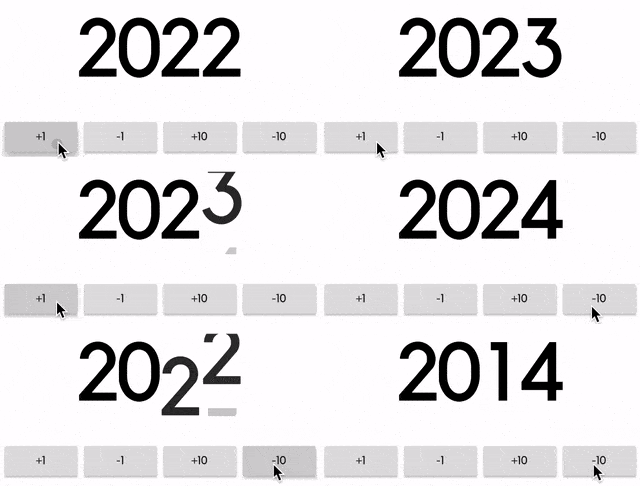
An implicit animation widget that flips from one number to another.
Usage
It can be useful to display information that's constantly changing.
https://github.com/h65wang/flutter-animated-counter/raw/master/gifs/demo.gif
Animated Counter
Simply pass in a value and an optional duration and curve, just like any other implicit animation widget in Flutter.
https://github.com/h65wang/flutter-animated-counter/raw/master/gifs/counter.gif
AnimatedFlipCounter(
  duration: Duration(milliseconds: 500),
  value: _value, // pass in a value like 2014
)
Decimal Display
Use fractionDigits to specify how many digits to show after the decimal point. It handles negative values as well.
https://github.com/h65wang/flutter-animated-counter/raw/master/gifs/percent.gif
AnimatedFlipCounter(
  value: _value,
  fractionDigits: 2, // decimal precision
  suffix: "%",
  textStyle: TextStyle(
      fontSize: 40,
      color: _value >= 0 ? Colors.green : Colors.red,
  ),
)
Custom Style
Use the familiar TextStyle parameter for styling, and use prefix and suffix for additional texts.
https://github.com/h65wang/flutter-animated-counter/raw/master/gifs/style.gif
AnimatedFlipCounter(
  value: _value,
  prefix: "Level ",
  textStyle: TextStyle(
    fontSize: 80,
    fontWeight: FontWeight.bold,
    letterSpacing: -8.0,
    color: Colors.yellow,
    shadows: [
      BoxShadow(
        color: Colors.orange,
        offset: Offset(8, 8),
        blurRadius: 8,
      ),
    ],
  ),
)


 v0.3.4