
win32_gamepad
Eine moderne, typensichere Dart-API zum Zugriff auf Gamepads, die an einen Windows-Rechner angeschlossen sind.

- Sterne
- 25
- Forks
- 2
- Letzter Push (UTC)
- 26.02.2026
- Projektstatus
- Archiviert
Original-README
Englischer Projektschnappschuss. Aktuelle Inhalte auf GitHub.
This package has moved
The package can now be found at https://github.com/halildurmus/win32/tree/main/packages/win32_gamepad.


A modern, type-safe Dart API for accessing gamepads connected to a Windows machine.
This package builds on top of the package:win32 and provides a high-level abstraction over native gamepad APIs. It eliminates the need to work directly with FFI, raw pointers, or low-level Win32 calls while preserving performance and correctness.
✨ Features
- Connect up to 4 gamepads — supports all four XInput controller slots
- Poll buttons, triggers & thumbsticks — full access to every input via a
clean
GamepadStateobject - Rumble motor control — independently set left and right vibration motor speeds
- Battery information — query battery level and type for wireless controllers
🚀 Getting Started
Add the package to your pubspec.yaml:
dependencies:
  win32_gamepad: ^1.0.10
Then import it:
import 'package:win32_gamepad/win32_gamepad.dart';
⚡ Quick Example
Create a Gamepad instance by passing the controller index (0–3):
final gamepad = Gamepad(0); // primary controller
Windows supports up to four gamepads simultaneously. Poll the gamepad by calling
updateState() in your game loop, then inspect the
state object for buttons, triggers, and thumbstick values.
Rumble motors can be activated with the vibrate method.
import 'dart:io';

import 'package:win32_gamepad/win32_gamepad.dart';

void main() {
  // Check which controllers are connected.
  for (var idx = 0; idx < 4; idx++) {
    final gamepad = Gamepad(idx);
    final connectionStatus = gamepad.isConnected ? 'connected' : 'disconnected';
    print('Gamepad $idx is $connectionStatus.');
  }

  final gamepad = Gamepad(0);
  if (!gamepad.isConnected) {
    print('No gamepad connected on slot 0.');
    return;
  }

  // Read battery information.
  final GamepadBatteryInfo(:batteryLevel, :batteryType) =
      gamepad.gamepadBatteryInfo;
  print('Battery type is ${batteryType.name}.');
  print('Battery level is ${batteryLevel.name}.');

  // Test vibration motors.
  print('Vibrating left motor (half intensity).');
  gamepad.vibrate(leftMotorSpeed: 32767);
  sleep(const .new(milliseconds: 1000));

  print('Vibrating right motor (half intensity).');
  gamepad.vibrate(rightMotorSpeed: 32767);
  sleep(const .new(milliseconds: 1000));

  print('Vibrating both motors (full intensity).');
  gamepad.vibrate(leftMotorSpeed: 65535, rightMotorSpeed: 65535);
  sleep(const .new(milliseconds: 1000));

  print('Turning off vibration.');
  gamepad.vibrate();
}
🖥️ Flutter Inspector Demo
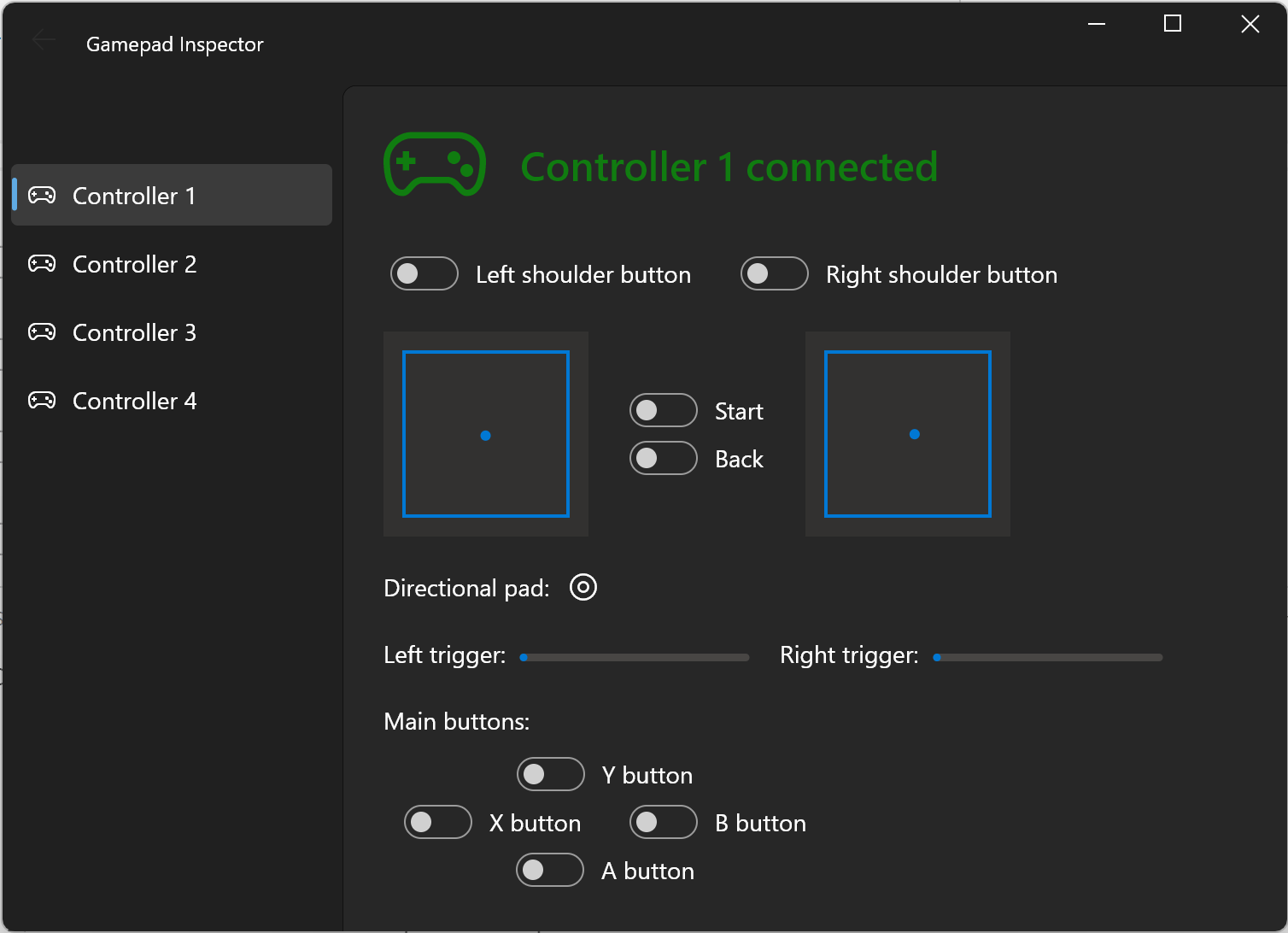
A full Flutter example app is available in the example/inspector/ directory.
It demonstrates how to build a live gamepad monitor with button highlights,
trigger bars, and thumbstick visualisations inside a game loop:
📝 Documentation
Full API reference is available here:
Additional usage examples are located in the [example] directory.
🐞 Features and Bugs
If you encounter bugs or need additional functionality, please file an issue.

Halil Durmus ↗
Kategorien
Verwendete Abhängigkeiten
Wie wähle ich ein passendes Repository?
Nach Anwendungsfall filtern, Aktivität vergleichen und vor der Nutzung das Originalprojekt prüfen.
- Nach Name, Autor oder Beschreibung suchen und nach Thema eingrenzen.
- Sterne, Forks und letzte Pushes vergleichen. Sterne zeigen Interesse, garantieren aber keine Qualität.
- Vor der Nutzung README, Lizenz und Issues auf GitHub prüfen.
Quellen und Pflege
“A repository is the most basic element of GitHub.”
GitHub Docs — About repositories ↗
- halildurmus/win32_gamepad · GitHub ↗
- GitHub Docs — Saving repositories with stars ↗
- Verzeichnis gepflegt von Ducafecat ↗