
win32_runner
Ein Dart-Laufzeitumgebung für Flutter-Apps unter Windows — kein C++-Compiler erforderlich.

- Sterne
- 64
- Forks
- 5
- Letzter Push (UTC)
- 23.02.2026
- Projektstatus
- Archiviert
Original-README
Englischer Projektschnappschuss. Aktuelle Inhalte auf GitHub.


A Dart runner for Flutter Windows apps — no C++ compiler required.
package:win32_runner is an experimental package that replaces the default
C++ runner generated by flutter create with a pure Dart alternative, letting
you build and run Flutter Windows apps without a C++ toolchain installed.
⚠️ Experimental: This package is a proof-of-concept and is not suitable for production use. Plugin support is not yet implemented.
🚀 Getting Started
The example subdirectory contains a ready-to-use sample. Follow the steps below to run an existing Flutter app on Windows using the Dart runner.
1. Clone the repository
C:\src> git clone https://github.com/halildurmus/win32_runner.git
C:\src> cd win32_runner
2. Install dependencies
C:\src\win32_runner> dart pub get
3. Create a sample Flutter app
C:\src\win32_runner> cd ..
C:\src> flutter create simpleapp
C:\src> cd simpleapp
4. Compile the Dart runner
C:\src\simpleapp> dart build cli -t ..\win32_runner\example\win32_runner.dart -o build
5. Compile Flutter code and assets
C:\src\simpleapp> flutter assemble -dTargetPlatform=windows-x64 --output=build -dBuildMode=release release_bundle_windows-x64_assets
6. Run your Flutter app
C:\src\simpleapp> .\build\bundle\bin\win32_runner.exe
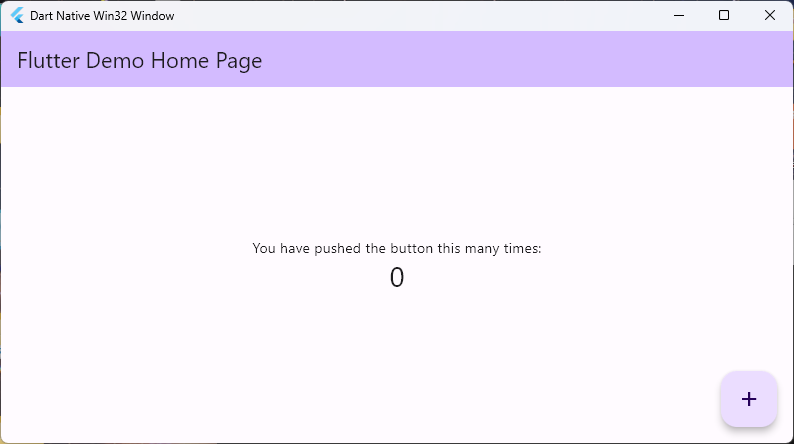
You should now see your Flutter app running via the Dart runner:
📝 Documentation
Full API reference is available here:
Additional usage examples are located in the example directory.
🐞 Features and Bugs
If you encounter bugs or need additional functionality, please file an issue.

Halil Durmus ↗
Kategorien
Verwendete Abhängigkeiten
Wie wähle ich ein passendes Repository?
Nach Anwendungsfall filtern, Aktivität vergleichen und vor der Nutzung das Originalprojekt prüfen.
- Nach Name, Autor oder Beschreibung suchen und nach Thema eingrenzen.
- Sterne, Forks und letzte Pushes vergleichen. Sterne zeigen Interesse, garantieren aber keine Qualität.
- Vor der Nutzung README, Lizenz und Issues auf GitHub prüfen.
Quellen und Pflege
“A repository is the most basic element of GitHub.”
GitHub Docs — About repositories ↗
- halildurmus/win32_runner · GitHub ↗
- GitHub Docs — Saving repositories with stars ↗
- Verzeichnis gepflegt von Ducafecat ↗