Pakete, Repositories und App-Kategorien suchen

GitHub-Repositoryherowws/flutter_popup

flutter_popup

Das flutter_popup-Paket ist ein praktisches Werkzeug, mit dem Sie innerhalb Ihrer Flutter-Anwendung eine einfache und anpassbare Popup-Funktion anzeigen können

Projektcover von flutter_popup
Sterne
79
Forks
35
Letzter Push (UTC)
14.06.2025
Projektstatus
Aktiv

Original-README

Englischer Projektschnappschuss. Aktuelle Inhalte auf GitHub.

flutter_popup

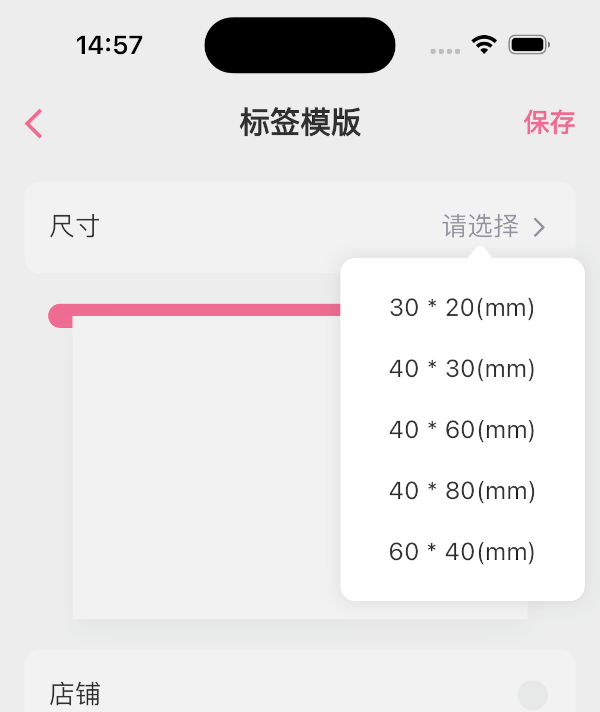
The flutter_popup package is a convenient tool that enables you to display a straightforward and customizable popup within your Flutter application. It offers a highlight feature that can be utilized to direct the user's attention to a specific area as needed.

Getting Started

image image image image

How to use

dependencies:
  flutter_popup: ^latest_version
import 'package:flutter_popup/flutter_popup.dart';
// easy to use
CustomPopup(
  content: Text('George says everything looks fine'),
  child: Icon(Icons.help),
),

CustomPopup(
  arrowColor: Colors.orange,
  barrierColor: Colors.green.withOpacity(0.1),
  backgroundColor: Colors.white,
  content: Text('George says everything looks fine'),
  child: Icon(Icons.help),
),

CustomPopup(
  content: _Slider(),
  position: PopupPosition.top,
  child:Text('slider'),
)

CustomPopup(
  content: Column(
  mainAxisSize: MainAxisSize.min,
    children: List.generate(5, (index) => Text('menu$index')),
  ),
  child: const Icon(Icons.add_circle_outline),
)

Container(
  decoration: BoxDecoration(color: Colors.white),
  padding: EdgeInsets.symmetric(vertical: 10),
  child: Row(
    mainAxisAlignment: MainAxisAlignment.spaceAround,
    children: [
      CustomPopup(
      showArrow: false,
      contentPadding:EdgeInsets.symmetric(horizontal: 30, vertical: 10),
      barrierColor: Colors.transparent,
      contentDecoration: BoxDecoration(color: Colors.white),
      content: SizedBox(
        width: double.infinity,
        child: Column(
          mainAxisSize: MainAxisSize.min,
          crossAxisAlignment: CrossAxisAlignment.start,
          children: List.generate(4,(index) => Text('item$index'),),),),
            child: Text('filter1'),
          ),
              Text('filter2'),
              Text('filter3'),
        ],
  ),
)

// Show the popup programmatically
final popupKey = GlobalKey<CustomPopupState>();
// ...
CustomPopup(
  key: popupKey,
  content: Text('George says everything looks fine'),
  child: Icon(Icons.help),
);
// ...
popupKey.currentState?.show();

last

Our full-stack freelance team is opening to new projects

If you have any questions about Flutter, or if you need me to customize a Flutter application for you, please feel free to contact me: QQ: 965471570 Gmail: herowws90@gmail.com

如果您有任何关于Flutter的问题,或者需要我为您定制一个Flutter应用程序,请联系我: QQ:965471570 Gmail:herowws90@gmail.com

herowws GitHub avatar
GitHub-Autor

herowws ↗

SprachenDartKotlinRubySwiftJavaObjective-C

Von diesem Repository veröffentlichte Pakete

Verwendete Abhängigkeiten

Abhängigkeiten 4 Einträge

  • flutter{"sdk":"flutter"}
  • exampleEntwicklung{"path":"example"}
  • flutter_lintsEntwicklung^1.0.0
  • flutter_testEntwicklung{"sdk":"flutter"}

Wie wähle ich ein passendes Repository?

Nach Anwendungsfall filtern, Aktivität vergleichen und vor der Nutzung das Originalprojekt prüfen.

  1. Nach Name, Autor oder Beschreibung suchen und nach Thema eingrenzen.
  2. Sterne, Forks und letzte Pushes vergleichen. Sterne zeigen Interesse, garantieren aber keine Qualität.
  3. Vor der Nutzung README, Lizenz und Issues auf GitHub prüfen.

Quellen und Pflege

“A repository is the most basic element of GitHub.”

GitHub Docs — About repositories ↗