

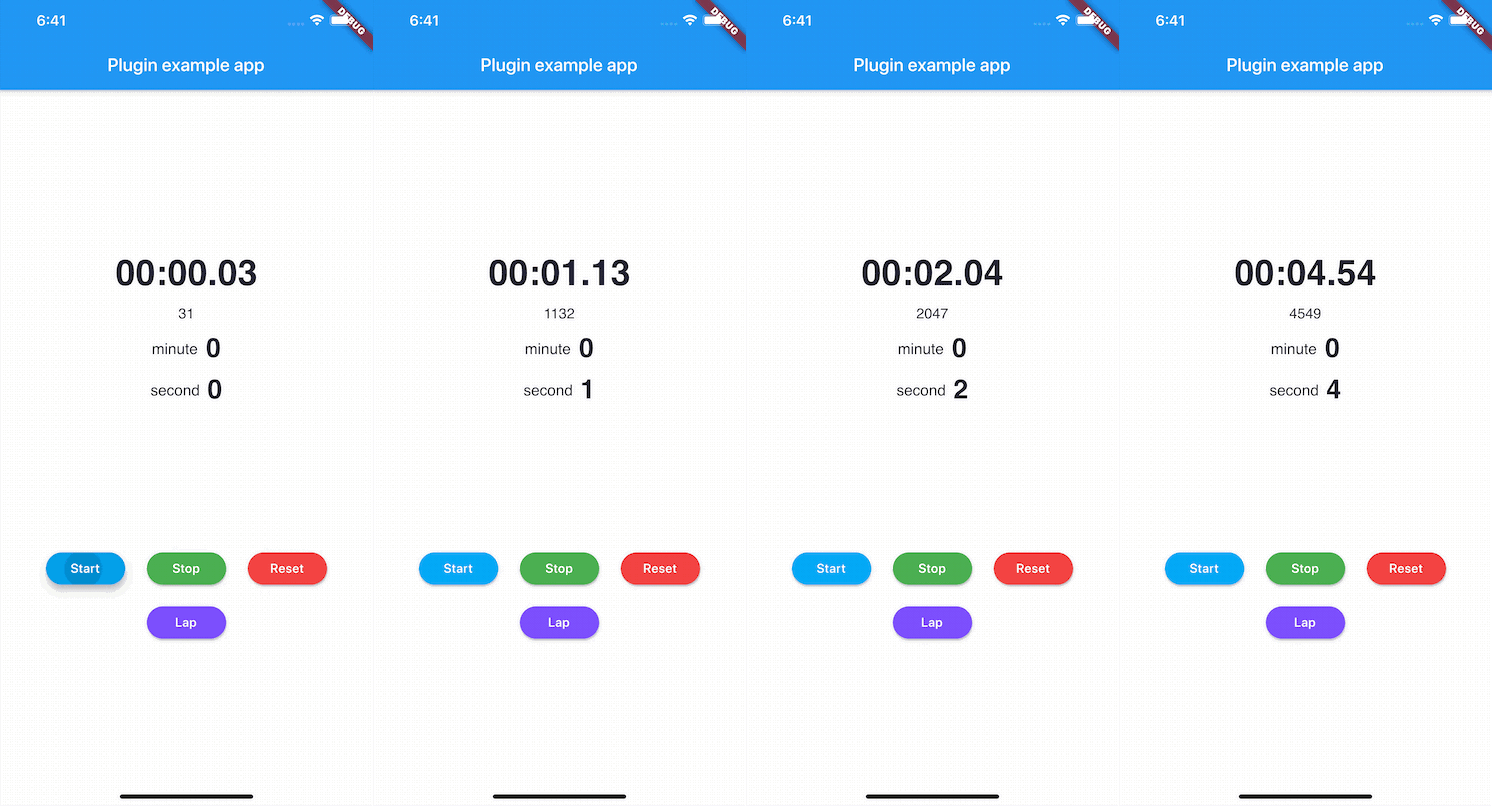
 v3.2.2
stop_watch_timer
Einfacher CountUp-Timer / CountDown-Timer. Erstellen Sie einfach eine Stoppuhr-App.
340Likes 90.10030-Tage-Downloads160Pub-Punkte
AndroidiOSWebmacOSWindowsLinux
Dies ist ein Stoppuhr-Timer für das Flutter-Plugin. 🏃♂️

Englischer Projektschnappschuss. Aktuelle Inhalte auf GitHub.

Developed with 💙 by Never inc.
Simple CountUp timer / CountDown timer. It easily create app of stopwatch.
https://pub.dev/packages/stop_watch_timer
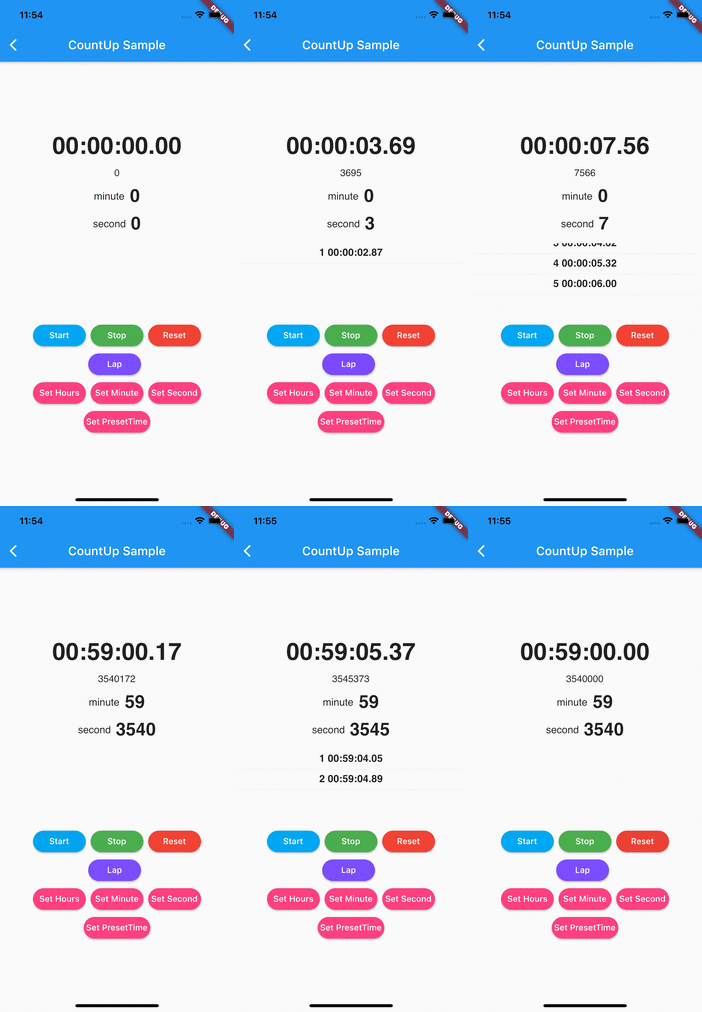

See the example directory for a complete sample app using stop_watch_timer.
Add this to your package's pubspec.yaml file:
dependencies:
  stop_watch_timer:
This is StopWatchMode.
This is default mode. If you' d like to set it explicitly, set StopWatchMode.countUp to mode.
final stopWatchTimer = StopWatchTimer(
  mode: StopWatchMode.countUp
);
Can be set StopWatchMode.countDown mode and preset millisecond.
final stopWatchTimer = StopWatchTimer(
  mode: StopWatchMode.countDown,
  presetMillisecond: StopWatchTimer.getMilliSecFromMinute(1), // millisecond => minute.
);
This is helper functions for presetTime.
/// Get millisecond from hour
final value = StopWatchTimer.getMilliSecFromHour(1);

/// Get millisecond from minute
final value = StopWatchTimer.getMilliSecFromMinute(60);

/// Get millisecond from second
final value = StopWatchTimer.getMilliSecFromSecond(60 * 60);
import 'package:stop_watch_timer/stop_watch_timer.dart';  // Import stop_watch_timer

class MyApp extends StatefulWidget {
  @override
  _MyAppState createState() => _MyAppState();
}

class _MyAppState extends State<MyApp> {

  final StopWatchTimer _stopWatchTimer = StopWatchTimer(); // Create instance.

  @override
  void initState() {
    super.initState();
  }

  @override
  void dispose() async {
    super.dispose();
    await _stopWatchTimer.dispose();  // Need to call dispose function.
  }

  @override
  Widget build(BuildContext context) {
    ...
  }
}
To operation stop watch.
// Start timer.
_stopWatchTimer.onStartTimer();


// Stop timer.
_stopWatchTimer.onStopTimer();


// Reset timer
_stopWatchTimer.onResetTimer();


// Lap time
_stopWatchTimer.onAddLap();
Can be set preset time. This case is "00:01.23".
// Set Millisecond.
_stopWatchTimer.setPresetTime(mSec: 1234);
When timer is idle state, can be set this.
// Set Hours. (ex. 1 hours)
_stopWatchTimer.setPresetHoursTime(1);

// Set Minute. (ex. 30 minute)
_stopWatchTimer.setPresetMinuteTime(30);

// Set Second. (ex. 120 second)
_stopWatchTimer.setPresetSecondTime(120);
_stopWatchTimer.rawTime.listen((value) => print('rawTime $value'));

_stopWatchTimer.minuteTime.listen((value) => print('minuteTime $value'));

_stopWatchTimer.secondTime.listen((value) => print('secondTime $value'));

_stopWatchTimer.records.listen((value) => print('records $value'));

_stopWatchTimer.fetchStopped.listen((value) => print('stopped from stream'));

_stopWatchTimer.fetchEnded.listen((value) => print('ended from stream'));
Display time formatted stop watch. Using function of "rawTime" and "getDisplayTime".
final raw = 3000 // 3sec
final displayTime = StopWatchTimer.getDisplayTime(raw); // 00:00:03.00
Example code using stream builder.
StreamBuilder<int>(
  stream: _stopWatchTimer.rawTime,
  initialData: 0,
  builder: (context, snap) {
    final value = snap.data;
    final displayTime = StopWatchTimer.getDisplayTime(value);
    return Column(
      children: <Widget>[
        Padding(
          padding: const EdgeInsets.all(8),
          child: Text(
            displayTime,
            style: TextStyle(
              fontSize: 40,
              fontFamily: 'Helvetica',
              fontWeight: FontWeight.bold
            ),
          ),
        ),
        Padding(
          padding: const EdgeInsets.all(8),
          child: Text(
            value.toString(),
            style: TextStyle(
                fontSize: 16,
                fontFamily: 'Helvetica',
                fontWeight: FontWeight.w400
            ),
          ),
        ),
      ],
    );
  },
),
),
Notify from "secondTime" every second.
_stopWatchTimer.secondTime.listen((value) => print('secondTime $value'));
Example code using stream builder.
StreamBuilder<int>(
  stream: _stopWatchTimer.secondTime,
  initialData: 0,
  builder: (context, snap) {
    final value = snap.data;
    print('Listen every second. $value');
    return Column(
      children: <Widget>[
        Padding(
          padding: const EdgeInsets.all(8),
          child: Row(
            mainAxisAlignment: MainAxisAlignment.center,
            crossAxisAlignment: CrossAxisAlignment.center,
            children: <Widget>[
              const Padding(
                padding: EdgeInsets.symmetric(horizontal: 4),
                child: Text(
                  'second',
                  style: TextStyle(
                      fontSize: 17,
                      fontFamily: 'Helvetica',
                  ),
                ),
              ),
              Padding(
                padding: const EdgeInsets.symmetric(horizontal: 4),
                child: Text(
                  value.toString(),
                  style: TextStyle(
                      fontSize: 30,
                      fontFamily: 'Helvetica',
                      fontWeight: FontWeight.bold
                  ),
                ),
              ),
            ],
          )
        ),
      ],
    );
  },
),
Notify from "minuteTime" every minute.
_stopWatchTimer.minuteTime.listen((value) => print('minuteTime $value'));
Example code using stream builder.
StreamBuilder<int>(
  stream: _stopWatchTimer.minuteTime,
  initialData: 0,
  builder: (context, snap) {
    final value = snap.data;
    print('Listen every minute. $value');
    return Column(
      children: <Widget>[
        Padding(
            padding: const EdgeInsets.all(8),
            child: Row(
              mainAxisAlignment: MainAxisAlignment.center,
              crossAxisAlignment: CrossAxisAlignment.center,
              children: <Widget>[
                const Padding(
                  padding: EdgeInsets.symmetric(horizontal: 4),
                  child: Text(
                    'minute',
                    style: TextStyle(
                      fontSize: 17,
                      fontFamily: 'Helvetica',
                    ),
                  ),
                ),
                Padding(
                  padding: const EdgeInsets.symmetric(horizontal: 4),
                  child: Text(
                    value.toString(),
                    style: TextStyle(
                        fontSize: 30,
                        fontFamily: 'Helvetica',
                        fontWeight: FontWeight.bold
                    ),
                  ),
                ),
              ],
            )
        ),
      ],
    );
  },
),
Notify lap time.
_stopWatchTimer.records.listen((value) => print('records $value'));
Example code using stream builder.
StreamBuilder<List<StopWatchRecord>>(
  stream: _stopWatchTimer.records,
  initialData: const [],
  builder: (context, snap) {
    final value = snap.data;
    return ListView.builder(
      scrollDirection: Axis.vertical,
      itemBuilder: (BuildContext context, int index) {
        final data = value[index];
        return Column(
          children: <Widget>[
            Padding(
              padding: const EdgeInsets.all(8),
              child: Text(
                '${index + 1} ${data.displayTime}',
                style: TextStyle(
                  fontSize: 17,
                  fontFamily: 'Helvetica',
                  fontWeight: FontWeight.bold
                ),
              ),
            ),
            const Divider(height: 1,)
          ],
        );
      },
      itemCount: value.length,
    );
  },
),
final _stopWatchTimer = StopWatchTimer(
  onChange: (value) {
    final displayTime = StopWatchTimer.getDisplayTime(value);
    print('displayTime $displayTime');
  },
  onChangeRawSecond: (value) => print('onChangeRawSecond $value'),
  onChangeRawMinute: (value) => print('onChangeRawMinute $value'),
);
Can be used getDisplayTime func. It display time like a real stopwatch timer.
For example, 1 hours and 30 minute and 50 second and 20 millisecond => "01:30:50.20"
And can be set enable/disable display time and change split character.
Abhängigkeiten 3 Einträge
^0.28.0^1.30.3^1.25.7Nach Anwendungsfall filtern, Aktivität vergleichen und vor der Nutzung das Originalprojekt prüfen.
“A repository is the most basic element of GitHub.”
GitHub Docs — About repositories ↗