Pakete, Repositories und App-Kategorien suchen

GitHub-Repositorykay-af/slide-action

Schiebeaktion

kay-af/slide-action open-source repository details.

Projektcover von Schiebeaktion
Sterne
5
Forks
6
Letzter Push (UTC)
17.10.2022
Projektstatus
Aktiv

Original-README

Englischer Projektschnappschuss. Aktuelle Inhalte auf GitHub.

pub.dev likes popularity pub points pub.dev

➡️ Slide Action

Slide action is a simple to use widget where the user has to slide to perform an action.


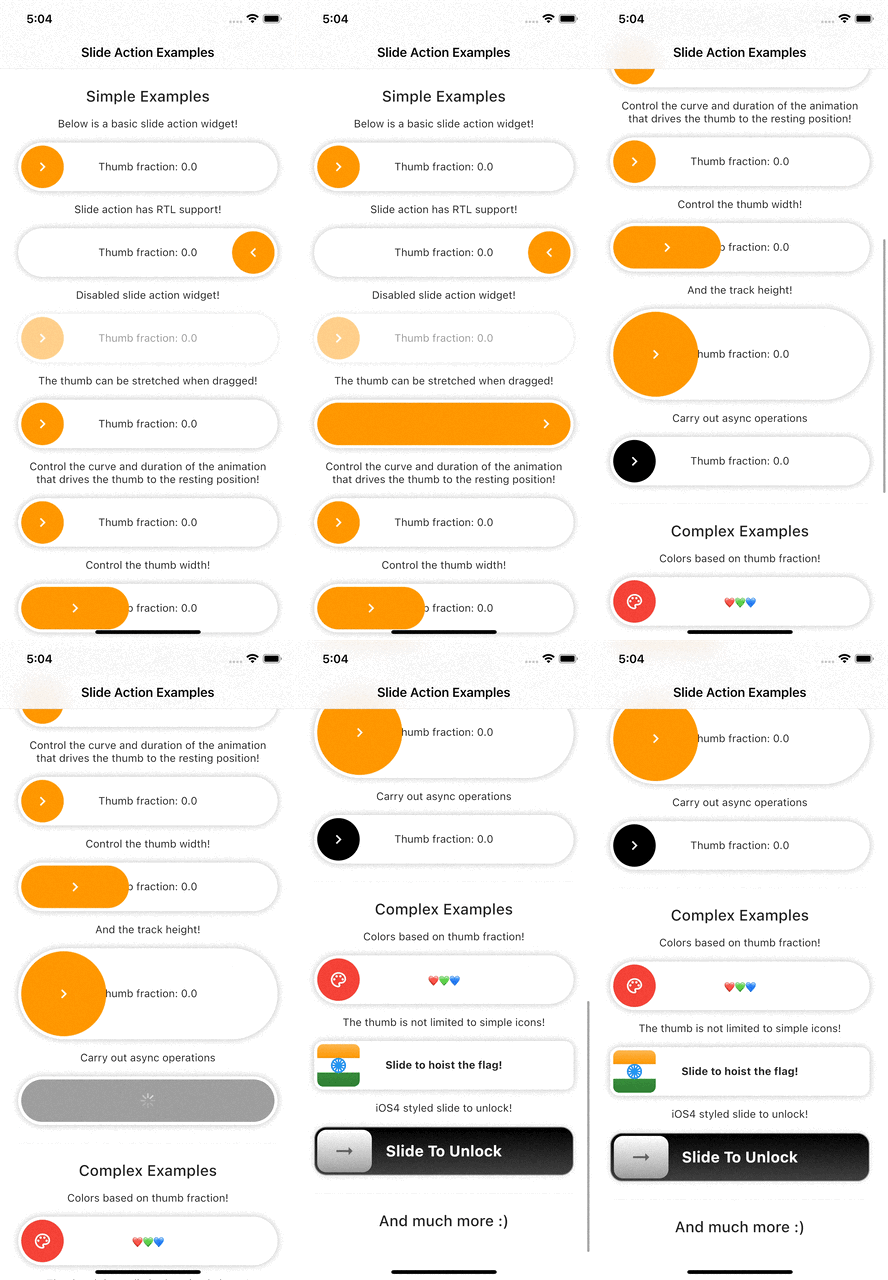
Example Preview 📱

Slide action preview


Features

  • Highly customizable.
  • Smooth thumb movement.
  • RTL support.
  • Async operations support.
  • Multi-platform support.
  • Multiple examples (included in example project)

Installing

Add this line to your pubspec.yaml under the dependencies:

dependencies:
  slide_action: ^0.0.1+3

alternatively, you can use this command:

flutter pub add slide_action

Usage

Simple Example

SlideAction(
    trackBuilder: (context, state) {
        return Container(
            decoration: BoxDecoration(
                borderRadius: BorderRadius.circular(16),
                color: Colors.white,
                boxShadow: const [
                    BoxShadow(
                        color: Colors.black26,
                        blurRadius: 8,
                    ),
                ],
            ),
            child: Center(
                child: Text(
                    "Thumb fraction: ${state.thumbFractionalPosition.toStringAsPrecision(2)}",
                ),
            ),
        );
    },
    thumbBuilder: (context, state) {
        return Container(
            margin: const EdgeInsets.all(4),
            decoration: BoxDecoration(
                color: Colors.orange,
                borderRadius: BorderRadius.circular(16),
            ),
            child: const Center(
                child: Icon(
                    Icons.chevron_right,
                    color: Colors.white,
                ),
            ),
        );
    },
    action: () {
        debugPrint("Hello World");
    },
);

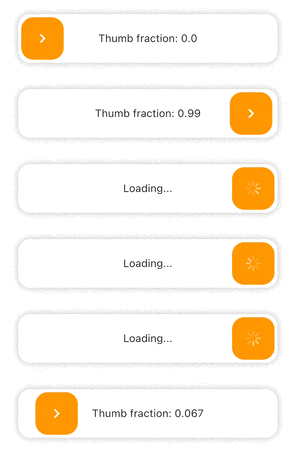
SlideAction Simple Example 1


Async Example
SlideAction(
    trackBuilder: (context, state) {
        return Container(
            decoration: BoxDecoration(
                borderRadius: BorderRadius.circular(16),
                color: Colors.white,
                boxShadow: const [
                    BoxShadow(
                        color: Colors.black26,
                        blurRadius: 8,
                    ),
                ],
            ),
            child: Center(
                child: Text(
                    // Show loading if async operation is being performed
                    state.isPerformingAction
                        ? "Loading..."
                        : "Thumb fraction: ${state.thumbFractionalPosition.toStringAsPrecision(2)}",
                ),
            ),
        );
    },
    thumbBuilder: (context, state) {
        return Container(
            margin: const EdgeInsets.all(4),
            decoration: BoxDecoration(
                color: Colors.orange,
                borderRadius: BorderRadius.circular(16),
            ),
            child: Center(
                // Show loading indicator if async operation is being performed
                child: state.isPerformingAction
                    ? const CupertinoActivityIndicator(
                        color: Colors.white,
                    )
                    : const Icon(
                        Icons.chevron_right,
                        color: Colors.white,
                    ),
            ),
        );
    },
    action: () async {
        // Async operation
        await Future.delayed(
            const Duration(seconds: 2),
            () => debugPrint("Hello World"),
        );
    },
);

SlideAction Simple Example 2


Notes

  • As of version 0.0.2, disabledColorTint property does not work on web as the color blend modes support is currently buggy for web. The opacity of the widget is reduced instead in case of web when disabled.

Additional information

Check the documentation or example project on github for advanced usage.

Facing issues? Feel free to report an issue on the Github Page

Afridi Kayal GitHub avatar
GitHub-Autor

Afridi Kayal ↗

Software Engineer

Gameberry LabsIndia
SprachenDartC++CMakeHTMLCSwiftKotlinObjective-C

Von diesem Repository veröffentlichte Pakete

Verwendete Abhängigkeiten

Abhängigkeiten 3 Einträge

  • flutter{"sdk":"flutter"}
  • flutter_testEntwicklung{"sdk":"flutter"}
  • flutter_lintsEntwicklung^1.0.0

Wie wähle ich ein passendes Repository?

Nach Anwendungsfall filtern, Aktivität vergleichen und vor der Nutzung das Originalprojekt prüfen.

  1. Nach Name, Autor oder Beschreibung suchen und nach Thema eingrenzen.
  2. Sterne, Forks und letzte Pushes vergleichen. Sterne zeigen Interesse, garantieren aber keine Qualität.
  3. Vor der Nutzung README, Lizenz und Issues auf GitHub prüfen.

Quellen und Pflege

“A repository is the most basic element of GitHub.”

GitHub Docs — About repositories ↗