
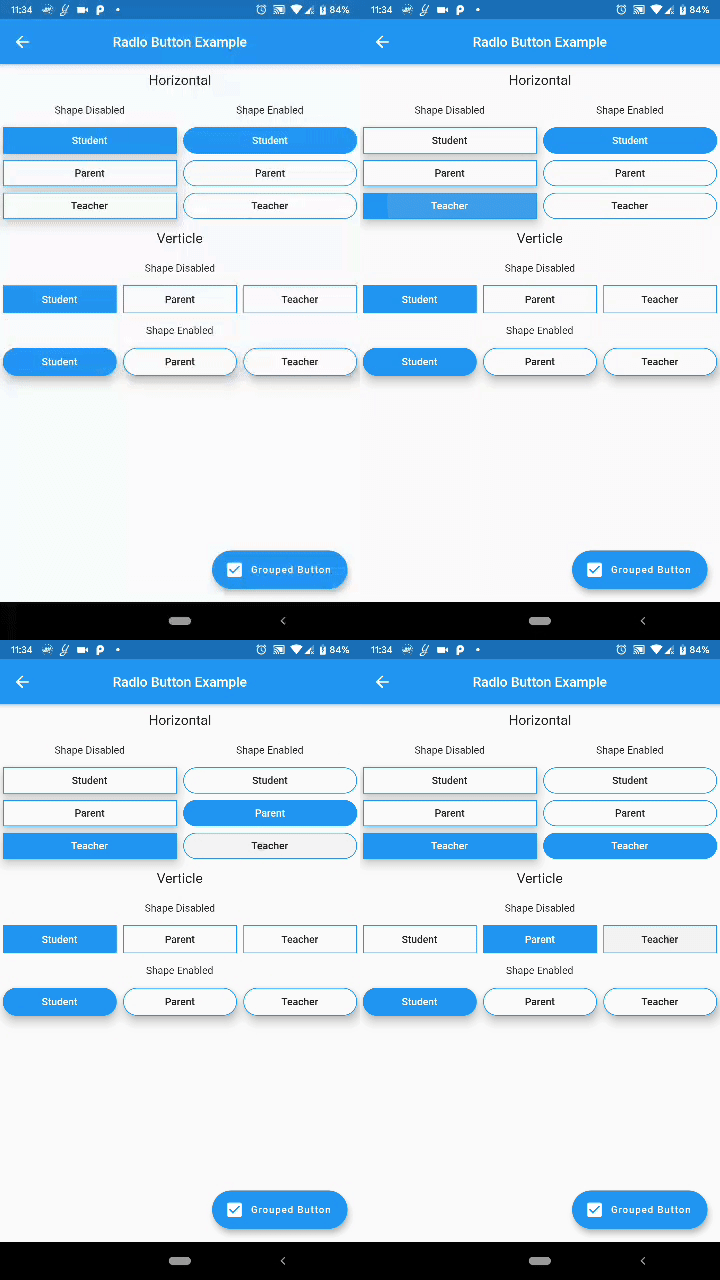
 v2.3.0
custom_radio_grouped_button
Benutzerdefinierte Radiobuttons und gruppierte Checkbox-Buttons
156Likes 130030-Tage-Downloads140Pub-Punkte
AndroidiOSWebmacOSWindowsLinux
Benutzerdefinierte Flutter-Widgets, die CheckBox und Radiobuttons viel sauberer und einfacher machen.

{"sdk":"flutter"}{"sdk":"flutter"}Englischer Projektschnappschuss. Aktuelle Inhalte auf GitHub.
Custom Radio Buttons and Grouped Check Box Button
Custom Flutter widgets that makes Checkbox and Radio Buttons much cleaner and easier
Add the following to your pubspec.yaml file:
dependencies:
  custom_radio_grouped_button: any
CustomRadioButton(
  elevation: 0,
  absoluteZeroSpacing: true,
  unSelectedColor: Theme.of(context).canvasColor,
  buttonLables: [
    'Student',
    'Parent',
    'Teacher',
  ],
  buttonValues: [
    "STUDENT",
    "PARENT",
    "TEACHER",
  ],
  buttonTextStyle: ButtonTextStyle(
      selectedColor: Colors.white,
      unSelectedColor: Colors.black,
      textStyle: TextStyle(fontSize: 16)),
  radioButtonValue: (value) {
    print(value);
  },
  selectedColor: Theme.of(context).accentColor,
),
CustomCheckBoxGroup(
  buttonTextStyle: ButtonTextStyle(
    selectedColor: Colors.red,
    unSelectedColor: Colors.orange,
    textStyle: TextStyle(
      fontSize: 16,
    ),
    selectedTextStyle: TextStyle(
      fontSize: 20,
      fontWeight: FontWeight.w700,
    ),
  ),
  unSelectedColor: Theme.of(context).canvasColor,
  buttonLables: [
    "M",
    "T",
    "W",
    "T",
    "F",
    "S",
    "S",
  ],
  buttonValuesList: [
    "Monday",
    "Tuesday",
    "Wednesday",
    "Thursday",
    "Friday",
    "Saturday",
    "Sunday",
  ],
  checkBoxButtonValues: (values) {
    print(values);
  },
  spacing: 0,
  defaultSelected: "Monday",
  horizontal: false,
  enableButtonWrap: false,
  width: 40,
  absoluteZeroSpacing: false,
  selectedColor: Theme.of(context).accentColor,
  padding: 10,
);
You can acces the widget's state using Key now
Example: Create a key for the CustomRadioButton widget
final key = new GlobalKey<CustomRadioButtonState<T>>();
now to change the value of the widget pass the value to the selectButton method
key.currentState.selectButton(<value>);
Similarly for the CustomCheckBoxGroup widget
final key = new GlobalKey<CustomCheckBoxGroupState<T>>();

key.currentState.selectButton(<value>);