

 v2.0.0
flutter_instagram_image_picker
Flutter-Plugin, der Ihnen ermöglicht, den Instagram-Mehrbildpicker unter iOS und Android anzuzeigen.
25Likes 7730-Tage-Downloads140Pub-Punkte
AndroidiOSWebmacOSWindowsLinux
Ein Flutter-Paket zum Auswählen von Bildern aus Instagram

Englischer Projektschnappschuss. Aktuelle Inhalte auf GitHub.
A Flutter package for picking images from Instagram
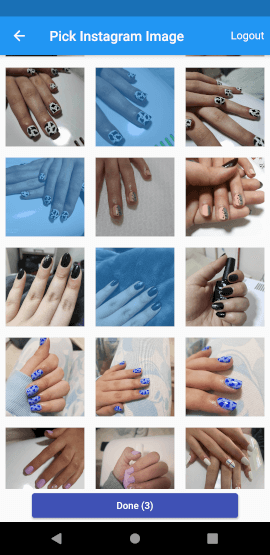
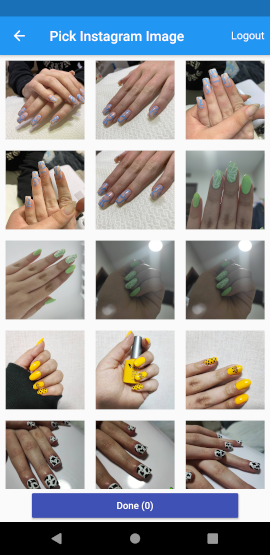
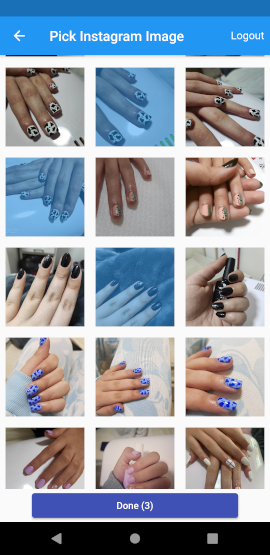
This plugin displays a gallery with user's Instagram Albums and Photos, based on the access token provided.
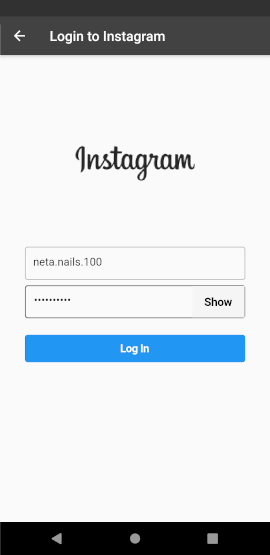
It does handle authorization and login by itself.
Then just provides access data (userId+SessionKey) to the gallery.
1.Check if user has logged in, if not prompt him to enter his login data using by navigation to the InstagramLoginPage
bool isLogged = await InstagramAuth().isLogged;
// check if user already logged in, if not log the user
if (!isLogged) {
  bool loginStatus = await InstagramAuth().signUserIn(context);

  // if user canceled the operation
  if (!loginStatus)
    return;
}
2.Check if the user logged in successfully by accessing his data.
final accessMapData = await InstagramAuth().accessData;
if(accessMapData == null){
  return null;
}
3.After we got the access data, we can navigate to InstagramImagePicker:
Navigator.push(
  context,
  MaterialPageRoute(
    builder: (context) => InstagramImagePicker(
      accessMapData,
      showLogoutButton: true,
      onDone: (photos) {
        // photos are the photos you selected in the picker
        // each one has the url
        Navigator.pop(context);
      },
      onCancel: () => Navigator.pop(context),
    ),
  ),
);
,
Abhängigkeiten 8 Einträge
{"sdk":"flutter"}^2.0.15^0.13.5^0.3.0{"sdk":"flutter"}^1.0.4^0.3.02.3.3Nach Anwendungsfall filtern, Aktivität vergleichen und vor der Nutzung das Originalprojekt prüfen.
“A repository is the most basic element of GitHub.”
GitHub Docs — About repositories ↗