Englischer Projektschnappschuss. Aktuelle Inhalte auf GitHub.
Cuberto Bottom Bar
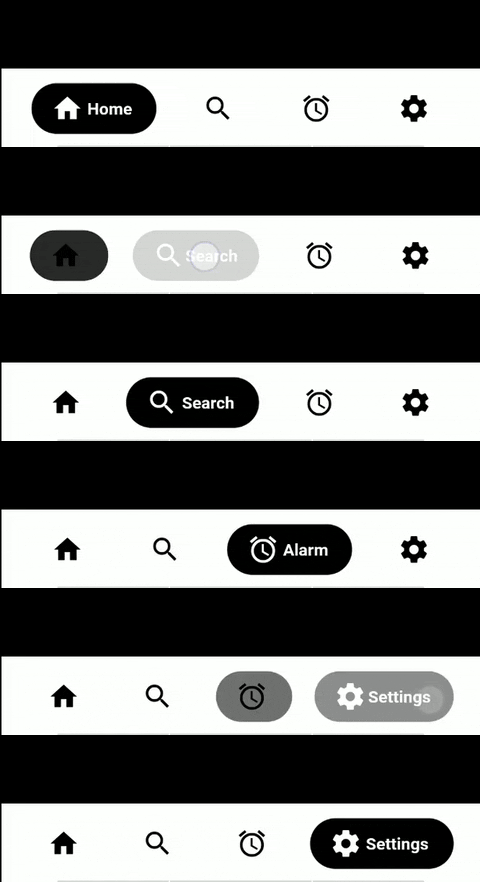
CubertoBottomBar widget in Flutter.
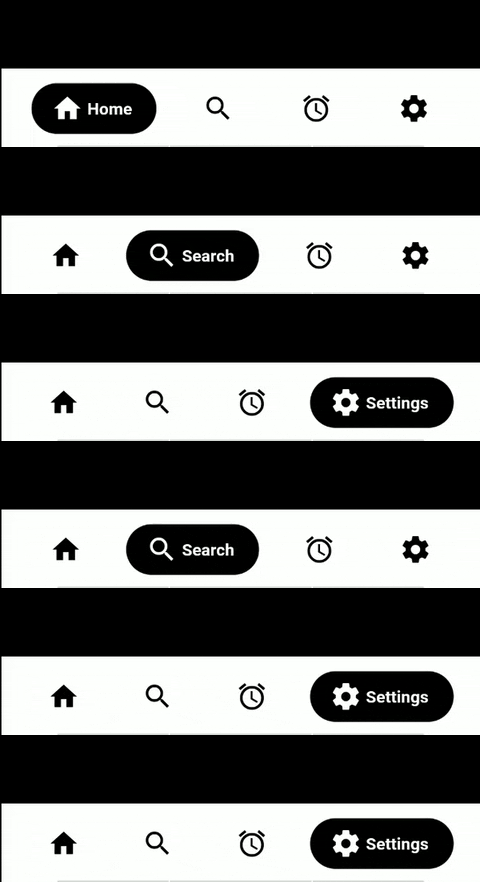
CubertoBottomBar - Default Style
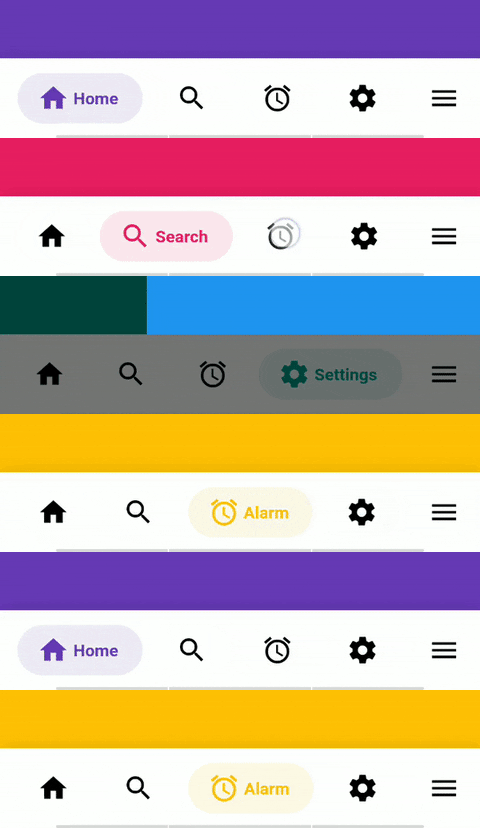
CubertoBottomBar - Faded Style
Getting Started
dependencies:
  cuberto_bottom_bar: latest
Limitations
For now this is limited to more than 1 tab, and less than 5. So 2-4 tabs.
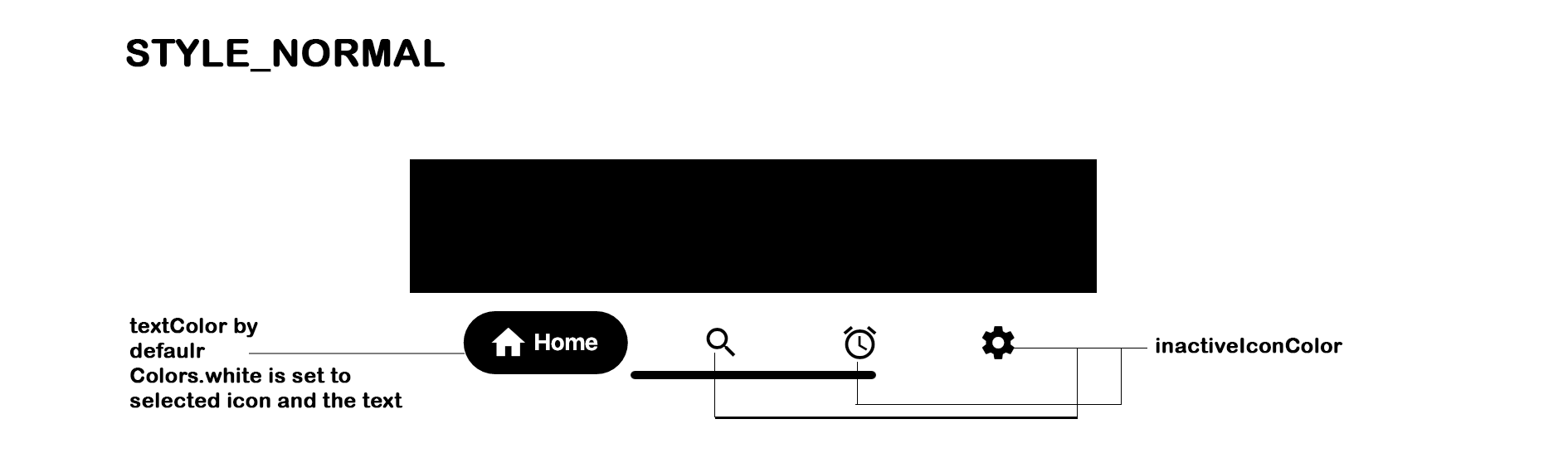
textColor will only be applied in the case of STYLE_NORMAL.
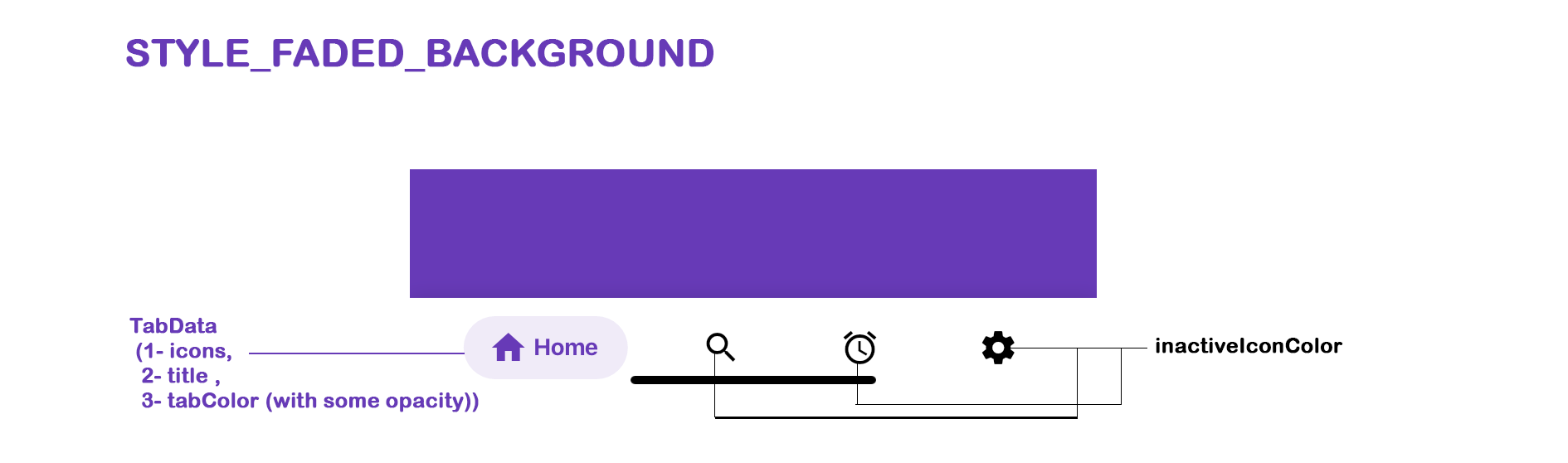
In case of styleFadedBackground the tabColor will be set as textColor,(if tabColor is not set inactiveColor will be set)
manually drawer or endDrawer has to be added and then respective drawer has to be added in CubertoBottomBar (
CubertoDrawer.noDrawer for no drawer, CubertoDrawer.startDrawer for drawer and CubertoDrawer.endDrawer for endDrawer)
By default the drawer overlaps the CubertoBottomBar, for that margin: EdgeInsets.only(bottom: 60.0) has been added. (Please check with the example)
The values in onTabChangedListener: (position, title, color) (position, title and color are null at the beginning), but gets the value once the tab is clicked.
Basic Usage
Adding the widget
bottomNavigationBar: CubertoBottomBar(
        key: const Key("BottomBar"),
        inactiveIconColor: _inactiveColor,
        tabStyle: CubertoTabStyle.styleNormal,
        selectedTab: _currentPage,
        tabs: tabs
            .map(
              (value) => TabData(
                key: Key(value.title),
                iconData: value.iconData,
                title: value.title,
                tabColor: value.tabColor,
                tabGradient: value.tabGradient,
              ),
            )
            .toList(),
        onTabChangedListener: (position, title, color) {
          setState(() {
            _currentPage = position;
            _currentTitle = title;
            if (color != null) {
              _currentColor = color;
            }
          });
        },
      )
TabData
key -> Pass a Key to set it to TabItem or else by default UniqueKey() will be set
iconData -> Icon to be used for the tab
title -> String to be used for the tab
tabColor: -> Colors to be used for background and label when styleFadedBackground is chosen
tabGradient: -> Set a gradient to the selected tab which works only with styleFadedBackground.
onClick -> Optional function to be used when the circle itself is clicked, on an active tab
Attributes
Required
- tabs -> List of
TabData objects
- onTabChangedListener -> Function to handle a tap on a tab, receives
int position, String title and Color tabColor (if not set will return inactiveIconColor in both styleNormal and styleFadedBackground)
Optional
- key -> Unique Key to set an identity to the widget
- selectedTab -> Defaults to
0 (initialSelection has been changed to selectedTab) Current page which is fetched when a tab is clicked, should be set here so as the change the tabs, and the same can be done if willing to programmatically change the tab.
- inactiveIconColor -> Defaults to
null, derives from Theme
- textColor -> Defaults to
Colors.white
- barBackgroundColor -> Defaults to
null, derives from Theme
- barBorderRadius -> Default to null (
Scaffold's background color must be different than barBackgroundColor)
- tabStyle -> Defaults to
CubertoTabStyle.styleNormal
- drawer -> Defaults to
CubertoDrawerStyle.noDrawer (can be set as CubertoDrawerStyle.startDrawer or CubertoDrawerStyle.endDrawer as per the need for the placement of drawer icon)
- key -> Defaults to
null
- padding -> Defaults to
EdgeInsets.symmetric(horizontal: 12.0, vertical: 8.0). Modifies the inner padding of the bar.
- barShadow -> By default, adds a shadow to the bar. Can be disabled with an empty list, or modified with the desired
BoxShadow.
Theming
The bar will attempt to use your current theme out of the box, however you may want to theme it. Here are the attributes:
CubertoBottom BarTheming - styleFadedBackground
Cuberto Bottom Bar Theming - styleNormal
Showcase
If using this package in a live app, let me know and I'll add you app here.
Inspiration
https://dribbble.com/shots/5925052-Google-Bottom-Bar-Navigation-Pattern
https://www.instagram.com/p/BtyUbSkBlnF/
Contributors

Made with contrib.rocks.
Support
Feel free to contribute to this project by creating a pull request with a clear description of your changes.
If this plugin was useful to you, helped you in any way, saved you a lot of time, or you just want to support the project, I would be very grateful if you buy me a cup of coffee. Your support helps maintain and improve this project.



 v3.1.0