

 v0.0.8
expandable_group
Ein neues Flutter-Widget unterstützt erweiterte und zusammengeklappte Listen für den Benutzer.
7Likes 6930-Tage-Downloads70Pub-Punkte
Keine Plattformdaten
liemvo/expandable_group open-source repository details.

Englischer Projektschnappschuss. Aktuelle Inhalte auf GitHub.
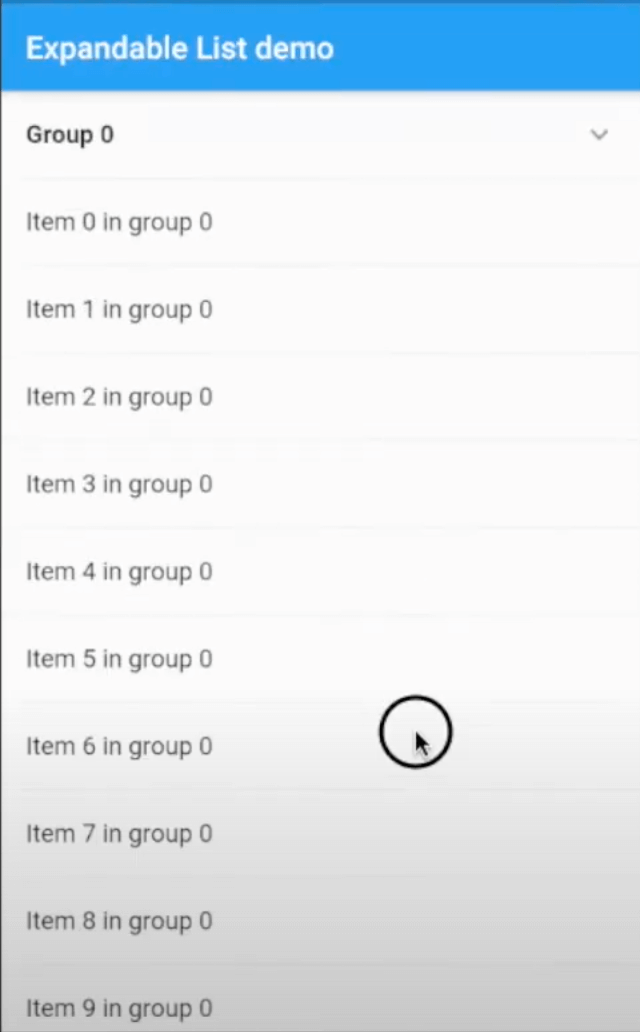
A new Flutter widget support expanded and collapsed group items in the list of Flutter application. It supports Android, iOS, Web and Desktop.
Build expandable group widget support expanded and collapsed group data.

pubspec.yaml and run pub getdependencies:
expandable_group: ^0.0.6
expandable_group_widget.dart to your file project where is going to use the ListExpandableWidget.import 'package:expandable_group/expandable_group_widget.dart';
ExpandableGroup has some properties as belowheader the header widget and will display in the listitems the list of ListTile will display for each groupisExpanded is a boolean to expand or collapse header. isExpanded == true is the header will be expanded and otherwise. The default value is false.expandedIcon and collapsedIcon are the widgets for expanded and collapsed state.headerEdgeInsets the EdgeInsets of header widgetheaderBackgroundColor can customise header background colorExpandableGroup(
isExpanded: index == 0,
header: _header('Group $index'),
items: _buildItems(context, group),
headerEdgeInsets: EdgeInsets.only(left: 16.0, right: 16.0)
)
Please file feature requests and bugs with GitHub issues tab
Abhängigkeiten 2 Einträge
{"sdk":"flutter"}{"sdk":"flutter"}Nach Anwendungsfall filtern, Aktivität vergleichen und vor der Nutzung das Originalprojekt prüfen.
“A repository is the most basic element of GitHub.”
GitHub Docs — About repositories ↗