
Tastaturvermeidung
Eine leichte Alternative zum Scaffold-Widget zur Vermeidung der auf dem Bildschirm angezeigten Softwaretastatur. Scrollt verdeckte TextField-Kinder automatisch in den Sichtbereich beim Fokussieren.

- Sterne
- 124
- Forks
- 41
- Letzter Push (UTC)
- 15.05.2024
- Projektstatus
- Aktiv
Original-README
Englischer Projektschnappschuss. Aktuelle Inhalte auf GitHub.
keyboard_avoider
A lightweight alternative to the Scaffold widget for avoiding the on-screen software keyboard. Automatically scrolls obscured TextField child widgets into view on focus.
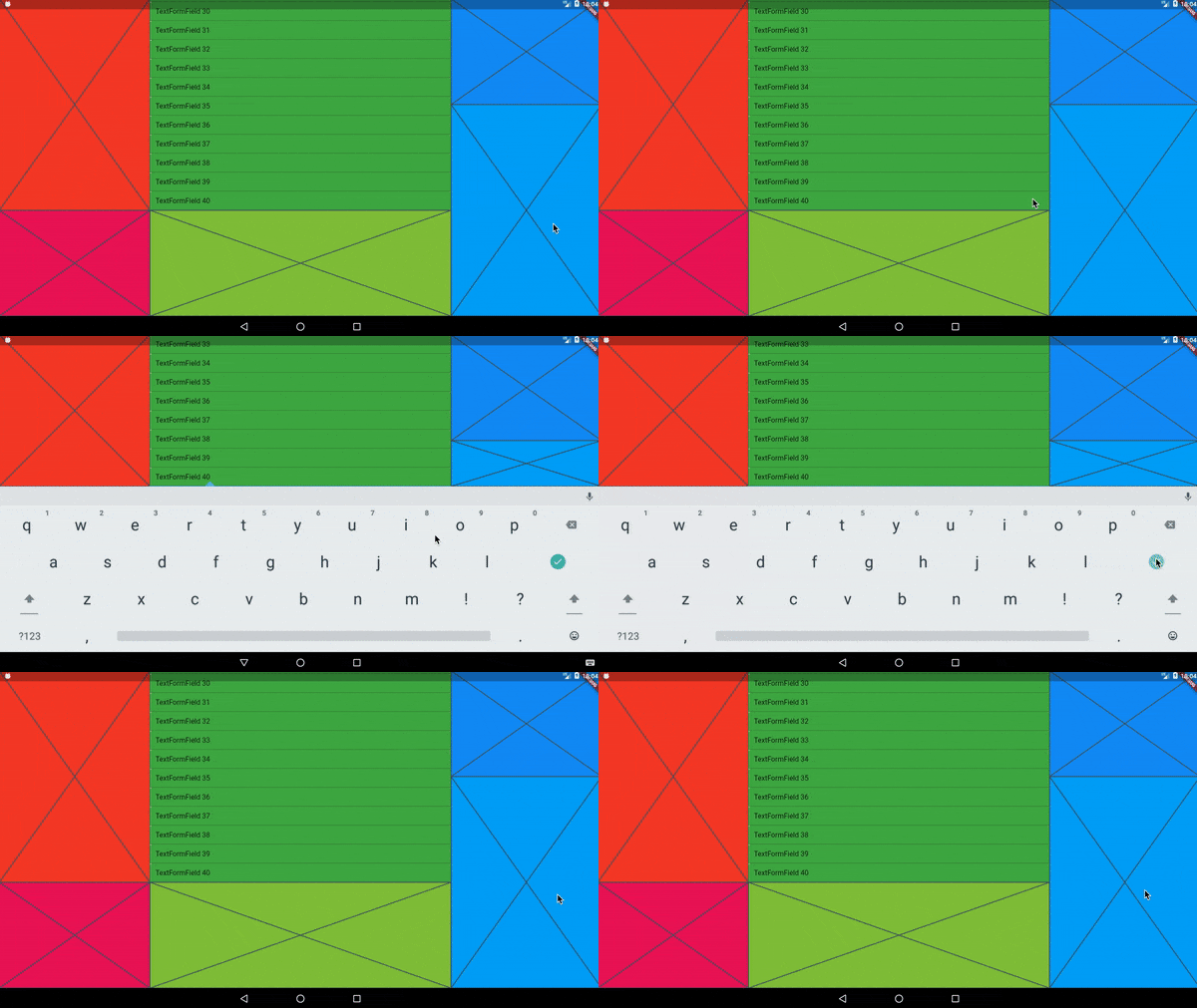
In the video above, every colored area is wrapped in its own KeyboardAvoider.
Examples
A basic Placeholder:
import 'package:keyboard_avoider/keyboard_avoider.dart';

class MyWidget extends StatelessWidget {
  @override
  Widget build(BuildContext context) {
    return KeyboardAvoider(
      child: Placeholder(),
    );
  }
}
A ListView containing multiple TextFields, with auto-scroll enabled:
import 'package:keyboard_avoider/keyboard_avoider.dart';

class MyWidget extends StatelessWidget {
  final ScrollController _scrollController = ScrollController();

  @override
  Widget build(BuildContext context) {
    return KeyboardAvoider(
      autoScroll: true,
      child: ListView.builder(
        controller: _scrollController,
        itemCount: 40,
        itemBuilder: (context, index) {
          return TextFormField(
            initialValue: 'TextFormField ${index + 1}',
          );
        },
      ),
    );
  }
}
Why not use a Scaffold?
Flutter comes with a built-in Scaffold widget that automatically adjusts the bottom padding of its body widget to accomodate the on-screen keyboard. However, it comes with 2 major caveats:
- It pushes all content up, which you may not want.
- It assumes that it fills the whole screen, which it may not.
In contrast, you can apply the KeyboardAvoider selectively to only certain widgets, and it only insets its bottom padding by the actual amount obscured by the keyboard.
Auto Scroll
To auto-scroll to a focused widget such as a TextField, set the autoScroll property to true. If child is not a ScrollView, it is automatically embedded in a SingleChildScrollView to make it scrollable.

Martin Rybak ↗
Verwendete Abhängigkeiten
Abhängigkeiten 3 Einträge
- flutter
{"sdk":"flutter"} - flutter_testEntwicklung
{"sdk":"flutter"} - flutter_lintsEntwicklung
^4.0.0
Wie wähle ich ein passendes Repository?
Nach Anwendungsfall filtern, Aktivität vergleichen und vor der Nutzung das Originalprojekt prüfen.
- Nach Name, Autor oder Beschreibung suchen und nach Thema eingrenzen.
- Sterne, Forks und letzte Pushes vergleichen. Sterne zeigen Interesse, garantieren aber keine Qualität.
- Vor der Nutzung README, Lizenz und Issues auf GitHub prüfen.
Quellen und Pflege
“A repository is the most basic element of GitHub.”
GitHub Docs — About repositories ↗
- martinrybak/keyboard_avoider · GitHub ↗
- GitHub Docs — Saving repositories with stars ↗
- Verzeichnis gepflegt von Ducafecat ↗