

 v1.0.0
iconsax_plus
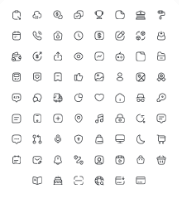
Iconsax sind die offiziellen Symbole des Vuesax-Frameworks. Diese Symbole können kostenlos für persönliche und kommerzielle Zwecke verwendet werden
48Likes 11.70030-Tage-Downloads150Pub-Punkte
AndroidiOSWebmacOSWindowsLinux
iconsax for flutter Paket

Englischer Projektschnappschuss. Aktuelle Inhalte auf GitHub.

Iconsax Plus is an enhanced version of the original Iconsax package, tailored to address the issues of outdated and unresponsive maintenance. It features a refined icon library, meticulously curated and optimized for seamless integration into Flutter projects. Iconsax_plus offers a comprehensive collection of icons, categorized into three distinct styles: Bold, Linear, and Broken, each designed to cater to different visual aesthetics and UI requirements.


To use Iconsax Plus in your Flutter project, simply add it as a dependency in your pubspec.yaml file:
flutter pub add iconsax_plus
or
dependencies:
  iconsax_plus: ^1.0.0
To use Iconsax Plus icons in your Flutter application, import the package and use the appropriate style class to access the icons:
import 'package:iconsax_plus/iconsax_plus.dart';
import 'package:flutter/material.dart';

Column(
  mainAxisAlignment: MainAxisAlignment.center,
  children: [
    Icon(IconsaxPlusBold.home_1),
    Icon(IconsaxPlusLinear.home_1),
    Icon(IconsaxPlusBroken.home_1),
  ],
),
License Iconsax Plus is licensed under the MIT License. See the LICENSE file for more information.
Iconsax Plus is brought to you by Iconsax. For more information, visit vuesax.com.
Abhängigkeiten 2 Einträge
{"sdk":"flutter"}{"sdk":"flutter"}Nach Anwendungsfall filtern, Aktivität vergleichen und vor der Nutzung das Originalprojekt prüfen.
“A repository is the most basic element of GitHub.”
GitHub Docs — About repositories ↗