
flutter_zoom_wrapper
mplifytech/mfy-flutter-zoom-wrapper open-source repository details.

- Sterne
- 2
- Forks
- 2
- Letzter Push (UTC)
- 18.06.2025
- Projektstatus
- Aktiv
Original-README
Englischer Projektschnappschuss. Aktuelle Inhalte auf GitHub.
🔗 Flutter Zoom Wrapper
A simple and lightweight Flutter plugin that wraps the Zoom SDK for Android and iOS using platform channels. It allows you to initialize the Zoom SDK with a JWT token and join Zoom meetings with minimal setup.

📖 Read the blog post: Zoom SDK Flutter Integration Guide
✅ Cross-platform: Android & iOS
🔐 Security Note: Always generate JWT tokens from a secure backend in production.
🎥 Demo
Here's a quick demo of joining a Zoom meeting using flutter_zoom_wrapper:
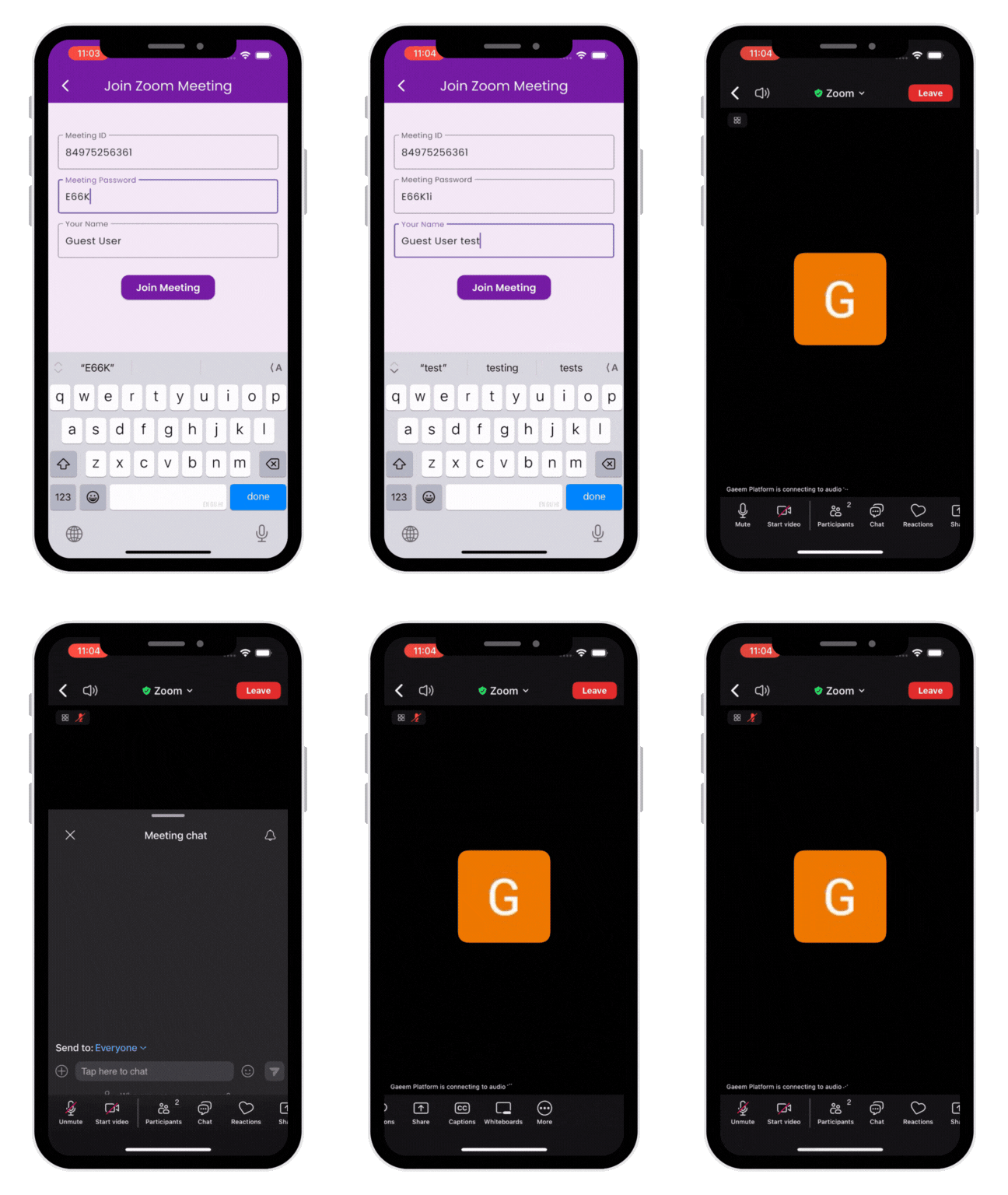
✨ Features
- Initialize Zoom SDK using JWT
- Join Zoom meetings with meeting ID and password
- Clean and minimal API
- Built-in JWT generator for testing
📦 Installation
Add the package to your pubspec.yaml:
dependencies:
  flutter_zoom_wrapper: ^0.0.4

---

## ⚙️ Zoom SDK Setup Instructions

Zoom SDKs are **not bundled** due to licensing restrictions.
You must **download and configure them manually** for Android and iOS.

---

### ✅ Step 1: [Download Zoom SDKs](https://marketplace.zoom.us/)

Create general app on zoom marketplace and from Embed section download below sdk versions or latest available compatible versions.

Currently used below versions:
** Android SDK: v6.3.1.26548
** iOS SDK: v6.4.10.25465

SDK Key and SDK Secret will be on the marketplace.

---

### ✅ Step 2: Setup Android SDK

1. Extract the downloaded **Android SDK ZIP**.
2. Locate the file: `mobilertc.aar`.
3. Copy it to the following path:
~/.pub-cache/hosted/pub.dev/flutter_zoom_wrapper-{current_version}/android


.flutter_zoom_wrapper/
└── android/
└── libs/
└── mobilertc.aar

4. Add required permissions in AndroidManifest.xml:
   <uses-permission android:name="android.permission.INTERNET"/>
   <uses-permission android:name="android.permission.RECORD_AUDIO"/>


---

### ✅ Step 3: Setup iOS SDK

1. Extract the **iOS SDK ZIP**.
2. Inside the `lib/` folder, you'll find:
   - `MobileRTC.xcframework`
   - `MobileRTCResources.bundle`
3. Create a `ZoomSDK` folder inside:
~/.pub-cache/hosted/pub.dev/flutter_zoom_wrapper-{version/ios

4. Copy both files into this path:
.flutter_zoom_wrapper/
└── ios/
    └── ZoomSDK/
            └── - `MobileRTC.xcframework`
                - `MobileRTCResources.bundle`


5. Then also copy `MobileRTCResources.bundle` into your main app’s Runner project:

ios/
└── Runner/
└── MobileRTCResources.bundle

6.Add required permissions in Info.plist of your project:
    key>NSCameraUsageDescription</key>
    <string>This app uses your camera for Zoom meetings</string>
    <key>NSMicrophoneUsageDescription</key>
    <string>This app uses your mic for Zoom meetings</string>


---

### 🛠️ Final Step

Run the following commands to install required iOS dependencies:

```bash
flutter pub get
cd ios
pod install

## For full implementation refer example or blog given above.

## 🎥 Demo

Here's a quick demo of joining a Zoom meeting using flutter_zoom_wrapper:

<img src="assets/zoom_example.gif" alt="Zoom Join Demo" />


If you find it useful:
🌟 Star the project on GitHub
🗣 Share feedback or feature requests
📩 Contact us for any queries at : contact@mplifytech.com

contactmfy ↗
Verwendete Abhängigkeiten
Abhängigkeiten 4 Einträge
- flutter
{"sdk":"flutter"} - dart_jsonwebtoken
^3.2.0 - flutter_testEntwicklung
{"sdk":"flutter"} - flutter_lintsEntwicklung
^5.0.0
Wie wähle ich ein passendes Repository?
Nach Anwendungsfall filtern, Aktivität vergleichen und vor der Nutzung das Originalprojekt prüfen.
- Nach Name, Autor oder Beschreibung suchen und nach Thema eingrenzen.
- Sterne, Forks und letzte Pushes vergleichen. Sterne zeigen Interesse, garantieren aber keine Qualität.
- Vor der Nutzung README, Lizenz und Issues auf GitHub prüfen.
Quellen und Pflege
“A repository is the most basic element of GitHub.”
GitHub Docs — About repositories ↗