
 v1.0.4
card_scanner
Schnelle, genaue und sichere Bibliothek zum Scannen von Kredit- und Debitkarten für Flutter.
124Likes 98130-Tage-Downloads130Pub-Punkte
AndroidiOS
Ein Flutter-Paket für schnelles, genaues und sicheres Scannen von Kredit- und Debitkarten

{"sdk":"flutter"}{"sdk":"flutter"}Englischer Projektschnappschuss. Aktuelle Inhalte auf GitHub.
https://raw.githubusercontent.com/nateshmbhat/card-scanner-flutter/master/.github/logobig.gif?sanitize=true
https://img.shields.io/pub/v/card_scanner https://img.shields.io/badge/package-flutter-blue https://img.shields.io/github/license/nateshmbhat/card-scanner-flutter https://img.shields.io/github/languages/code-size/nateshmbhat/card-scanner-flutter https://img.shields.io/badge/platform-android%20%26%20ios-bg https://img.shields.io/twitter/url?style=social&url=https%3A%2F%2Fgithub.com%2Fnateshmbhat%2Fcard-scanner-flutter
card_scanner is a flutter plugin for accurately and quickly scanning debit and credit cards.
Add this to your package's pubspec.yaml file:
dependencies:
  card_scanner: <latest-version>
get the latest version number here
Just import the package and call scanCard:
import 'package:card_scanner/card_scanner.dart';
var cardDetails = await CardScanner.scanCard();

print(cardDetails);
Example Output:
Card Number = 5173949117389006
Expiry Date = 11/26
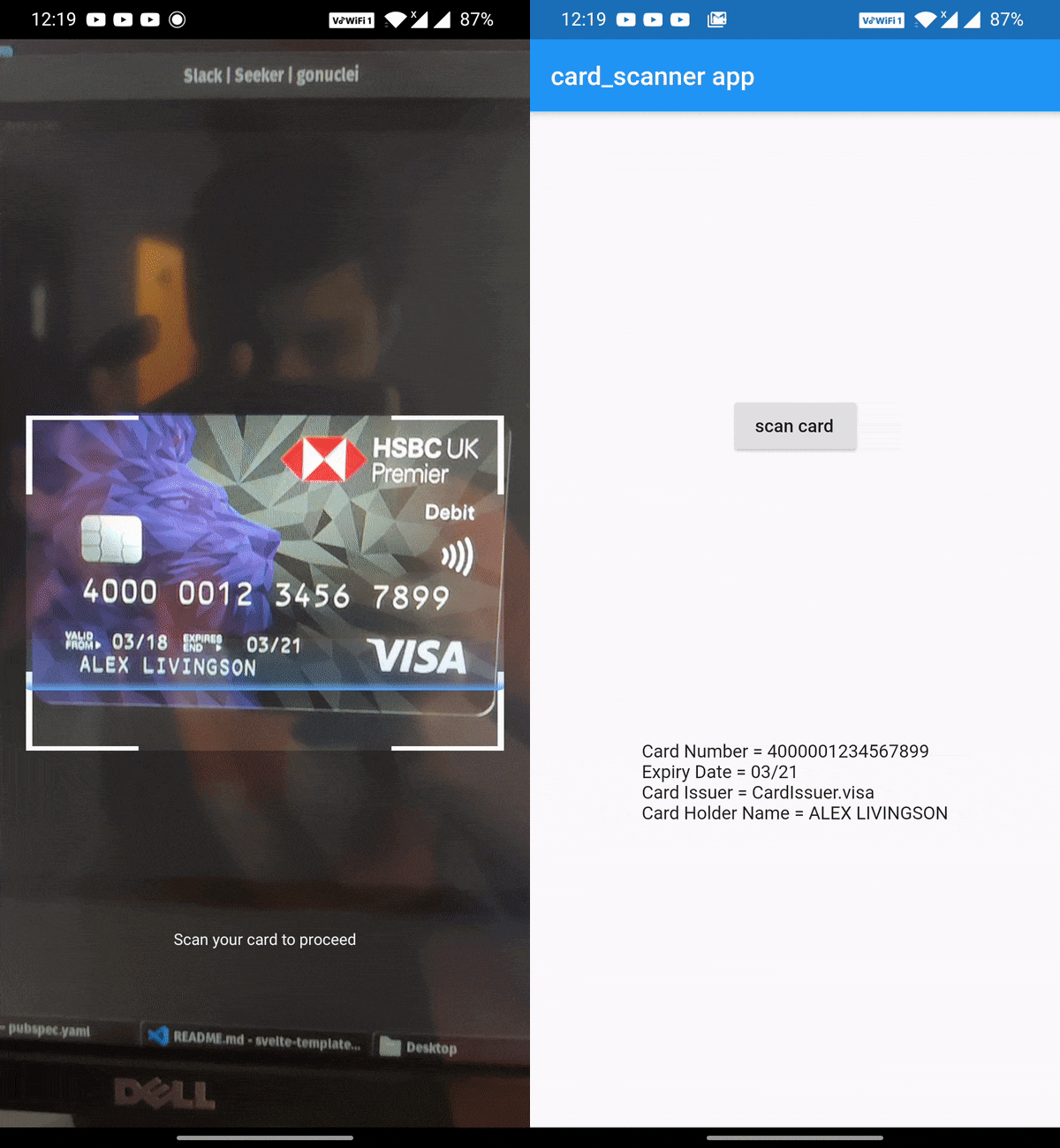
The above code opens the device camera, looks for a valid card and gets the required details and returns the CardDetails object.
If you wish to obtain the card holder name and card issuer, you can specify the options:
import 'package:card_scanner/card_scanner.dart';
var cardDetails = await CardScanner.scanCard(
    scanOptions: CardScanOptions(
        scanCardHolderName: true,
        scanCardIssuer: true,
    ),
);


print(cardDetails);
Example Output :
Card Number = 5173949117389006
Expiry Date = 11/26
Card Issuer = mastercard
Card Holder Name = PAUL SAMUELSON
use_frameworks! line from under Podfile of your Flutter project.
You can find this Podfile under your_flutter_project/ios/Podfile