Pakete, Repositories und App-Kategorien suchen

GitHub-Repositoryneckaros/timeline_editor

Zeitleisten-Editor

Zeitleisten-Editor für Flutter

Projektcover von Zeitleisten-Editor
Sterne
24
Forks
15
Letzter Push (UTC)
18.04.2023
Projektstatus
Aktiv

Original-README

Englischer Projektschnappschuss. Aktuelle Inhalte auf GitHub.

timeline_editor

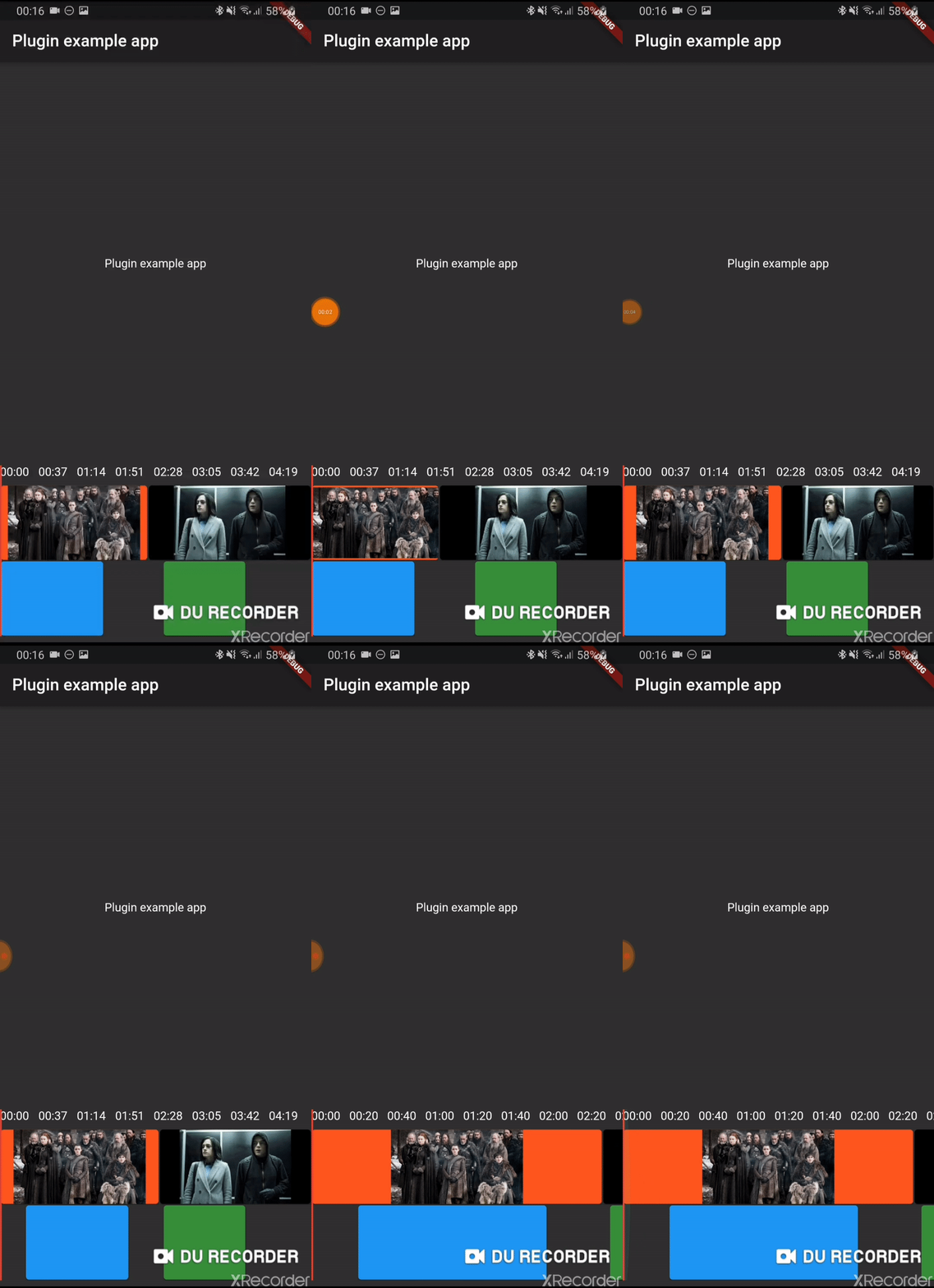
Early version of a timeline editor. Support:

  • Move of element
  • Context menu
  • Zoom of timeline
  • Progress indicator
  • track boxes
  • continuous tracks
  • scrub

Usage

Installation

Add timeline_editor as a dependency in your pubspec.yaml file (what?).

Import

Import timeline_editor:

import 'package:timeline_editor/timeline_editor.dart';
Migrate from V2 to V3

We now use Duration instead of seconds. To migrate you can use the helper functions to transform your seconds to Duration:

Duration durationFromSeconds(double seconds)
double durationToSeconds(Duration duration)
widgets

See example


TimelineEditor(
                  positionStream: positionStream,
                  onPositionTap: (s) => position = s,
                  countTracks: 2,
                  trackBuilder: (track, pps, duration) => track == 1
                      ? TimelineEditorTrack(
                          defaultColor: Colors.green[700],
                          boxes: [
                            TimelineEditorBox(box1Start, 100,
                                onMoved: updateBox1,
                                color: Colors.blue,
                                onMovedEnd: () => print('end moved')),
                            TimelineEditorBox(157, 80),
                          ],
                          pixelsPerSeconds: pps,
                          duration: duration,
                        )
                      : TimelineEditorTrack.fromContinuous(
                          continuousBoxes:[
                            TimelineEditorContinuousBox(
                                Duration.zero,
                                color: Colors.deepOrange,
                                child: const Image(image: const AssetImage('assets/image2.jpg')),
                            ),
                            TimelineEditorContinuousBox(
                                box2Start,
                                menuEntries: [
                                PopupMenuItem<String>(child: Text('Delete'), value: 'deleted')
                                ],
                                onMoved: updateBox2,
                                onSelectedMenuItem: (v) {
                                print('Selected: $v');
                                setState(() {
                                    deleted = true;
                                });
                                },
                                onTap: (start, duration) =>
                                    print('tapped for $start to ${start + duration}'),
                                color: Colors.black,
                                child: const Image(image: const AssetImage('assets/image.jpg')),
                            ),
                            ],
                          pixelsPerSeconds: pps,
                          duration: duration,
                        ),
                  duration: Duration(seconds: 300),
                ))

TimelineEditor

Main widget used to hold your tracks, display position and time

TimelineEditorTrack

A provided track to use with the TimelineEditor track builder (you can use your own)

It can either hold simple TimelineEditorBox with a start and an end

or TimelineEditorTrack.fromContinuous with TimelineEditorContinuousBox to have a conitunuous track where you only set start time and duration will be calculated so the box go up to the next box

Example

/example

Arnaud Jezequel GitHub avatar
GitHub-Autor

Arnaud Jezequel ↗

Love coding in many languages! Flowful.ai

Flowful.ailyon, franceOffizielle Website ↗
SprachenDartHTMLKotlinSwiftObjective-C

Von diesem Repository veröffentlichte Pakete

Verwendete Abhängigkeiten

Abhängigkeiten 4 Einträge

Wie wähle ich ein passendes Repository?

Nach Anwendungsfall filtern, Aktivität vergleichen und vor der Nutzung das Originalprojekt prüfen.

  1. Nach Name, Autor oder Beschreibung suchen und nach Thema eingrenzen.
  2. Sterne, Forks und letzte Pushes vergleichen. Sterne zeigen Interesse, garantieren aber keine Qualität.
  3. Vor der Nutzung README, Lizenz und Issues auf GitHub prüfen.

Quellen und Pflege

“A repository is the most basic element of GitHub.”

GitHub Docs — About repositories ↗