Englischer Projektschnappschuss. Aktuelle Inhalte auf GitHub.
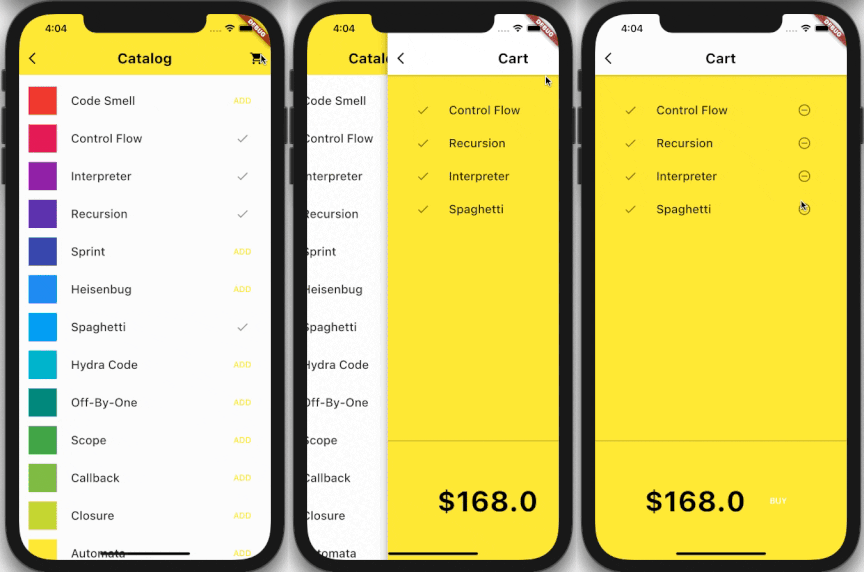
Empower your Flutter app with seamless cart management using this powerful package. This comprehensive Flutter package offers a wide range of cart management features that simplify the process of adding, removing, and updating items in your app's cart. With its easy-to-use functionality, managing your app's cart has never been easier.
Features
Initialization: Initialize the flutter_cart using initializeCart() method. Pass isPersistenceSupportEnabled to true to enable persistence support.
Add to Cart: Add products to the cart with the addToCart method.
Update Quantity: Update the quantity of the items e.g. increment/decrement using the updateQuantity method.
Remove from Cart: Remove specific items from the cart using the removeItem method.
Clear Cart: Remove all items from the cart using the clearCart method.
Apply Discount: Apply discount on item using the applyDiscount method. Note: you can also apply a discount at the time of adding the item to the cart.
Total Amount: Get the total amount of items in the cart using the total variable e.g. flutterCart.total.
Subtotal: Get the subtotal amount of items in the cart using the subtotal variable e.g. flutterCart.subtotal.
Items Count: Retrieve the total number of items in the cart using the cartLength variable e.g. flutterCart.cartLength.
Get Item Index: Use getProductIndex method to get the item index in the cart.
Get Specific Item: Use getSpecificProduct method to get the specific item from the cart.
Check Persistence Support: Use getPersistenceSupportStatus method to check the persistence support status.
first, create an instance of flutter_cart package.
// Set [isPersistenceSupportEnabled] to true to turn on the cart persistencevoidmain() async {
WidgetsFlutterBinding.ensureInitialized();
var cart = FlutterCart();
await cart.initializeCart(isPersistenceSupportEnabled: true);
runApp(MyApp());
}
Add to cart 🛒
// This method is called when we have to add an item to the cart// Example:voidaddToCart(YourProductModel product) {
flutterCart.addToCart(
cartModel: CartModel(
// ... other parametersif [discount] is applicable and in percentage so, you can
calculate the discount like thisvar discount = (product.discountPercentage / 100) * product.price;
discount: discount,
[productMeta] takes Map<String, dynamic> so, you can store your complete product data in productMeta
productMeta: product.toJson()),
);
}
Update quantity ➕/ ➖
// [updateQuantity] is used to increment/decrement the item quantity// Example:voidupdateQuantity(CartModel item, int newQuantity) {
flutterCart.updateQuantity(
item.productId, item.variants, newQuantity);
}
Remove item 🗑️
// [removeItem] is used for removing the specific item from the cart// Example:voidremoveItemFromCart(CartModel item) {
flutterCart.removeItem(item.productId, item.variants);
}
Clear cart 🧹
voidclearCart() {
flutterCart.clearCart();
}
Get cart Items
List<CartModel> get getCartItems => flutterCart.cartItemsList;





 v0.0.9