

 v0.1.3
flutter_chord
Lyrik- und Akkordparser und -Renderer für Flutter. Es verfügt außerdem über Transponierungs- und Auto-Scroll-Funktionen.
40Likes 7730-Tage-Downloads160Pub-Punkte
AndroidiOSWebmacOSWindowsLinux
Lyrik-Chord-Parser für Flutter

Englischer Projektschnappschuss. Aktuelle Inhalte auf GitHub.

Chord parser for Flutter apps.
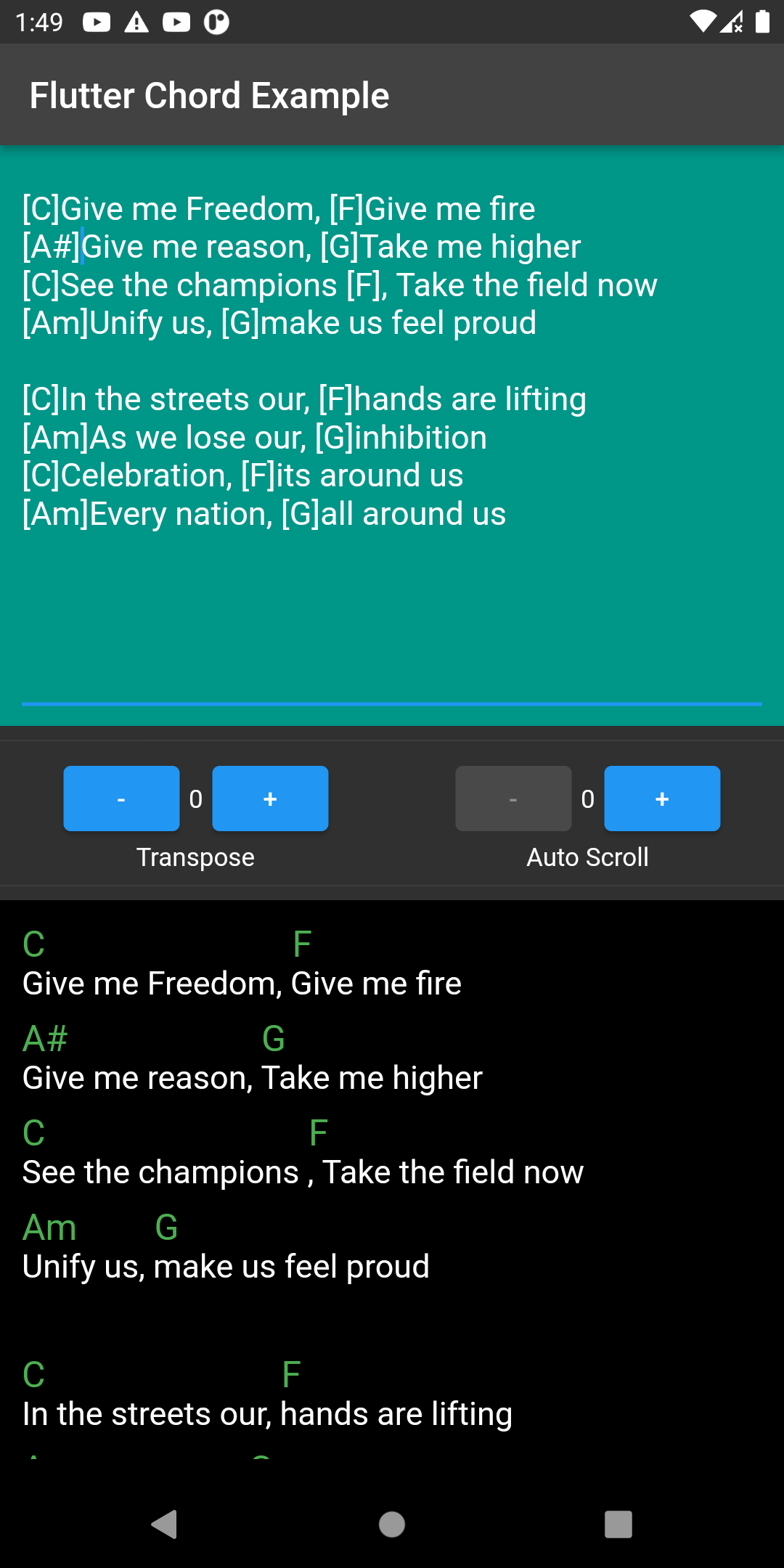
1) Render the Lyrics and Chords directly.
final textStyle = TextStyle(fontSize: 18, color: Colors.white);
final chordStyle = TextStyle(fontSize: 20, color: Colors.green);

final lyrics = '''
[C]Give me Freedom, [F]Give me fire
[Am] Give me reason, [G]Take me higher
''';

@override
  Widget build(BuildContext context) {
    return LyricsRenderer(
    lyrics: _lyrics,
    textStyle: textStyle,
    chordStyle: chordStyle,
    widgetPadding: 50,
    onTapChord: (String chord) {
      print('pressed chord: $chord');
    },
    transposeIncrement: 0,
    scrollSpeed: 0,
  );
}
2. Get a parsed ChordLyricsDocument and style it as you like.
final textStyle = TextStyle(fontSize: 18, color: Colors.white);
final chordStyle = TextStyle(fontSize: 20, color: Colors.green);

final lyrics = '''
[C]Give me Freedom , [F]Give me fire
[Am] Give me reason , [G]Take me higher
''';

ChordProcessor _chordProcessor = ChordProcessor(context);
ChordLyricsDocument chordLyricsDocument = _chordProcessor.processText(
  text: lyrics,
  lyricsStyle: textStyle,
  chordStyle: chordStyle,
  transposeIncrement: 0,
);
Abhängigkeiten 3 Einträge
{"sdk":"flutter"}{"sdk":"flutter"}^5.0.17Nach Anwendungsfall filtern, Aktivität vergleichen und vor der Nutzung das Originalprojekt prüfen.
“A repository is the most basic element of GitHub.”
GitHub Docs — About repositories ↗