


 v1.0.1
flutter_breadcrumb
Flutter-Widget, mit dem Sie in Flutter einfach Breadcrumbs erstellen können.
130Likes 184.00030-Tage-Downloads140Pub-Punkte
AndroidiOSWebmacOSWindowsLinux
Flutter-Widget, mit dem Sie in Flutter einfach Breadcrumbs erstellen können.

Englischer Projektschnappschuss. Aktuelle Inhalte auf GitHub.

Flutter Widget that can easily create Breadcrumb in Flutter.
A breadcrumb or breadcrumb trail is a graphical control element frequently used as a navigational aid in user interfaces and on web pages. It allows users to keep track and maintain awareness of their locations within applications, documents, or websites.
| Show Case | Wrap Behavior | Scroll Behavior |
|---|---|---|
 |
 |
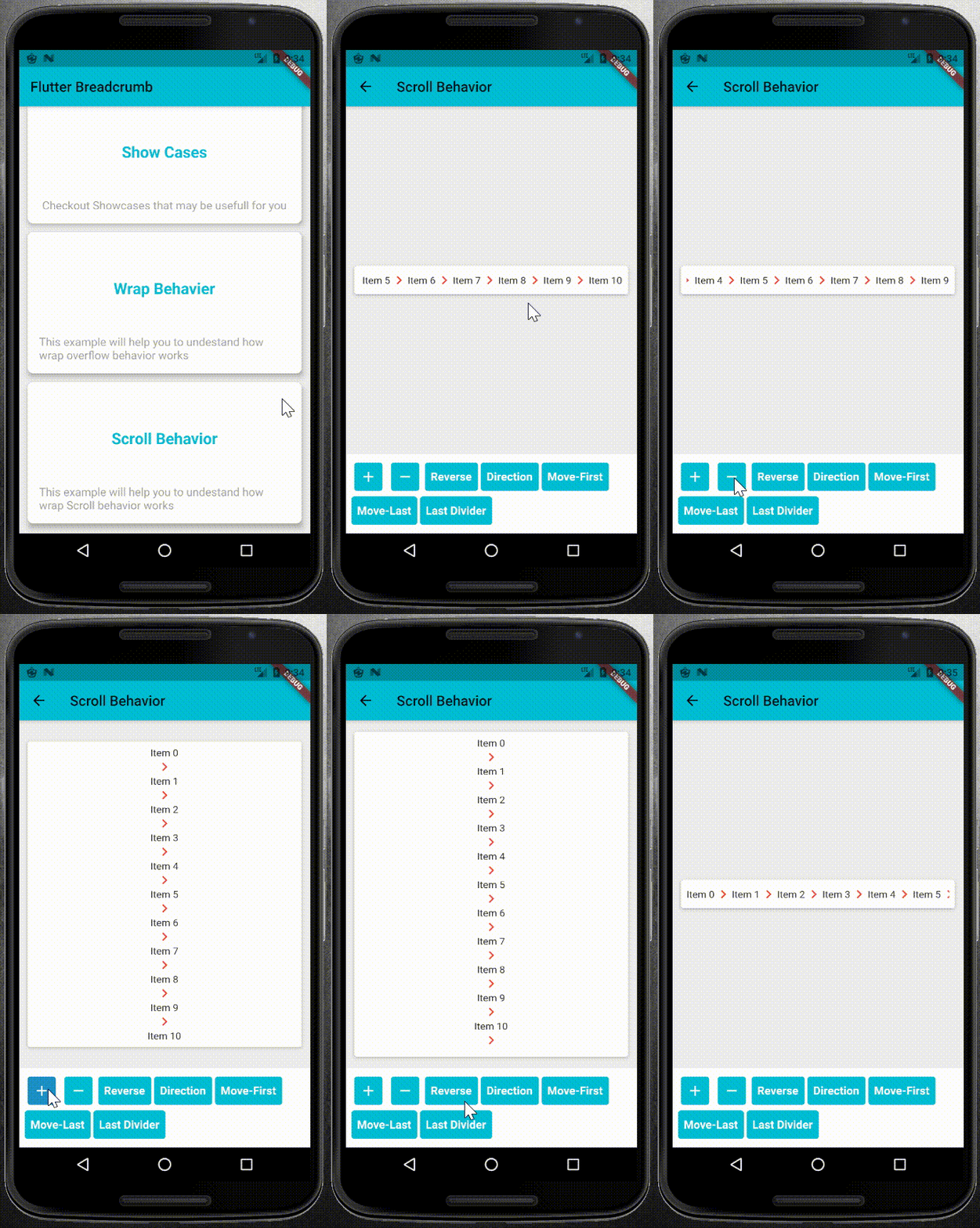 |
pubspec.yaml file as dependency:dependencies:
flutter_breadcrumb: ^1.0.1
flutter pub get
import 'package:flutter_breadcrumb/flutter_breadcrumb.dart';
BreadCrumb(
	items: <BreadCrumbItem>[
	//add your BreadCrumbItem here
	],
	divider: Icon(Icons.chevron_right),
)
primary constructor or builder named constructor.BreadCrumb(
items: <BreadCrumbItem>[
BreadCrumbItem(content: Text('Item1')),
BreadCrumbItem(content: Text('Item2')),
...
],
divider: Icon(Icons.chevron_right),
)
BreadCrumb.builder(
	itemCount: 8,
	builder: (index) {
		return BreadCrumbItem(content: Text('Item$index'));
	},
	divider: Icon(Icons.chevron_right),
)
BreadCrumb widget.BreadCrumb(
items: <BreadCrumbItem>[
//add your BreadCrumbItem here
],
divider: Icon(Icons.chevron_right),
overflow: WrapOverflow(
keepLastDivider: false,
direction: Axis.horizontal,
),
)
BreadCrumb(
	items: <BreadCrumbItem>[
		//add your BreadCrumbItem here
	],
	divider: Icon(Icons.chevron_right),
	overflow: ScrollableOverflow(
		keepLastDivider: false,
		reverse: false,
		direction: Axis.horizontal,
	),
)
class CustomOverflowBehavior extends BreadCrumbOverflow{
	@override
	Widget build(BuildContext context, List<BreadCrumbItem> items, Widget divider) {
		// TODO: implement build
	}

	@override
	// TODO: implement keepLastDivider
	bool get keepLastDivider => _keepLastDivider;

	@override
	List<Widget> widgetItems(List<BreadCrumbItem> items, Widget divider) {
		// TODO: implement widgetItems
	}
}
widgetItems method to create List<Widget> with items and divider parameters.build method to create your own widget behavior. for example wrap behavior uses Wrap widget. and you can use widgetItems method in your build method to create List<Widget> items.
Abhängigkeiten 3 Einträge
{"sdk":"flutter"}^1.11.0{"sdk":"flutter"}Nach Anwendungsfall filtern, Aktivität vergleichen und vor der Nutzung das Originalprojekt prüfen.
“A repository is the most basic element of GitHub.”
GitHub Docs — About repositories ↗