Englischer Projektschnappschuss. Aktuelle Inhalte auf GitHub.
Infinite Canvas

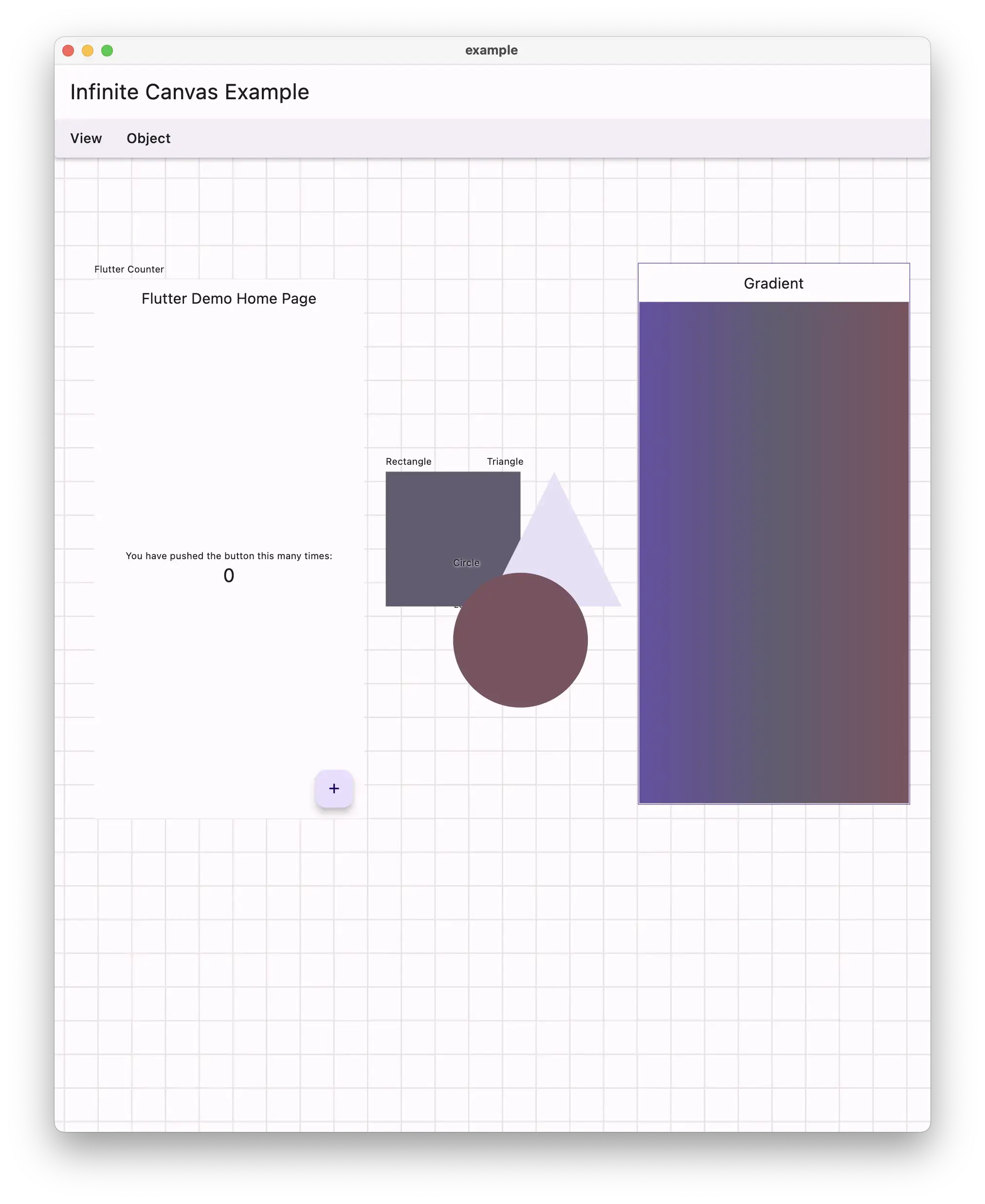
Flutter infinite canvas that can be zoomed and panned.
There is also a menu for common actions and marquee for multiple selection.
Example
import 'package:flutter/material.dart';
import 'package:infinite_canvas/infinite_canvas.dart';
void main() => runApp(const MyApp());
class MyApp extends StatelessWidget {
const MyApp({super.key});
@override
Widget build(BuildContext context) {
return MaterialApp(
debugShowCheckedModeBanner: false,
home: const Example(),
theme: ThemeData.light(useMaterial3: true),
darkTheme: ThemeData.dark(useMaterial3: true),
themeMode: ThemeMode.system,
);
}
}
class Example extends StatefulWidget {
const Example({super.key});
@override
State<Example> createState() => _ExampleState();
}
class _ExampleState extends State<Example> {
late InfiniteCanvasController controller;
@override
void initState() {
super.initState();
final rectangleNode = InfiniteCanvasNode(
key: UniqueKey(),
label: 'Rectangle',
offset: const Offset(400, 300),
size: const Size(200, 200),
child: Builder(
builder: (context) {
return CustomPaint(
isComplex: true,
willChange: true,
painter: InlineCustomPainter(
brush: Paint(),
builder: (brush, canvas, rect) {
brush.color = Theme.of(context).colorScheme.secondary;
canvas.drawRect(rect, brush);
},
),
);
},
),
);
final triangleNode = InfiniteCanvasNode(
key: UniqueKey(),
label: 'Triangle',
offset: const Offset(550, 300),
size: const Size(200, 200),
child: Builder(
builder: (context) {
return CustomPaint(
painter: InlineCustomPainter(
brush: Paint(),
builder: (brush, canvas, rect) {
brush.color = Theme.of(context).colorScheme.secondaryContainer;
final path = Path();
path.addPolygon([
rect.topCenter,
rect.bottomLeft,
rect.bottomRight,
], true);
canvas.drawPath(path, brush);
},
),
);
},
),
);
final circleNode = InfiniteCanvasNode(
key: UniqueKey(),
label: 'Circle',
offset: const Offset(500, 450),
size: const Size(200, 200),
child: Builder(
builder: (context) {
return CustomPaint(
painter: InlineCustomPainter(
brush: Paint(),
builder: (brush, canvas, rect) {
brush.color = Theme.of(context).colorScheme.tertiary;
canvas.drawCircle(rect.center, rect.width / 2, brush);
},
),
);
},
),
);
final nodes = [
rectangleNode,
triangleNode,
circleNode,
];
controller = InfiniteCanvasController(nodes: nodes, edges: [
InfiniteCanvasEdge(
from: rectangleNode.key,
to: triangleNode.key,
label: '4 -> 3',
),
InfiniteCanvasEdge(
from: rectangleNode.key,
to: circleNode.key,
label: '[] -> ()',
),
InfiniteCanvasEdge(
from: triangleNode.key,
to: circleNode.key,
),
]);
}
@override
Widget build(BuildContext context) {
return Scaffold(
appBar: AppBar(
title: const Text('Infinite Canvas Example'),
centerTitle: false,
),
body: InfiniteCanvas(
controller: controller,
),
);
}
}
class InlineCustomPainter extends CustomPainter {
const InlineCustomPainter({
required this.brush,
required this.builder,
this.isAntiAlias = true,
});
final Paint brush;
final bool isAntiAlias;
final void Function(Paint paint, Canvas canvas, Rect rect) builder;
@override
void paint(Canvas canvas, Size size) {
final rect = Offset.zero & size;
brush.isAntiAlias = isAntiAlias;
canvas.save();
builder(brush, canvas, rect);
canvas.restore();
}
@override
bool shouldRepaint(covariant CustomPainter oldDelegate) {
return true;
}
}
Links


 v0.0.10