

 v0.1.7
flutter_storyboard
Ein Flutter-Paket, um eine Storyboard aller Ihrer Widgets anzuzeigen.
133Likes 12230-Tage-Downloads40Pub-Punkte
Keine Plattformdaten
Flutter Storyboard

Englischer Projektschnappschuss. Aktuelle Inhalte auf GitHub.


A Flutter Debug tool to see and test all your screens at once.
Online Demo: https://rodydavis.github.io/storyboard/
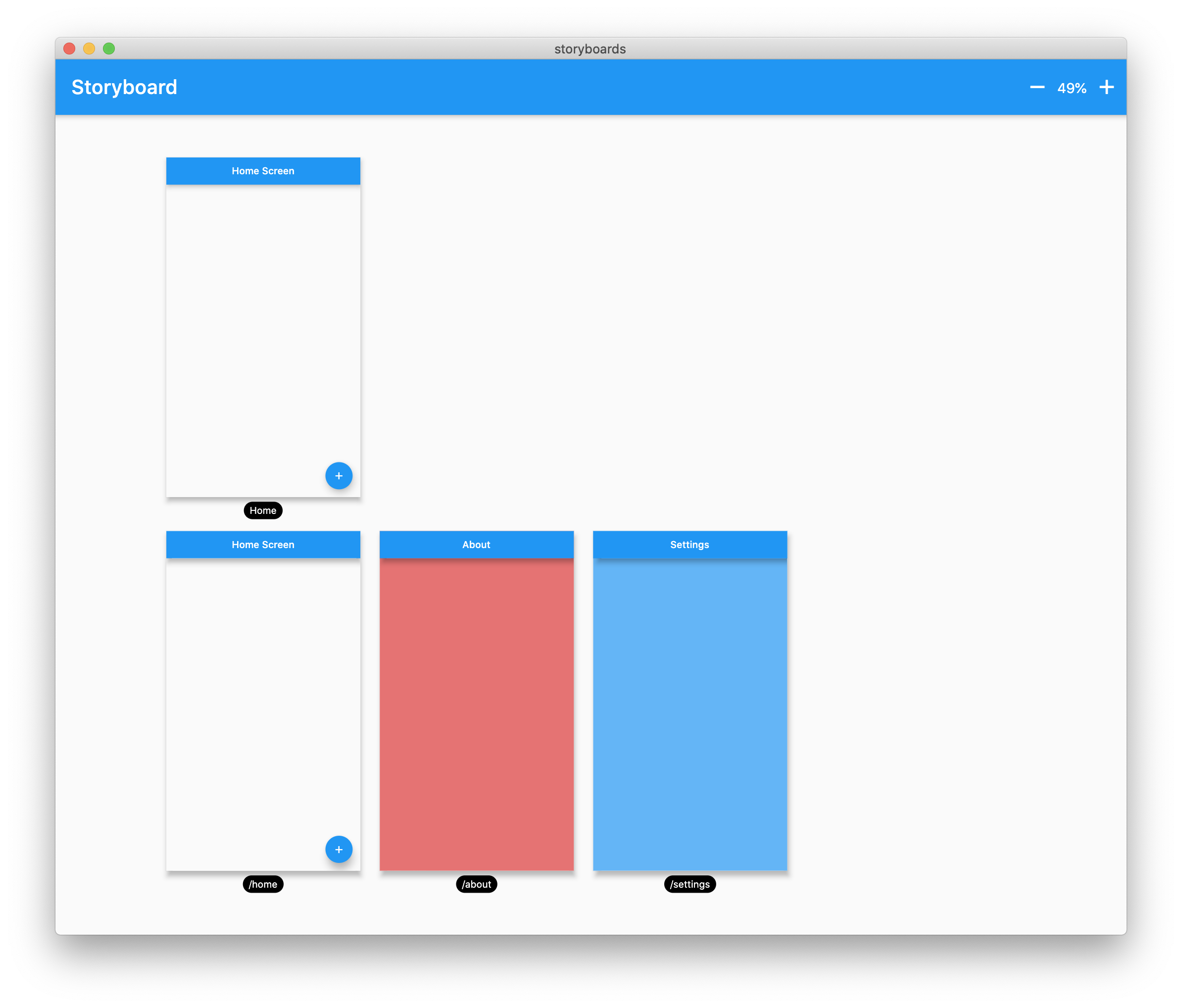
Wrap your MaterialApp with Storyboard.
return StoryBoard.material(
      child: MaterialApp(
        debugShowCheckedModeBanner: false,
        title: 'Flutter Storyboard Example',
        theme: ThemeData.light().copyWith(
          visualDensity: VisualDensity.adaptivePlatformDensity,
        ),
        darkTheme: ThemeData.dark().copyWith(
          visualDensity: VisualDensity.adaptivePlatformDensity,
        ),
        themeMode: ThemeMode.light,
        home: HomeScreen(),
        routes: {
          '/home': (_) => HomeScreen(),
          '/about': (_) => AboutScreen(),
          '/settings': (_) => SettingsScreen(),
        },
      ),
    );
Wrap your WidgetsApp with Storyboard.widgets(). Wrap your CupertinoApp with Storyboard.cupertino().
You can add any number of custom widgets to the canvas, including custom routes. You can add dummy data to the constructors here as it will render all default values.
customScreens: [
  SettingsScreen(),
  AboutScreen(),
  CustomWidget(title: 'Dummy Data'),
],
customRoutes: [
  RouteSettings(name: '/about'),
],
Now you can test all your screens with a hot reload! You can also disable the widget at any time by setting enabled to false. You will need to do a hot restart after you change this value.
Abhängigkeiten 3 Einträge
{"sdk":"flutter"}^0.4.0{"sdk":"flutter"}Nach Anwendungsfall filtern, Aktivität vergleichen und vor der Nutzung das Originalprojekt prüfen.
“A repository is the most basic element of GitHub.”
GitHub Docs — About repositories ↗