
flutter_statusbarcolor
Ein Paket kann Ihnen helfen, die Farbe Ihres Flutter-App-Statusbalkens oder der Navigationsleiste programmatisch zu ändern.

- Sterne
- 11
- Forks
- 43
- Letzter Push (UTC)
- 13.10.2024
- Projektstatus
- Aktiv
Original-README
Englischer Projektschnappschuss. Aktuelle Inhalte auf GitHub.
flutter_statusbarcolor_ns

The package now supports to android v2 embedding, thanks to vixez
A package can help you to change your flutter app's statusbar's color or navigationbar's color programmatically.
This is a fork of the original package flutter_statusbarcolor migrated to support null-safety.
Getting Started
// change the status bar color to material color [green-400]
await FlutterStatusbarcolor.setStatusBarColor(Colors.green[400]);
if (useWhiteForeground(Colors.green[400])) {
  FlutterStatusbarcolor.setStatusBarWhiteForeground(true);
} else {
  FlutterStatusbarcolor.setStatusBarWhiteForeground(false);
}

// change the navigation bar color to material color [orange-200]
await FlutterStatusbarcolor.setNavigationBarColor(Colors.orange[200]);
if (useWhiteForeground(Colors.orange[200]) {
  FlutterStatusbarcolor.setNavigationBarWhiteForeground(true);
} else {
  FlutterStatusbarcolor.setNavigationBarWhiteForeground(false);
}

// get statusbar color and navigationbar color
Color statusbarColor = await FlutterStatusbarcolor.getStatusBarColor();
Color navigationbarColor = await FlutterStatusbarcolor.getNavigationBarColor();
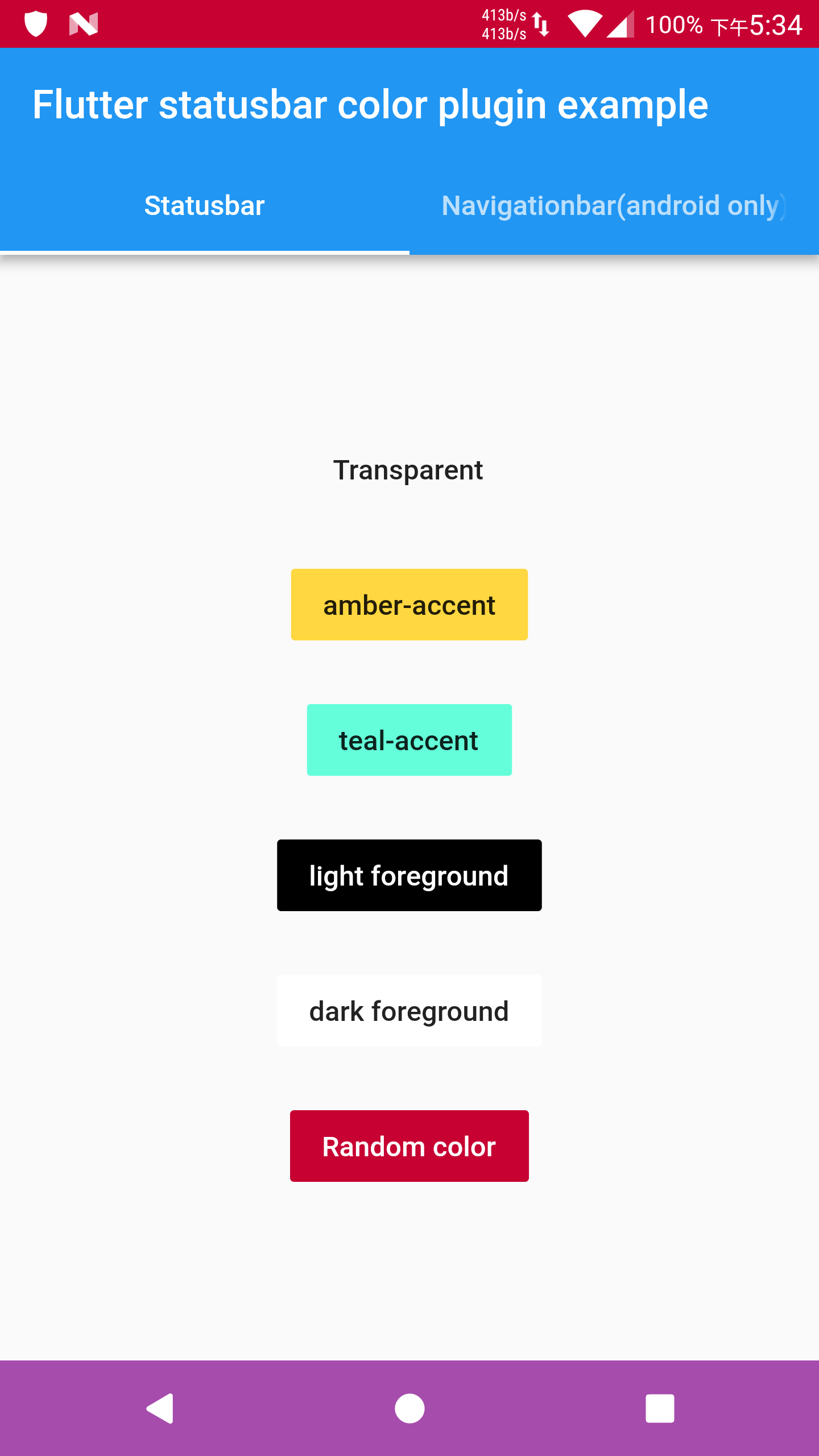
Details in example/ folder.
Api level minimum requirement
-
Android
- getStatusBarColor (5.0)
- setStatusBarColor (5.0)
- setStatusBarWhiteForeground (6.0)
- getNavigationBarColor (5.0)
- setNavigationBarColor (5.0)
- setNavigationBarWhiteForeground (8.0)
-
iOS
- getStatusBarColor (7+)
- setStatusBarColor (7+)
- setStatusBarWhiteForeground (7+)
Note that
- If you find the foreground brightness reverted after changing the app lifecycle, please use flutter's WidgetsBindingObserver mixin.
- If iOS build does not work, please send issues or pull requests.

GitHub-Autor
Sameer Kashyap ↗
SprachenDartKotlinObjective-CRubySwift
Kategorien
Verwendete Abhängigkeiten
Abhängigkeiten 1 Einträge
- flutter
{"sdk":"flutter"}
Wie wähle ich ein passendes Repository?
Nach Anwendungsfall filtern, Aktivität vergleichen und vor der Nutzung das Originalprojekt prüfen.
- Nach Name, Autor oder Beschreibung suchen und nach Thema eingrenzen.
- Sterne, Forks und letzte Pushes vergleichen. Sterne zeigen Interesse, garantieren aber keine Qualität.
- Vor der Nutzung README, Lizenz und Issues auf GitHub prüfen.
Quellen und Pflege
“A repository is the most basic element of GitHub.”
GitHub Docs — About repositories ↗