Pakete, Repositories und App-Kategorien suchen

GitHub-Repositorysooxt98/google_nav_bar

google_nav_bar

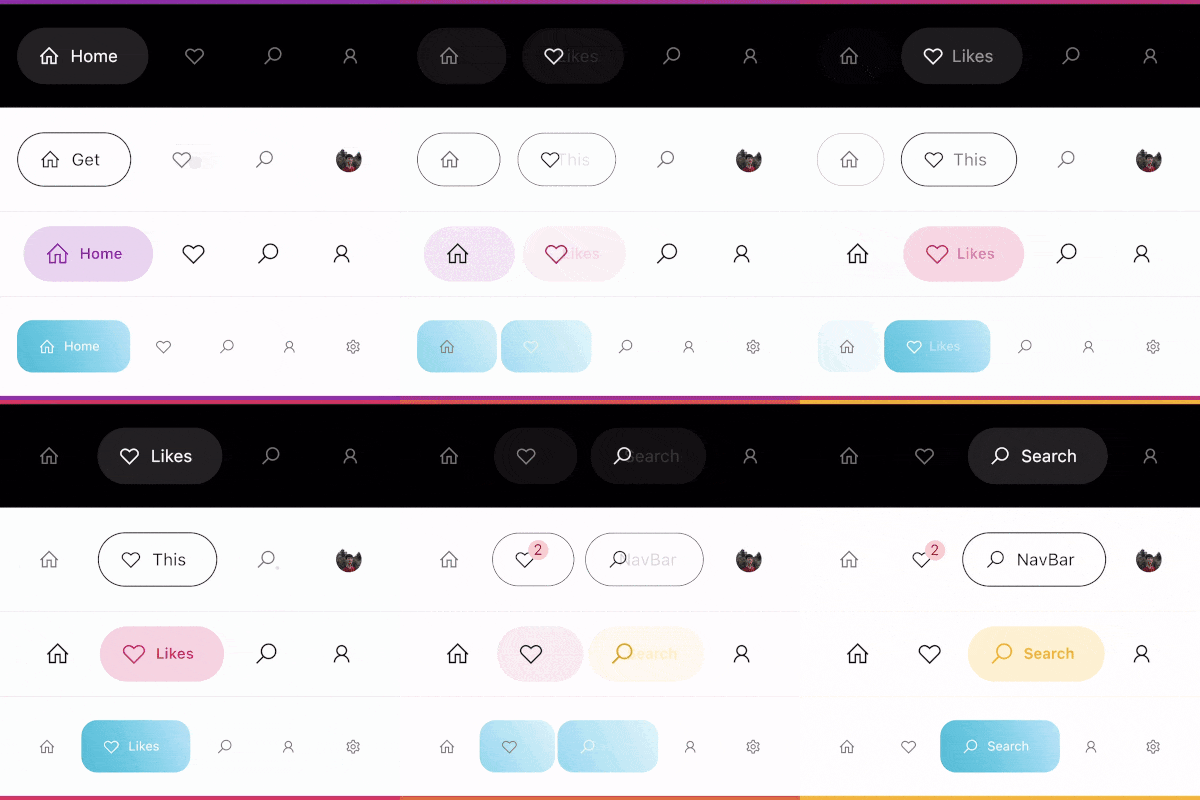
Eine moderne Google-Stil-Navigationsleiste für Flutter.

Projektcover von google_nav_bar
Sterne
790
Forks
115
Letzter Push (UTC)
30.11.2024
Projektstatus
Aktiv

Original-README

Englischer Projektschnappschuss. Aktuelle Inhalte auf GitHub.

google_nav_bar


A modern google style nav bar for flutter.

google_nav_bar

GoogleNavBar is a Flutter widget designed by Aurelien Salomon and developed by sooxt98.

Getting Started

Add this to your package's pubspec.yaml file:

...
dependencies:
  google_nav_bar: ^5.0.7
  

Now in your Dart code, you can use:

import 'package:google_nav_bar/google_nav_bar.dart';

Usage

Style your tab globally with GNav's attribute, if you wish to style tab separately, use GButton's attribute

GNav(
  rippleColor: Colors.grey[800], // tab button ripple color when pressed
  hoverColor: Colors.grey[700], // tab button hover color
  haptic: true, // haptic feedback
  tabBorderRadius: 15, 
  tabActiveBorder: Border.all(color: Colors.black, width: 1), // tab button border
  tabBorder: Border.all(color: Colors.grey, width: 1), // tab button border
  tabShadow: [BoxShadow(color: Colors.grey.withOpacity(0.5), blurRadius: 8)], // tab button shadow
  curve: Curves.easeOutExpo, // tab animation curves
  duration: Duration(milliseconds: 900), // tab animation duration
  gap: 8, // the tab button gap between icon and text 
  color: Colors.grey[800], // unselected icon color
  activeColor: Colors.purple, // selected icon and text color
  iconSize: 24, // tab button icon size
  tabBackgroundColor: Colors.purple.withOpacity(0.1), // selected tab background color
  padding: EdgeInsets.symmetric(horizontal: 20, vertical: 5), // navigation bar padding
  tabs: [
    GButton(
      icon: LineIcons.home,
      text: 'Home',
    ),
    GButton(
      icon: LineIcons.heart_o,
      text: 'Likes',
    ),
    GButton(
      icon: LineIcons.search,
      text: 'Search',
    ),
    GButton(
      icon: LineIcons.user,
      text: 'Profile',
    )
  ]
)

View the example folder

There are 4 different use case included in the /example directory, go try it out!

sooxt98 GitHub avatar
SprachenDartKotlinSwiftObjective-C

Kategorien

Von diesem Repository veröffentlichte Pakete

Verwendete Abhängigkeiten

Abhängigkeiten 2 Einträge

  • flutter{"sdk":"flutter"}
  • flutter_testEntwicklung{"sdk":"flutter"}

Wie wähle ich ein passendes Repository?

Nach Anwendungsfall filtern, Aktivität vergleichen und vor der Nutzung das Originalprojekt prüfen.

  1. Nach Name, Autor oder Beschreibung suchen und nach Thema eingrenzen.
  2. Sterne, Forks und letzte Pushes vergleichen. Sterne zeigen Interesse, garantieren aber keine Qualität.
  3. Vor der Nutzung README, Lizenz und Issues auf GitHub prüfen.

Quellen und Pflege

“A repository is the most basic element of GitHub.”

GitHub Docs — About repositories ↗