v10.0.0
bloc_test
Eine Testbibliothek, die das Testen von Blocs vereinfacht. Speziell für die Verwendung mit dem Bloc-Zustandsverwaltungs-Paket entwickelt.
669Likes 1,5 Mio.30-Tage-Downloads160Pub-Punkte
AndroidiOSWebmacOSWindowsLinux
Eine auf Karten basierende soziale Netzwerk für Introvertierte

Englischer Projektschnappschuss. Aktuelle Inhalte auf GitHub.
A mobile diary app that is as simple as recording emotion at anytime any place

Refer to this link how to setup and run your project: Setup project
This app is going to record daily activities in form of location checking and emotion sharing. It will keep track of user's location through out the day, and allow user to add emoji to each location, immediately when user is at the location, or later when user check their day activity at home.
The full idea of Interactive Diary can be summarized in this mindmap

There are 5 part of this project:
Location refers to user's current location at anything point of time during the day. This can be broken down as in mindmap below:

This is the main feature of ID, and it is tied losely to Location feature, which means, it still works even if location is not available.

This is a good to have feature, base on the type of location the user is in, there can be a prediction of what activity he can have there.

Detail of Authentication can be found here
Future: social network (Who I met)
Can be treated as an attribute attached to all above info
Eine Testbibliothek, die das Testen von Blocs vereinfacht. Speziell für die Verwendung mit dem Bloc-Zustandsverwaltungs-Paket entwickelt.
Eine einfache CLI zum Verwalten von Flutter SDK-Versionen pro Projekt. Unterstützt Kanäle, Releases und lokalen Cache für schnelles Wechseln zwischen Versionen.
Ein Flutter-Plugin zum Steuern der Kamera. Unterstützt die Vorschau des Kamerabildes, das Erfassen von Bildern und Videos sowie das Streamen von Bilddatenpuffern nach Dart.
Ein Flutter-Plugin zur Integration von Google Maps in iOS- und Android-Anwendungen.
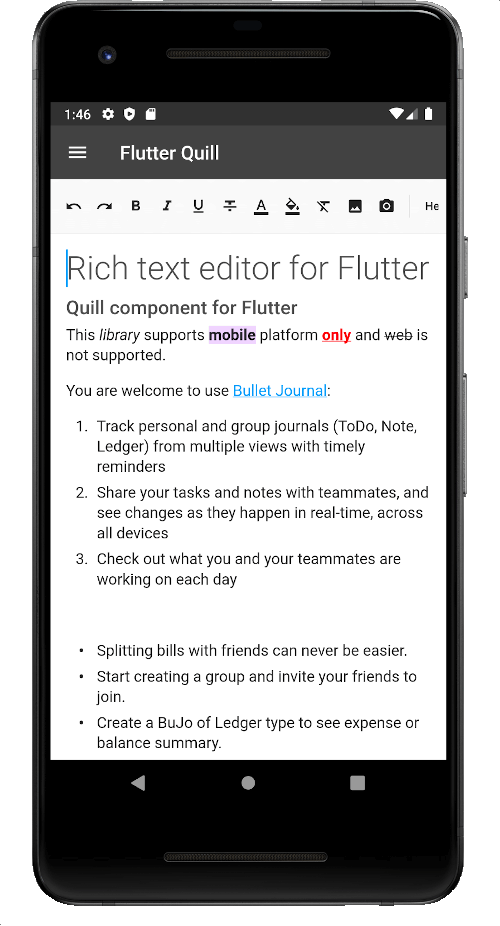
Ein reichhaltiger Texteditor für Android, iOS, Web und Desktop-Plattformen. Es ist der WYSIWYG-Editor und ein Quill-Komponente für Flutter.
Der Flutter-Codegenerator für Ihre Assets, Schriftarten, Farben usw. — Entfernen Sie alle auf Strings basierenden APIs.
Punkte-Anzeiger zur Anzeige des Fortschritts einer PageView, beispielsweise
intl_utils ist eine Dart-Bibliothek, die Dart-Localisierungscode aus ARB-Dateien generiert. Der generierte Code basiert auf der Intl-Bibliothek.
Ein PageView-Widget, das seine Höhe an die aktuell angezeigte Seite anpasst
Ein Flutter-Paket zur Erkennung von Handy-Erschütterungen. Einstellbare G-Kraft und Reset-Zeiträume.
Hilfsmittel zum Bereitstellen einer mockierten Image.network-Antwort bei Flutter-Widget-Tests.
Abhängigkeiten 38 Einträge
{"sdk":"flutter"}^1.0.5^2.1.10^8.0.1^0.18.0^2.0.5^2.0.0+1{"path":"packages/nartus_ui_package"}{"path":"packages/nartus_location"}{"path":"packages/nartus_geocoder"}{"path":"packages/nartus_authentication"}{"path":"packages/nartus_connectivity"}{"path":"packages/nartus_storage"}{"path":"packages/nartus_remote_config"}{"path":"packages/nartus_app_settings"}{"path":"packages/nartus_media"}^5.1.1^2.4.1^2.4.3^2.2.5^2.7.0^7.2.0^7.2.0^2.2.0^2.0.0^1.0.17^0.10.5+2^2.6.1{"sdk":"flutter"}^9.0.3^5.4.12.3.3^4.5.1^2.7.0^5.0.3^2.0.1^2.1.1^6.1.0Nach Anwendungsfall filtern, Aktivität vergleichen und vor der Nutzung das Originalprojekt prüfen.
“A repository is the most basic element of GitHub.”
GitHub Docs — About repositories ↗