Englischer Projektschnappschuss. Aktuelle Inhalte auf GitHub.
tbib_downloader
This package for download file and open it you can display notifications and progress notification and can receive download bytes and total bytes
Note this package use awesome notification
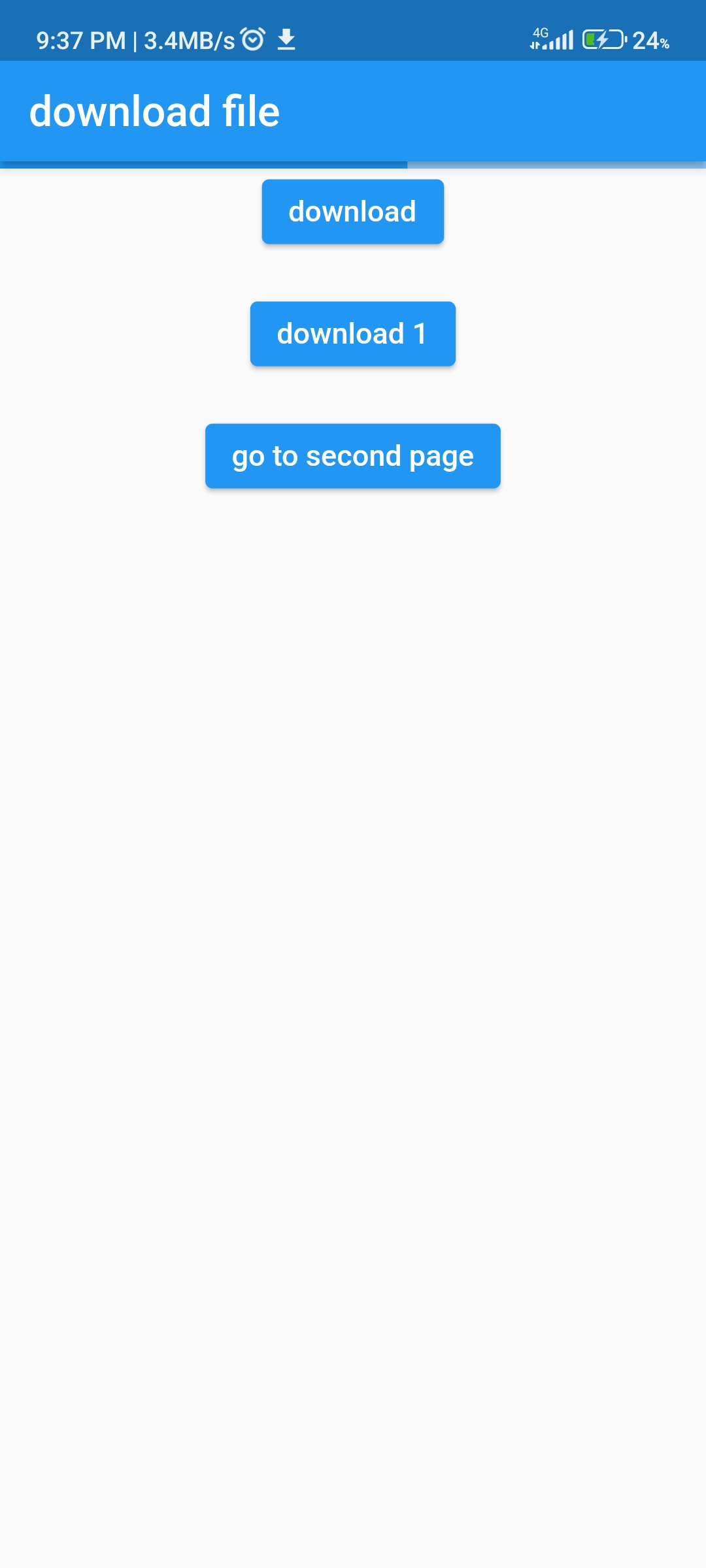
Can display progress in your app
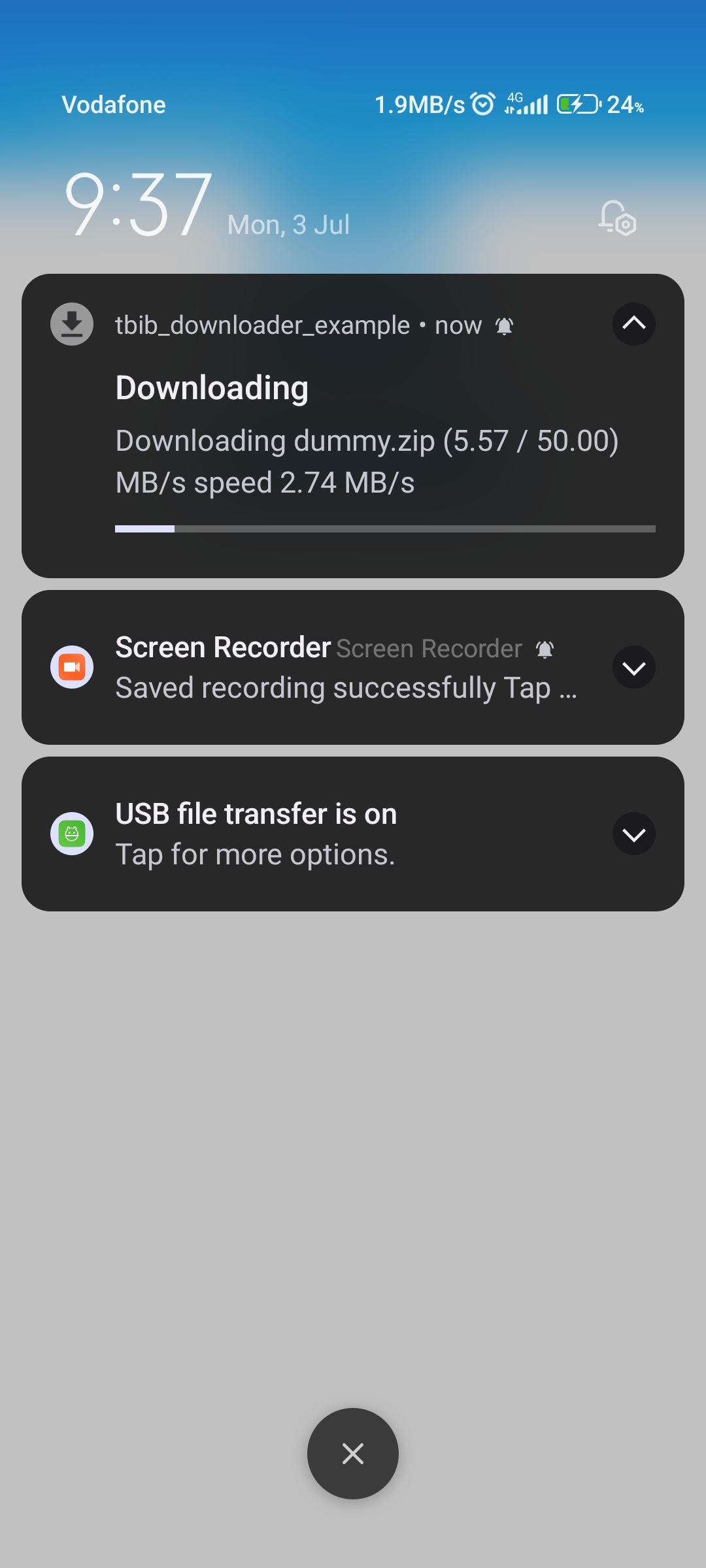
Notification with progress bar
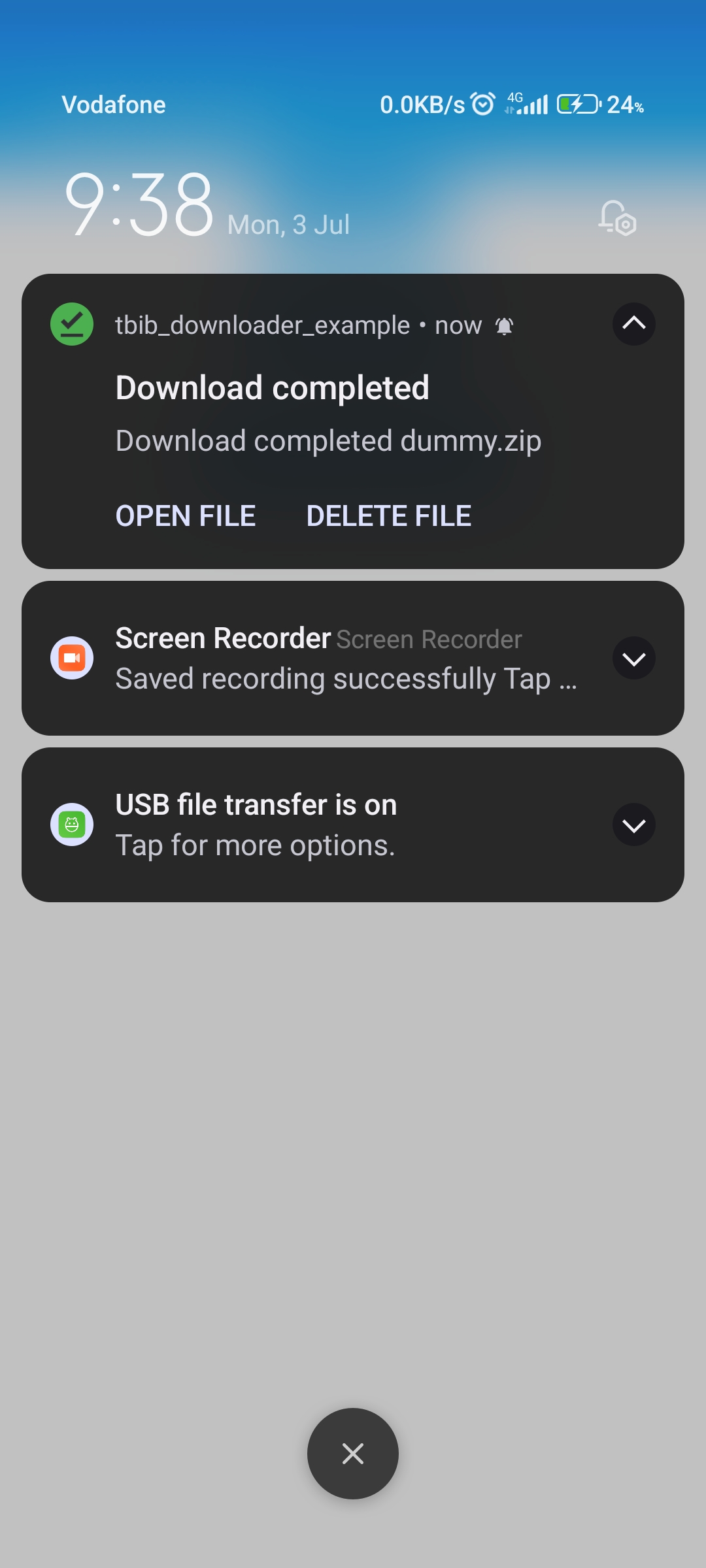
Notification downloaded ended
step 1
 Change
  BUILD_LIBRARY_FOR_DISTRIBUTION = YES
 to
 BUILD_LIBRARY_FOR_DISTRIBUTION = NO
step 2
<key > LSSupportsOpeningDocumentsInPlace</key >
<true />
<key > UIFileSharingEnabled</key >
<true />
Note: Notification progress bar not support in ios.
step 1
void main () async {
WidgetsFlutterBinding .ensureInitialized ();
await TBIBDownloader ().init ();
....
}
step 2
add awesome notification listener in main page
@override
void initState () {
super .initState ();
AwesomeNotifications ().setListeners (
onActionReceivedMethod: MyNotificationService .onActionReceivedMethod,
onNotificationCreatedMethod:
MyNotificationService .onNotificationCreatedMethod,
onNotificationDisplayedMethod:
MyNotificationService .onNotificationDisplayedMethod,
onDismissActionReceivedMethod:
MyNotificationService .onDismissActionReceivedMethod);
...
}
step 3
Create class: MyNotificationService
import 'dart:developer' ;
import 'package:awesome_notifications/awesome_notifications.dart' ;
import 'package:tbib_downloader/tbib_downloader.dart' ;
class MyNotificationService @pragma ("vm:entry-point" )
static Future <void > onNotificationCreatedMethod (
ReceivedNotification receivedNotification) async {
}
@pragma ("vm:entry-point" )
static Future <void > onNotificationDisplayedMethod (
ReceivedNotification receivedNotification) async {
}
@pragma ("vm:entry-point" )
static Future <void > onDismissActionReceivedMethod (
ReceivedAction receivedAction) async {
}
@pragma ("vm:entry-point" )
static Future <void > onActionReceivedMethod (
ReceivedAction receivedAction) async {
if (receivedAction.buttonKeyPressed == 'tbib_downloader_open_file' ) {
var res = await TBIBDownloaderOpenFile ()
.openFile (path: receivedAction.payload!['path' ]!);
log (res.message);
} else if (receivedAction.buttonKeyPressed ==
'tbib_downloader_delete_file' ) {
await TBIBDownloaderOpenFile ()
.deleteFile (receivedAction.payload!['path' ]!);
}
}
}
Note
in version 1.0.1 can use attribute saveFileInDataApp to save in android/data/${package name}/...
ElevatedButton (
onPressed: () async {
var path = await TBIBDownloader ().downloadFile (
url: 'http://212.183.159.230/50MB.zip' ,
fileName: 'dummy.zip' ,
directoryName: 'test' ,
onReceiveProgress: ({int? receivedBytes, int? totalBytes}) {
if (!context.mounted) {
return ;
}
setState (() {
progress = (receivedBytes! / totalBytes!);
});
},
);
debugPrint ('path $path ' );
if (!context.mounted) {
return ;
}
setState (() {
progress = 0 ;
});
},
child: const Text ('download' ),
),
now more future in download progress
onReceiveProgress use it for get current downloaded and max file size with bytes
support open file with native apps
android support
{
{".3gp" , "video/3gpp" },
{".torrent" ,"application/x-bittorrent" },
{".kml" , "application/vnd.google-earth.kml+xml" },
{".gpx" , "application/gpx+xml" },
{".csv" , "application/vnd.ms-excel" },
{".apk" , "application/vnd.android.package-archive" },
{".asf" , "video/x-ms-asf" },
{".avi" , "video/x-msvideo" },
{".bin" , "application/octet-stream" },
{".bmp" , "image/bmp" },
{".c" , "text/plain" },
{".class" , "application/octet-stream" },
{".conf" , "text/plain" },
{".cpp" , "text/plain" },
{".doc" , "application/msword" },
{".docx" , "application/vnd.openxmlformats-officedocument.wordprocessingml.document" },
{".xls" , "application/vnd.ms-excel" },
{".xlsx" , "application/vnd.openxmlformats-officedocument.spreadsheetml.sheet" },
{".exe" , "application/octet-stream" },
{".gif" , "image/gif" },
{".gtar" , "application/x-gtar" },
{".gz" , "application/x-gzip" },
{".h" , "text/plain" },
{".htm" , "text/html" },
{".html" , "text/html" },
{".jar" , "application/java-archive" },
{".java" , "text/plain" },
{".jpeg" , "image/jpeg" },
{".jpg" , "image/jpeg" },
{".js" , "application/x-javascript" },
{".log" , "text/plain" },
{".m3u" , "audio/x-mpegurl" },
{".m4a" , "audio/mp4a-latm" },
{".m4b" , "audio/mp4a-latm" },
{".m4p" , "audio/mp4a-latm" },
{".m4u" , "video/vnd.mpegurl" },
{".m4v" , "video/x-m4v" },
{".mov" , "video/quicktime" },
{".mp2" , "audio/x-mpeg" },
{".mp3" , "audio/x-mpeg" },
{".mp4" , "video/mp4" },
{".mpc" , "application/vnd.mpohun.certificate" },
{".mpe" , "video/mpeg" },
{".mpeg" , "video/mpeg" },
{".mpg" , "video/mpeg" },
{".mpg4" , "video/mp4" },
{".mpga" , "audio/mpeg" },
{".msg" , "application/vnd.ms-outlook" },
{".ogg" , "audio/ogg" },
{".pdf" , "application/pdf" },
{".png" , "image/png" },
{".pps" , "application/vnd.ms-powerpoint" },
{".ppt" , "application/vnd.ms-powerpoint" },
{".pptx" , "application/vnd.openxmlformats-officedocument.presentationml.presentation" },
{".prop" , "text/plain" },
{".rc" , "text/plain" },
{".rmvb" , "audio/x-pn-realaudio" },
{".rtf" , "application/rtf" },
{".sh" , "text/plain" },
{".tar" , "application/x-tar" },
{".tgz" , "application/x-compressed" },
{".txt" , "text/plain" },
{".wav" , "audio/x-wav" },
{".wma" , "audio/x-ms-wma" },
{".wmv" , "audio/x-ms-wmv" },
{".wps" , "application/vnd.ms-works" },
{".xml" , "text/plain" },
{".z" , "application/x-compress" },
{".zip" , "application/x-zip-compressed" },
{"" , "*/*" }
}
ios support
{
".rtf" : "public.rtf" ,
".txt" : "public.plain-text" ,
".html" : "public.html" ,
".htm" : "public.html" ,
".xml" : "public.xml" ,
".tar" : "public.tar-archive" ,
".gz" : "org.gnu.gnu-zip-archive" ,
".gzip" : "org.gnu.gnu-zip-archive" ,
".tgz" : "org.gnu.gnu-zip-tar-archive" ,
".jpg" : "public.jpeg" ,
".jpeg" : "public.jpeg" ,
".png" : "public.png" ,
".avi" : "public.avi" ,
".mpg" : "public.mpeg" ,
".mpeg" : "public.mpeg" ,
".mp4" : "public.mpeg-4" ,
".3gpp" : "public.3gpp" ,
".3gp" : "public.3gpp" ,
".mp3" : "public.mp3" ,
".zip" : "com.pkware.zip-archive" ,
".gif" : "com.compuserve.gif" ,
".bmp" : "com.microsoft.bmp" ,
".ico" : "com.microsoft.ico" ,
".doc" : "com.microsoft.word.doc" ,
".xls" : "com.microsoft.excel.xls" ,
".ppt" : "com.microsoft.powerpoint.ppt" ,
".wav" : "com.microsoft.waveform-audio" ,
".wm" : "com.microsoft.windows-media-wm" ,
".wmv" : "com.microsoft.windows-media-wmv" ,
".pdf" : "com.adobe.pdf"
}



 v2.6.1