Pakete, Repositories und App-Kategorien suchen

GitHub-Repositorytp7309/flutter_sticky_and_expandable_list

flutter_sticky_and_expandable_list

Implementierung von Sliver mit haftenden Kopfzeilen und gruppierten Listen Erstellen Sie eine gruppierte Liste, die die Erweiterung-/Kollaps-Funktion für Abschnitte unterstützt und haftende Überschriften, sowie die Verwendung mit Sliver-Widgets ermöglicht.

Projektcover von flutter_sticky_and_expandable_list
Sterne
141
Forks
26
Letzter Push (UTC)
01.09.2026
Projektstatus
Aktiv

Original-README

Englischer Projektschnappschuss. Aktuelle Inhalte auf GitHub.

sticky_and_expandable_list

Flutter implementation of sticky headers and expandable list.Support use it in a CustomScrollView.

Pub README i18n:中文说明

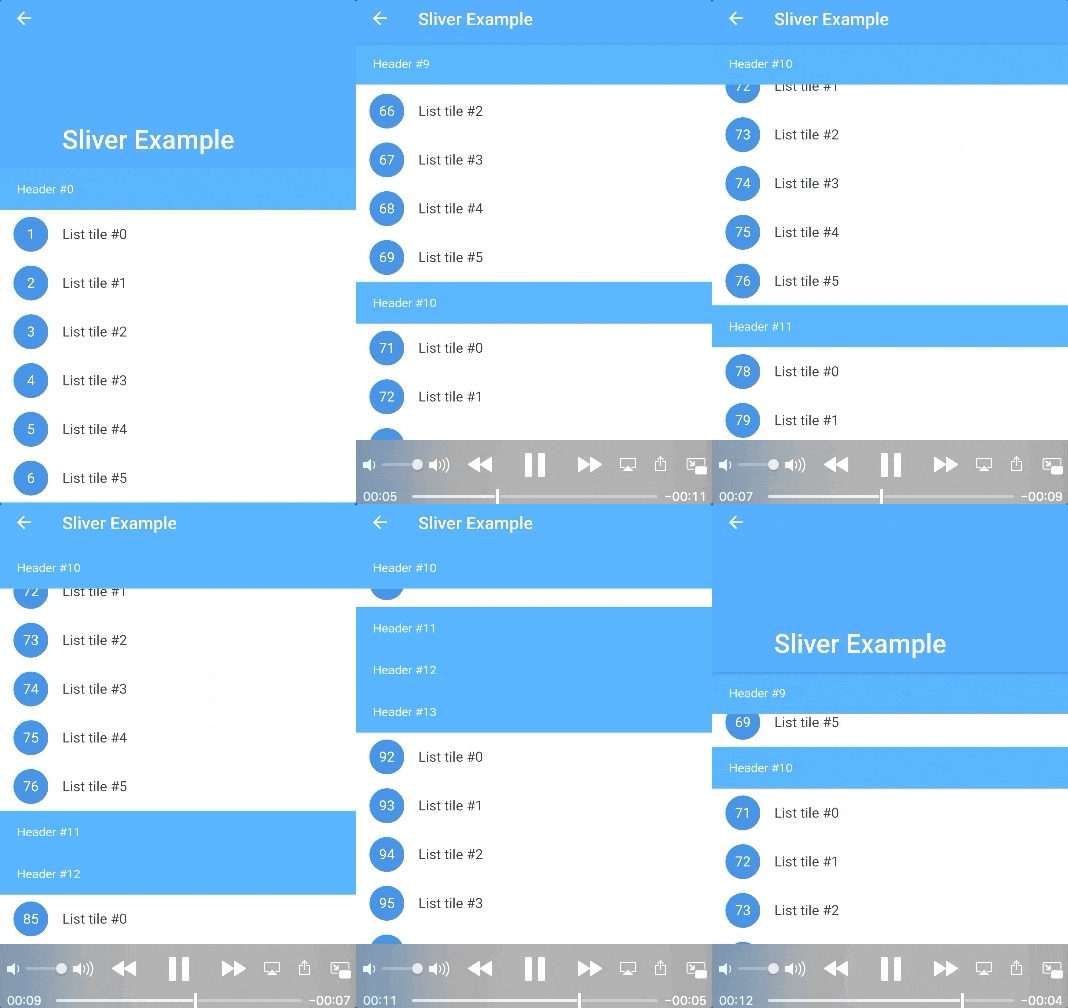
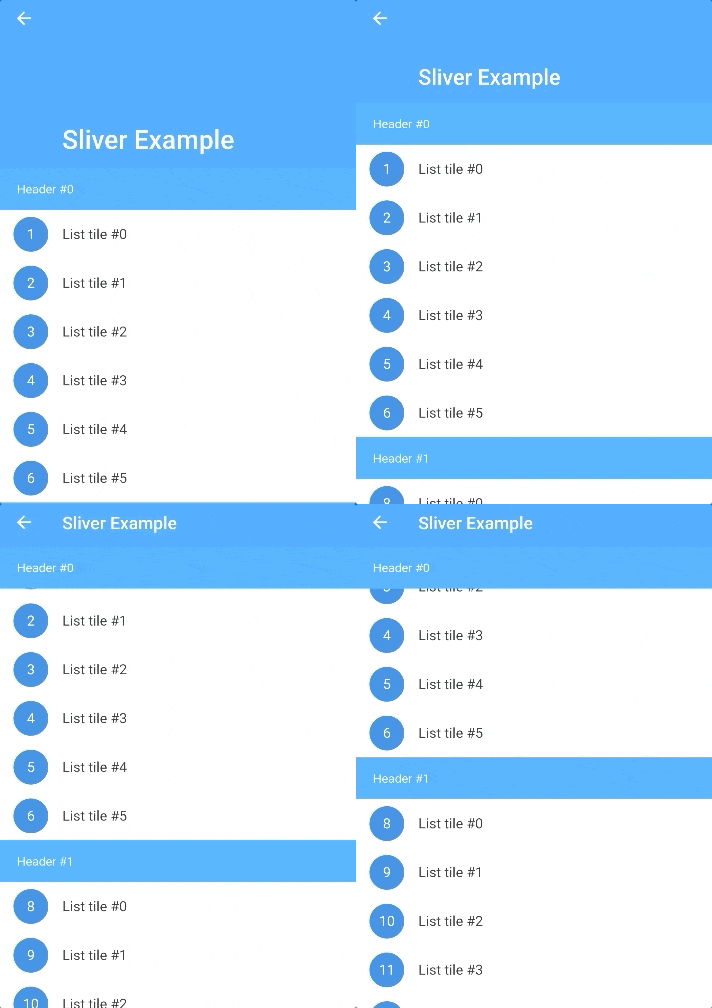
Screenshot

Features

  • Build a grouped list, which support expand/collapse section and sticky header.
  • Use it with CustomScrollView、SliverAppBar.
  • Listen the scroll offset of current sticky header, current sticky header index and switching header index.
  • Only use one list widget, so it supports large data and a normal memory usage.
  • More section customization support, you can return a new section widget by sectionBuilder, to customize background,expand/collapse animation, section layout, and so on.
  • Support add divider.
  • Support overlap content.
  • Support scroll to index like ListView, by scroll-to-index.
  • Pull to refresh and load more, by pull_to_refresh.

Getting Started

In the pubspec.yaml of your flutter project, add the following dependency:

dependencies:
  sticky_and_expandable_list: ^1.1.3

Basic Usage

sectionList is a custom data source for ExpandableListView. We should create a model list to store the information of each section, the model must implement ExpandableListSection.

    //In this example, we create a custom model class(ExampleSection).
    //class ExampleSection implements ExpandableListSection<String> {}
    //so: SliverExpandableChildDelegate<String, ExampleSection>()
    List<ExampleSection> sectionList = List<ExampleSection>();
    return ExpandableListView(
      builder: SliverExpandableChildDelegate<String, ExampleSection>(
          sectionList: sectionList,
          headerBuilder: (context, sectionIndex, index) =>
              Text("Header #$sectionIndex"),
          itemBuilder: (context, sectionIndex, itemIndex, index) {
            String item = sectionList[sectionIndex].items[itemIndex];
            return ListTile(
              leading: CircleAvatar(
                child: Text("$index"),
              ),
              title: Text(item),
            );
          }),
    );

Detail Examples

If you want to use it with sliver widget, use SliverExpandableList instead of ExpandableListView.

FAQ

How to expand/collapse item?
setState(() {
  sectionList[i].setSectionExpanded(true);
});

Example

How to listen current sticky header or the sticky header scroll offset?
  @override
  Widget build(BuildContext context) {
    ExpandableListView(
      builder: SliverExpandableChildDelegate<String, ExampleSection>(
        headerController: _getHeaderController(),
      ),
    )
  }

  _getHeaderController() {
    var controller = ExpandableListController();
    controller.addListener(() {
      print("switchingSectionIndex:${controller.switchingSectionIndex}, stickySectionIndex:" +
          "${controller.stickySectionIndex},scrollPercent:${controller.percent}");
    });
    return controller;
  }
How to set background for each section?

Use sectionBuilder

Customize expand/collapse animation support?

Example

Change Log

CHANGELOG

tp7309 GitHub avatar
GitHub-Autor

tp7309 ↗

Tencent
SprachenDartHTMLSwiftKotlinObjective-C

Kategorien

Von diesem Repository veröffentlichte Pakete

Verwendete Abhängigkeiten

Abhängigkeiten 2 Einträge

  • flutter{"sdk":"flutter"}
  • flutter_testEntwicklung{"sdk":"flutter"}

Wie wähle ich ein passendes Repository?

Nach Anwendungsfall filtern, Aktivität vergleichen und vor der Nutzung das Originalprojekt prüfen.

  1. Nach Name, Autor oder Beschreibung suchen und nach Thema eingrenzen.
  2. Sterne, Forks und letzte Pushes vergleichen. Sterne zeigen Interesse, garantieren aber keine Qualität.
  3. Vor der Nutzung README, Lizenz und Issues auf GitHub prüfen.

Quellen und Pflege

“A repository is the most basic element of GitHub.”

GitHub Docs — About repositories ↗