
flutter_spinbox
Material- und Cupertino-SpinBox für Flutter

- Sterne
- 33
- Forks
- 34
- Letzter Push (UTC)
- 07.04.2025
- Projektstatus
- Aktiv
Original-README
Englischer Projektschnappschuss. Aktuelle Inhalte auf GitHub.
SpinBox for Flutter


SpinBox for Flutter is a numeric input widget with an input field for entering a specific value, and spin buttons for quick, convenient, and accurate value adjustments.
SpinBox for Flutter comes in two variants. It provides implementations for both designs in Flutter, Material and Cupertino (iOS).
Material Design
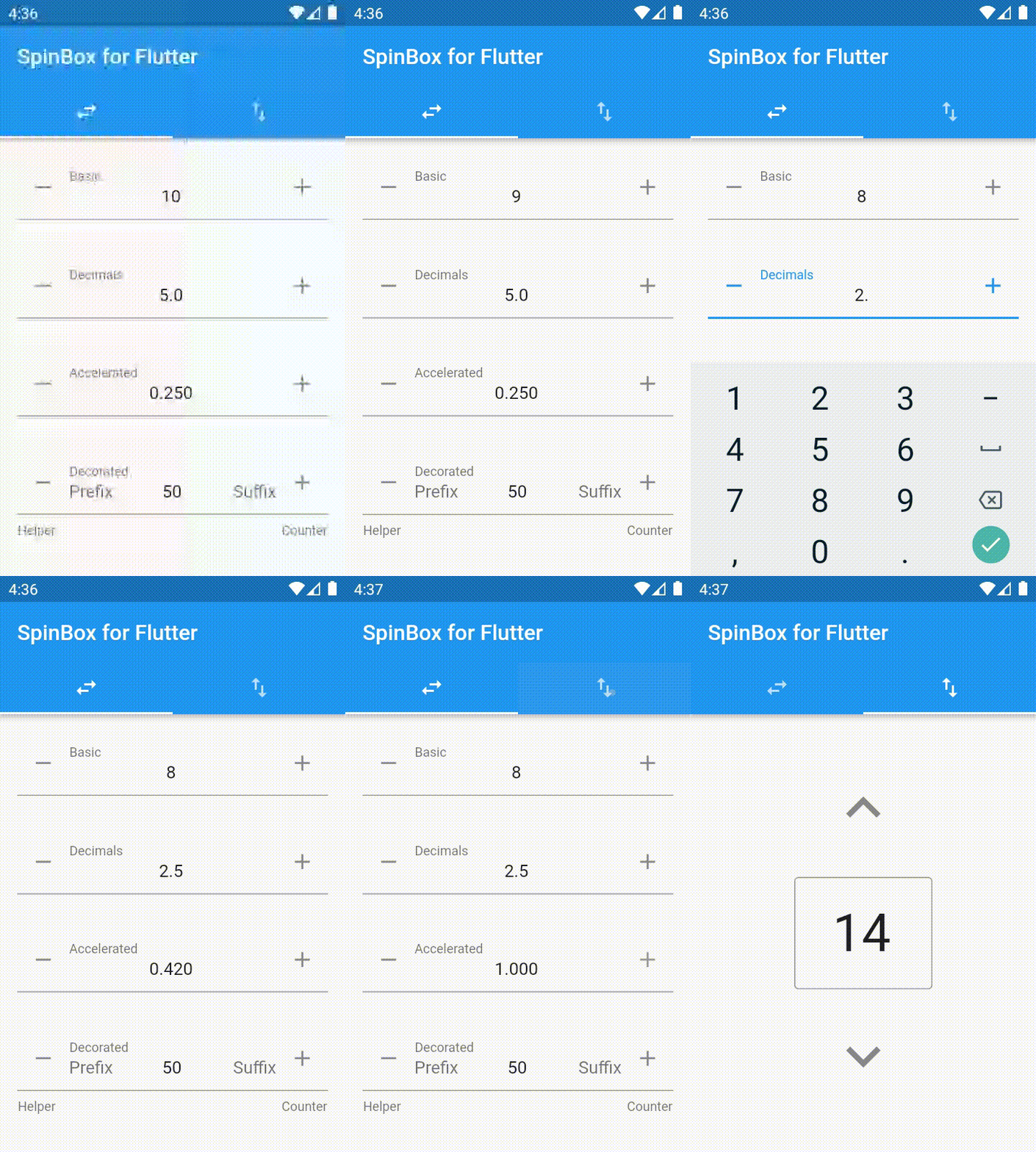
import 'package:flutter_spinbox/material.dart'; // or flutter_spinbox.dart for both

SpinBox(
  min: 1,
  max: 100,
  value: 50,
  onChanged: (value) => print(value),
)
See also Material Components widgets package.
Cupertino (iOS-style) Design
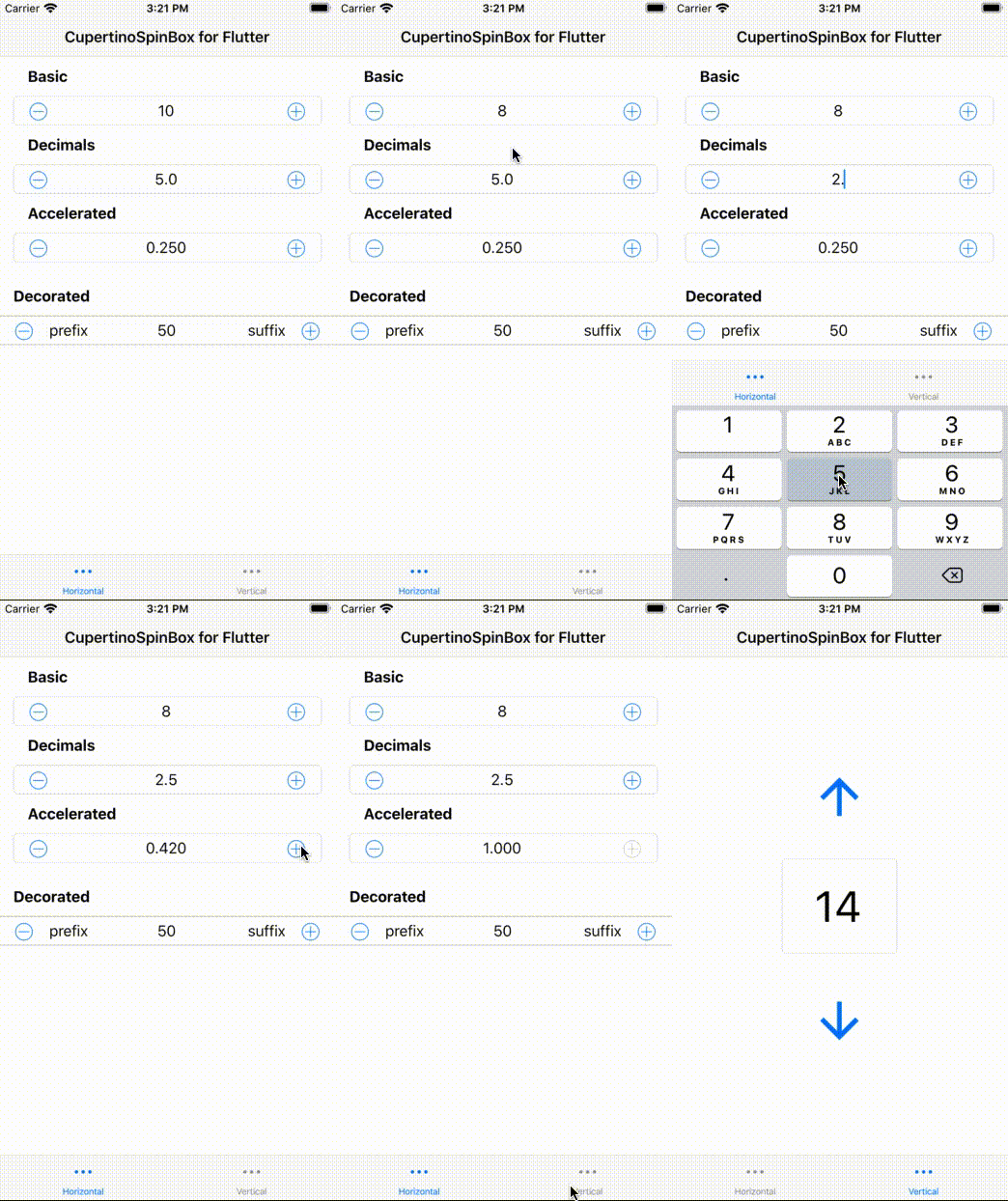
import 'package:flutter_spinbox/cupertino.dart'; // or flutter_spinbox.dart for both

CupertinoSpinBox(
  min: 1,
  max: 100,
  value: 50,
  onChanged: (value) => print(value),
)
See also Cupertino (iOS-style) widgets package.
Guidelines
Spin boxes are best suited for such applications
- that deal with large numeric value ranges and high precisions,
- where users typically know upfront the exact value they are entering,
- where users may later have a need to accurately adjust a previously entered value.
As a rule of thumb, spin boxes are great for scenarios where
- sliders and alike UI controls are too inaccurate,
- tumblers and alike UI controls cannot provide enough value range,
- and a plain text field is inconvenient for value adjustments (open the VKB, move the cursor, erase the previous value, enter a new value... vs. tap-tap-done).
Usage
To use this package, add flutter_spinbox as a dependency in your pubspec.yaml file.

Ubuntu Flutter Community ↗
Kategorien
Verwendete Abhängigkeiten
Abhängigkeiten 5 Einträge
- cupertino_icons
^1.0.2 - flutter
{"sdk":"flutter"} - meta
^1.3.0 - flutter_testEntwicklung
{"sdk":"flutter"} - lintEntwicklung
^2.0.0
Wie wähle ich ein passendes Repository?
Nach Anwendungsfall filtern, Aktivität vergleichen und vor der Nutzung das Originalprojekt prüfen.
- Nach Name, Autor oder Beschreibung suchen und nach Thema eingrenzen.
- Sterne, Forks und letzte Pushes vergleichen. Sterne zeigen Interesse, garantieren aber keine Qualität.
- Vor der Nutzung README, Lizenz und Issues auf GitHub prüfen.
Quellen und Pflege
“A repository is the most basic element of GitHub.”
GitHub Docs — About repositories ↗