
esc_pos_bluetooth
ESC/POS (Thermal, Beleg) Drucken für Flutter und Dart (Android/iOS)

- Sterne
- 270
- Forks
- 361
- Letzter Push (UTC)
- 08.04.2024
- Projektstatus
- Aktiv
Original-README
Englischer Projektschnappschuss. Aktuelle Inhalte auf GitHub.
esc_pos_bluetooth

The library allows to print receipts using a Bluetooth printer. For WiFi/Ethernet printers, use esc_pos_printer library.
TODO (PRs are welcomed!)
- Split byte data into chunks: issue
- Print QR Codes using the
GS ( kcommand (printing QR code from an image already supported) - PDF-417 Barcodes using the
GS ( kcommand - Line spacing using the
ESC 3 <n>command
How to Help
- Test your printer and add it in the table: Wifi/Network printer or Bluetooth printer
- Test and report bugs
- Share your ideas about what could be improved (code optimization, new features...)
- PRs are welcomed!
Tested Printers
Here are some printers tested with this library. Please add the models you have tested to maintain and improve this library and help others to choose the right printer.
Generate a Ticket
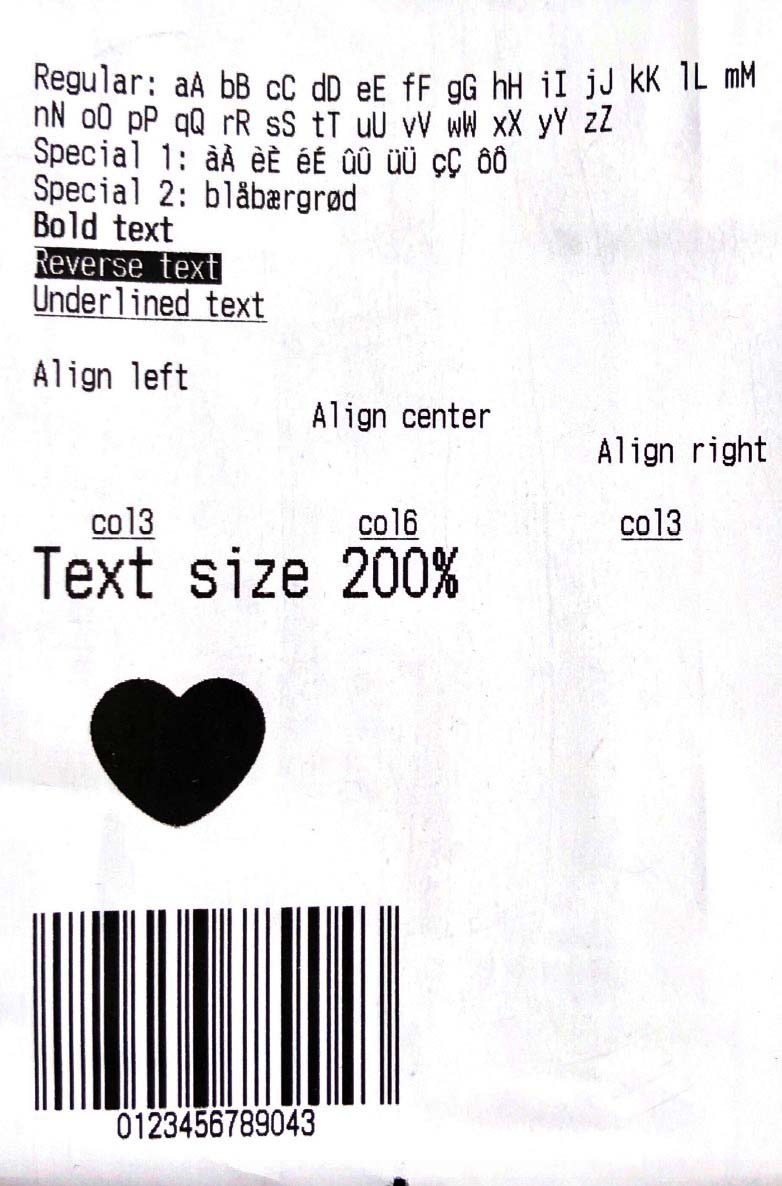
Simple Ticket with Styles:
Ticket testTicket() {
  final Ticket ticket = Ticket(PaperSize.mm80);

  ticket.text(
      'Regular: aA bB cC dD eE fF gG hH iI jJ kK lL mM nN oO pP qQ rR sS tT uU vV wW xX yY zZ');
  ticket.text('Special 1: àÀ èÈ éÉ ûÛ üÜ çÇ ôÔ',
      styles: PosStyles(codeTable: PosCodeTable.westEur));
  ticket.text('Special 2: blåbærgrød',
      styles: PosStyles(codeTable: PosCodeTable.westEur));

  ticket.text('Bold text', styles: PosStyles(bold: true));
  ticket.text('Reverse text', styles: PosStyles(reverse: true));
  ticket.text('Underlined text',
      styles: PosStyles(underline: true), linesAfter: 1);
  ticket.text('Align left', styles: PosStyles(align: PosAlign.left));
  ticket.text('Align center', styles: PosStyles(align: PosAlign.center));
  ticket.text('Align right',
      styles: PosStyles(align: PosAlign.right), linesAfter: 1);

  ticket.text('Text size 200%',
      styles: PosStyles(
        height: PosTextSize.size2,
        width: PosTextSize.size2,
      ));

  ticket.feed(2);
  ticket.cut();
  return ticket;
}
You can find more examples here: esc_pos_utils.
Print a Ticket
PrinterBluetoothManager printerManager = PrinterBluetoothManager();

printerManager.scanResults.listen((printers) async {
  // store found printers
});
printerManager.startScan(Duration(seconds: 4));

// ...

printerManager.selectPrinter(printer);
final PosPrintResult res = await printerManager.printTicket(testTicket());

print('Print result: ${res.msg}');
For a complete example, check the demo project example/blue.
Troubleshooting
- If your printer prints only 5%-10% of an image and then stops, or it can't print more than 1 image on the same ticket, or it can't print long tickets, try to ajust
queueSleepTimeMsof thePrinterBluetoothManager.printTicket(try 50 or 100ms):printerManager.printTicket(await demoReceipt(paper), queueSleepTimeMs: 50);
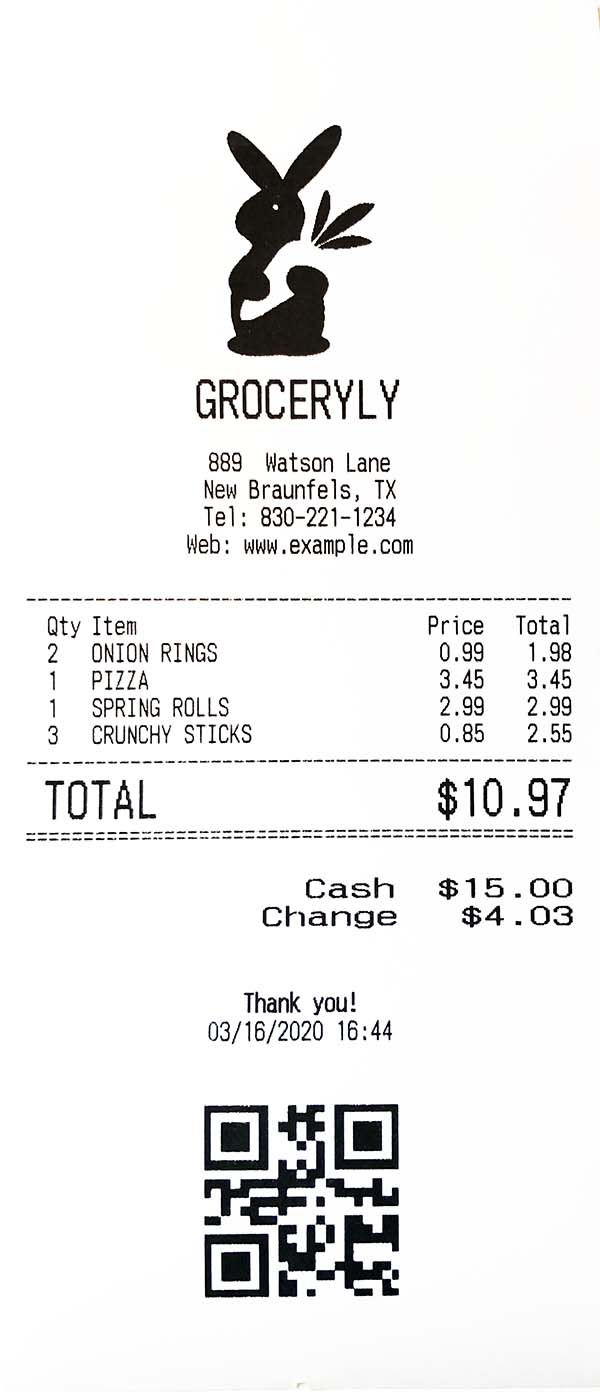
Test Print

GitHub-Autor
wwandreww ↗
SprachenDartRubyObjective-CKotlin
Kategorien
Verwendete Abhängigkeiten
Abhängigkeiten 5 Einträge
- flutter
{"sdk":"flutter"} - rxdart
^0.26.0 - esc_pos_utils
^1.1.0 - flutter_bluetooth_basic
^0.1.7 - flutter_testEntwicklung
{"sdk":"flutter"}
Wie wähle ich ein passendes Repository?
Nach Anwendungsfall filtern, Aktivität vergleichen und vor der Nutzung das Originalprojekt prüfen.
- Nach Name, Autor oder Beschreibung suchen und nach Thema eingrenzen.
- Sterne, Forks und letzte Pushes vergleichen. Sterne zeigen Interesse, garantieren aber keine Qualität.
- Vor der Nutzung README, Lizenz und Issues auf GitHub prüfen.
Quellen und Pflege
“A repository is the most basic element of GitHub.”
GitHub Docs — About repositories ↗
- wwandreww/esc_pos_bluetooth · GitHub ↗
- GitHub Docs — Saving repositories with stars ↗
- Verzeichnis gepflegt von Ducafecat ↗